This is the full developer documentation for River
# Getting started
> Learn how to install River packages for Go, run migrations to get River's database schema in place, and create an initial worker and client to start inserting and working jobs.
Learn how to install River packages for Go, run migrations to get River's database schema in place, and create an initial worker and client to start inserting and working jobs.
[](https://pkg.go.dev/github.com/riverqueue/river)
***
## Prerequisites [](#prerequisites)
River supports PostgreSQL and SQLite. This guide uses PostgreSQL, River's primary database target, which is most commonly used with [pgx](https://pkg.go.dev/github.com/jackc/pgx/v5). River is tested using the three most recent major versions of PostgreSQL. For experimental SQLite support, see [Using with SQLite](/docs/sqlite).
## Installation [](#installation)
To install River, run the following in the directory of a Go project (where a `go.mod` file is present):
```sh
go get github.com/riverqueue/river
go get github.com/riverqueue/river/riverdriver/riverpgxv5
```
Alternatively, the `riverdatabasesql` driver can be used instead of `riverpgxv5` for compatibility with Go's built-in `database/sql`. See [inserting jobs with Bun](/docs/bun) or [GORM](/docs/gorm).
## Running migrations [](#running-migrations)
River persists jobs to a Postgres database, and needs a small set of tables created to insert jobs and carry out [leader election](/docs/leader-election). It's bundled with a command line tool which executes migrations, and which future-proofs River in case other migration steps need to be run in future versions.
From the same directory as above, install the River CLI:
```sh
go install github.com/riverqueue/river/cmd/river@latest
```
With the `DATABASE_URL` of a target database (looks like `postgres://host:5432/db`), migrate up:
```sh
river migrate-up --database-url "$DATABASE_URL"
```
See also [migrations](/docs/migrations).
## Job args and workers [](#job-args-and-workers)
Each kind of job in River requires two types: a [`JobArgs`](https://pkg.go.dev/github.com/riverqueue/river#JobArgs) struct and a [`Worker[T JobArgs]`](https://pkg.go.dev/github.com/riverqueue/river#Worker). The `JobArgs` struct has two purposes:
1. It defines the structured arguments for your worker. These arguments are serialized to JSON before the job is stored in the database.
2. It defines a `Kind() string` method that will be used to uniquely identify the kind of job in the database.
Here is a simple `Worker` and `JobArgs` setup for a `SortWorker` which will sort and print a list of strings provided in its arguments:
```go
type SortArgs struct {
// Strings is a slice of strings to sort.
Strings []string `json:"strings"`
}
func (SortArgs) Kind() string { return "sort" }
```
```go
type SortWorker struct {
// An embedded WorkerDefaults sets up default methods to fulfill the rest of
// the Worker interface:
river.WorkerDefaults[SortArgs]
}
func (w *SortWorker) Work(ctx context.Context, job *river.Job[SortArgs]) error {
sort.Strings(job.Args.Strings)
fmt.Printf("Sorted strings: %+v\n", job.Args.Strings)
return nil
}
```
Generics
River utilizes Go generics to simplify your Worker definitions. This means that your worker only needs to deal with fully structured and typed set of arguments. As in the example above, a `Worker` has a 1:1 relationship with the `JobArgs` type it handles.
## Registering workers [](#registering-workers)
Jobs are uniquely identified by their "kind" string. Workers are registered on start up so that River knows how to assign jobs to workers:
```go
workers := river.NewWorkers()
// AddWorker panics if the worker is already registered or invalid:
river.AddWorker(workers, &SortWorker{})
```
`AddWorker` panics in case of invalid configuration. Given its succinct syntax and that bad configuration should prevent a worker process from booting, panicking is probably a reasonable compromise for most applications. However, for those who find it distastely, `AddWorkerSafely` is also provided:
```go
workers := river.NewWorkers()
if err := river.AddWorkerSafely(workers, &SortWorker{}); err != nil {
panic("handle this error")
}
```
## Starting a client [](#starting-a-client)
A River [`Client`](https://pkg.go.dev/github.com/riverqueue/river#Client) provides an interface for job insertion and manages job processing and [maintenance services](/docs/maintenance-services). A client is created with a database pool, [driver](/docs/database-drivers), and config struct containing a `Workers` bundle and other settings. Here's a client `Client` working one queue (`"default"`) with up to 100 worker goroutines at a time:
```go
dbPool, err := pgxpool.New(ctx, os.Getenv("DATABASE_URL"))
if err != nil {
// handle error
}
riverClient, err := river.NewClient(riverpgxv5.New(dbPool), &river.Config{
Queues: map[string]river.QueueConfig{
river.QueueDefault: {MaxWorkers: 100},
},
Workers: workers,
})
if err != nil {
// handle error
}
// Run the client inline. All executed jobs will inherit from ctx:
if err := riverClient.Start(ctx); err != nil {
// handle error
}
```
### Stopping [](#stopping)
The client should also be stopped on program shutdown:
```go
// Stop fetching new work and wait for active jobs to finish.
if err := riverClient.Stop(ctx); err != nil {
// handle error
}
```
There are some complexities around ensuring clients stop cleanly, but also in a timely manner. Read [Graceful shutdown](/docs/graceful-shutdown) for more details on River's stop modes.
[Insert-only clients](/docs/insert-only-clients) will insert jobs, but not work them, and don't need to be started or stopped.
## Inserting jobs [](#inserting-jobs)
[`Client.InsertTx`](https://pkg.go.dev/github.com/riverqueue/river#Client.InsertTx) is used in conjunction with an instance of job args to insert a job to work on a transaction:
```go
_, err = riverClient.InsertTx(ctx, tx, SortArgs{
Strings: []string{
"whale", "tiger", "bear",
},
}, nil)
if err != nil {
// handle error
}
```
See the [`InsertAndWork` example](https://pkg.go.dev/github.com/riverqueue/river#example-package-InsertAndWork) for complete code.
[`Client.Insert`](https://pkg.go.dev/github.com/riverqueue/river#Client.Insert) that doesn't take a transaction is also available, although as described in [Transactional enqueuing](/docs/transactional-enqueueing), inserting jobs in transactions is usually more appropriate to avoid bugs.
```go
_, err = riverClient.Insert(ctx, SortArgs{
Strings: []string{
"whale", "tiger", "bear",
},
}, nil)
if err != nil {
// handle error
}
```
See also [Batch job insertion](/docs/batch-job-insertion).
# Using an alternate schema
> Setting search path to use an alternate schema in Postgres.
River can use an alternate schema in Postgres using the client's `Schema` option or configuring `search_path` on connections.
***
## Clusters, databases, and schemas [](#clusters-databases-and-schemas)
Postgres clusters may be subdivided in many *databases*, and each database may be subdivided again into many [*schemas*](https://www.postgresql.org/docs/current/ddl-schemas.html), each one containing a collection of tables. While it's often practical to keep all an application's tables in a single schema for convenience, some users may find it desirable to put [River's tables](/docs/migrations#table-reference) in an alternate schema. The `public` schema is assigned to databases automatically, and by default all tables will be located there.
## Configuring an alternate schema explicitly [](#configuring-an-alternate-schema-explicitly)
Configure a schema explicitly on a client using [`Config.Schema`](https://pkg.go.dev/github.com/riverqueue/river#Config):
```go
riverClient, err := river.NewClient(riverpgxv5.New(dbPool), &river.Config{
Schema: "alternate_schema",
...
})
if err != nil {
panic(err)
}
```
This option causes River to explicitly prefix all table, function, and enum references with an explicit schema like `SELECT * FROM alternate_schema.river_job`.
### Migrating with the River CLI [](#migrating-with-the-river-cli)
Use an alternate schema explicitly to migrate with the River CLI:
```sh
go install github.com/riverqueue/river/cmd/river@latest
```
```sh
river migrate-up --database-url "$DATABASE_URL" --schema alternate_schema
```
### Migrating with the Go API [](#migrating-with-the-go-api)
Use an alternate schema explicitly with the Go [`rivermigrate`](https://pkg.go.dev/github.com/riverqueue/river/rivermigrate) API:
```go
migrator, err := rivermigrate.New(bundle.driver, &rivermigrate.Config{
Schema: "alternate_schema",
})
if err != nil {
panic(err)
}
res, err := migrator.Migrate(ctx, rivermigrate.DirectionUp, nil)
if err != nil {
panic(err)
}
```
## Configuring a schema in search path [](#configuring-a-schema-in-search-path)
Alternatively, a non-standard schema can be configured by setting the Postgres [search path](https://www.postgresql.org/docs/current/ddl-schemas.html#DDL-SCHEMAS-PATH) (`SET search_path TO ...`) of the database pool:
```go
dbPoolConfig, err := pgxpool.ParseConfig(os.Getenv("DATABASE_URL"))
if err != nil {
// handle error
}
// Set the schema in search path.
dbPoolConfig.ConnConfig.RuntimeParams["search_path"] = "alternate_schema"
dbPool, err := pgxpool.NewWithConfig(ctx, dbPoolConfig)
if err != nil {
// handle error
}
defer dbPool.Close()
riverClient, err := river.NewClient(riverpgxv5.New(dbPool), &river.Config{
...
})
if err != nil {
// handle error
}
```
Search paths are a list of schemas in which to look for database tables in order of preference. Storing River tables in one schema and other tables in another could be accomplished by including them both in `search_path`:
```sql
SET search_path TO 'my_river_schema, my_other_schema'
```
A downside of search paths is that they're set on a per connection basis. Database pools like Pgx can set them automatically when procuring a new connection (see [PgBouncer and AfterConnect](#pgbouncer-and-afterconnect)), but it's possible for `search_path` to become reconfigured or unset, resulting in River being unable to locate its tables:
```sql
ERROR: relation "river_job" does not exist (SQLSTATE 42P01)
```
Avoid this by preferring the use of an explicit `Schema` option as described above.
Prefer the use of an explicit schema
Use of `search_path` is generally not recommended due to the possibility that it may become unset or reconfigured on connections, especially in the presence of poolers like PgBouncer. Prefer the use of `Config.Schema` instead.
### Migrations and search path in database URLs [](#migrations-and-search-path-in-database-urls)
When running [migrations with the River CLI](/docs/migrations), search path should be set as a parameter on the database URL:
```sh
export DATABASE_URL="postgres://host:5432/db?search_path=alternate_schema"
```
```sh
river migrate-up --database-url "$DATABASE_URL"
```
A schema name in the database URL is also be respected by `pgxpool.New` or `pgxpool.ParseConfig`, and can act as an alternative way of pointing a pgx connection pool to a different schema.
```go
dbPool, err := pgxpool.New(ctx, "postgres://host:5432/db?search_path=alternate_schema")
if err != nil {
// handle error
}
defer dbPool.Close()
```
### PgBouncer and AfterConnect [](#pgbouncer-and-afterconnect)
Depending on configuration and deployment, using an alternate schema with PgBouncer is a little trickier because it may be maintaining connections that weren't initialized with `search_path`.
A work around is to use pgx's `AfterConnect` hook to always set `search_path` when procuring a connection from PgBouncer:
```go
var (
alternateSchema = "alternate_schema"
setSearchPath = fmt.Sprintf("SET search_path TO %s, public",
pgx.Identifier{alternateSchema}.Sanitize())
)
dbPoolConfig, err := pgxpool.ParseConfig(os.Getenv("DATABASE_URL"))
if err != nil {
return nil, err
}
dbPoolConfig.AfterConnect = func(ctx context.Context, conn *pgx.Conn) error {
if _, err := conn.Exec(ctx, setSearchPath); err != nil {
return fmt.Errorf("failed to set search_path: %w", err)
}
return nil
}
dbPool, err := pgxpool.NewWithConfig(ctx, dbPoolConfig)
if err != nil {
// handle error
}
return dbPool, nil
```
A side effect of this technique is that connections become "tainted" in that even after River's done with them, `search_path` stays set in PgBouncer and may affect other applications that subsequently use them. This effect should be benign as long as `search_path` contains a fallback schema like `alternate_schema, public` so clients can still find relations that aren't found in the River schema.
# Benchmarks
> Running migrations in a database to bring up River's tables.
An imperfect science, benchmarks can be useful as a rough gauge for a job queue's throughput, and River comes with a simple benchmarking utility for this purpose.
On a commodity laptop (8-core 2022 M2 MacBook Air) with 2,000 worker goroutines, River works about **46k jobs/sec**.
***
## Using River bench [](#using-river-bench)
River's CLI ships with a basic benchmarking command to help produce a rudimentary measure of its job throughput. It inserts synthetic no-op jobs and sends them through the queue to completion.
Benchmarking is a highly imperfect science, and throughput will depend on database size and IO, the utility's distance to the database, and the hardware it's running on. We don't recommend interpreting these measurements as gospel, or using them for direct comparisons to other systems.
Install the CLI:
```sh
go install github.com/riverqueue/river/cmd/river@latest
```
Update the CLI frequently
The benchmark program uses the version of River internal to the installed River CLI. Make sure you have a recent version and update frequently to pick up the latest bug fixes and optimizations.
Migrate a database to use as a benchmark target:
```sh
river migrate-up --database-url $DATABASE_URL
```
Benchmark only empty databases
The benchmark program will truncate and `VACUUM FULL` jobs table in the target database. Only target databases where total data loss is okay.
## Fixed job burn down [](#fixed-job-burn-down)
Burn down mode inserts a fixed number of jobs prior to starting, then works them until finishing. This isn't very realistic, but produces more consistent results because there are no concurrent job insertions for workers to compete with. It's also the way that many similar systems benchmark themselves, and may be most useful in comparisons.
Use `-n`/`--num-total-jobs` with the total number of jobs to work:
```sh
river bench --database-url $DATABASE_URL --num-total-jobs 1_000_000
```
On an 8-core 2022 M2 MacBook Air, River works about 46k jobs/sec:
```sh
bench: jobs worked [ 0 ], inserted [ 1000000 ], job/sec [ 0.0 ] [0s]
bench: jobs worked [ 82657 ], inserted [ 0 ], job/sec [ 41328.5 ] [2s]
bench: jobs worked [ 96057 ], inserted [ 0 ], job/sec [ 48028.5 ] [2s]
bench: jobs worked [ 89829 ], inserted [ 0 ], job/sec [ 44914.5 ] [2s]
bench: jobs worked [ 96847 ], inserted [ 0 ], job/sec [ 48423.5 ] [2s]
bench: jobs worked [ 96042 ], inserted [ 0 ], job/sec [ 48021.0 ] [2s]
bench: jobs worked [ 87198 ], inserted [ 0 ], job/sec [ 43599.0 ] [2s]
bench: jobs worked [ 96474 ], inserted [ 0 ], job/sec [ 48237.0 ] [2s]
bench: jobs worked [ 94126 ], inserted [ 0 ], job/sec [ 47063.0 ] [2s]
bench: jobs worked [ 85323 ], inserted [ 0 ], job/sec [ 42661.5 ] [2s]
bench: jobs worked [ 94043 ], inserted [ 0 ], job/sec [ 47021.5 ] [2s]
bench: jobs worked [ 81387 ], inserted [ 0 ], job/sec [ 40693.5 ] [2s]
bench: total jobs worked [ 1000000 ], total jobs inserted [ 1000000 ], overall job/sec [ 45753.1 ], running 21.856442959s
```
## Continuous operation [](#continuous-operation)
Without any other arguments River will run in continuously:
```sh
# do benchmarking
river bench --database-url $DATABASE_URL
```
An initial set of jobs are inserted, and the program works jobs as quickly as it can while a background goroutine inserts enough new jobs that the benchmark never runs out. It continues indefinitely until receiving `SIGTERM` (i.e. `Ctrl+C` in a terminal).
## Timed duration [](#timed-duration)
Use the `--duration` parameter to run the benchmark for a fixed amount of time before stopping and printing results. It takes Go-style durations like `1m` or `5m30s`.
```sh
river bench --database-url $DATABASE_URL --duration 1m
```
# Using with Bun
> By dropping down to common `database/sql` constructs, River can share connections and transactions with Bun, a well known ORM (Object Relational Mapper) in the Go ecosystem.
By dropping down to common [`database/sql`](https://pkg.go.dev/database/sql) constructs, River can share connections and transactions with [Bun](https://github.com/uptrace/bun), a well known ORM (Object Relational Mapper) in the Go ecosystem.
***
## Sharing a database handle [](#sharing-a-database-handle)
The same `*sql.DB` handle can be configured on Bun and a River client:
```go
import (
"database/sql"
"github.com/jackc/pgx/v5/pgxpool"
_ "github.com/jackc/pgx/v5/stdlib"
"github.com/riverqueue/river"
"github.com/riverqueue/river/riverdriver/riverdatabasesql"
)
```
```go
sqlDB, err := sql.Open("pgx", "postgres://localhost/river")
if err != nil {
return nil, err
}
// Providing a separate listener pool is optional, but gives the client
// access to listen/notify and more responsive to incoming jobs.
listenerPool, err := pgxpool.New(ctx, "postgres://localhost/river")
if err != nil {
return nil, err
}
defer listenerPool.Close()
bunDB := bun.NewDB(sqlDB, pgdialect.New())
riverClient, err := river.NewClient(
riverdatabasesql.NewWithPgxListener(sqlDB, listenerPool),
&river.Config{
Workers: workers,
},
)
if err != nil {
return nil, err
}
```
Pgx provides LISTEN/NOTIFY
The `database/sql` package doesn't expose Postgres `LISTEN`, so [`NewWithPgxListener`](https://pkg.go.dev/github.com/riverqueue/river/riverdriver/riverdatabasesql#NewWithPgxListener) uses `listenerPool` to receive notifications while all queries and transactions continue through `sqlDB`.
Use [`riverdatabasesql.New`](https://pkg.go.dev/github.com/riverqueue/river/riverdriver/riverdatabasesql#New) instead to intentionally run in poll-only mode.
## Sharing a transaction [](#sharing-a-transaction)
Transactions are shareable by starting them from Bun, then accessing [`bun.Tx`'s embedded `*sql.Tx`](https://pkg.go.dev/github.com/uptrace/bun#Tx) and using it with a River client's `InsertTx`:
```go
tx, err := bunDB.BeginTx(ctx, &sql.TxOptions{})
if err != nil {
return nil, err
}
_, err = riverClient.InsertTx(ctx, tx.Tx, SortArgs{ // tx.Tx is *sql.Tx
Strings: []string{
"whale", "tiger", "bear",
},
}, nil)
if err != nil {
return nil, err
}
if err := tx.Commit(); err != nil {
return nil, err
}
```
# Cancelling jobs
> Jobs can be cancelled so they're no longer retried.
Jobs can be cancelled permanently in order to prevent them from running again or to cancel an ongoing execution.
***
## Cancelling from within a worker [](#cancelling-from-within-a-worker)
If a worker recognizes that a job will never succeed, it can be cancelled permanently by returning the result of [`JobCancel`](https://pkg.go.dev/github.com/riverqueue/river#JobCancel). Compared to returning another error, `JobCancel` saves resources by preventing further retries.
Under normal circumstances, jobs that return an error are scheduled [to be retried](/docs/job-retries). This is done under the assumption that the problem they ran into was intermittent, or can be corrected by a code deploy that fixes a worker bug.
But there are times when a worker might realize that a job it's working will never succeed and should be abandoned immediately instead of wasting worker resources with continuous retries. This is where the [`JobCancel`](https://pkg.go.dev/github.com/riverqueue/river#JobCancel) function is useful, which generates an error that River will recognize as a signal to permanently cancel a job:
```go
func (w *CancellingWorker) Work(ctx context.Context, j *river.Job[CancellingArgs]) error {
if thisJobWillNeverSucceed {
return river.JobCancel(
fmt.Errorf("this wrapped error message will be persisted to DB"))
}
return nil
}
```
See the [`JobCancel` example](https://pkg.go.dev/github.com/riverqueue/river#example-package-JobCancel) for complete code.
`JobCancel` takes one argument — an error that should contain information on why the job was cancelled. This is purely for the benefit of operators — the error is persisted to the database and can be retrieved from the job's record to help understand the reason for its cancellation.
## Cancelling a job from the client [](#cancelling-a-job-from-the-client)
Jobs can also be cancelled from the River client using the [`Client.JobCancel`](https://pkg.go.dev/github.com/riverqueue/river#Client.JobCancel) method, whether or not the job is currently running:
```go
if _, err := riverClient.JobCancel(ctx, jobID); err != nil {
// handle error
}
```
See the [`JobCancelFromClient` example](https://pkg.go.dev/github.com/riverqueue/river#example-package-JobCancelFromClient) for complete code.
This operation is inherently prone to certain race conditions, the details of which depend on the job's current state.
### Jobs still running [](#jobs-still-running)
If the job is currently running, it is not immediately cancelled, but is instead marked for cancellation. The client running the job will also be notified (via `LISTEN`/`NOTIFY`) to cancel the running job's context. Although the job's context will be cancelled, since Go does not provide a mechanism to interrupt a running goroutine the job will continue running until it returns. As always, it is important for workers to respect context cancellation and return promptly when the job context is done.
Once the cancellation signal is received by the client running the job, any error returned by that job will result in it being cancelled permanently and not retried. However if the job returns no error, it will be completed as usual.
In the event the running job finishes executing *before* the cancellation signal is received but *after* this update was made, the behavior depends on which state the job is being transitioned into (based on its return value):
* If the job was due to be finalized because it completed successfully, was cancelled from within, or was discarded due to exceeding its max attempts, the job will be updated as usual.
* If the job was snoozed to run again later or encountered a retryable error, the job will be marked as `cancelled` and will not be attempted again.
### Jobs still enqueued [](#jobs-still-enqueued)
For jobs that are still in the queue (`available`, `scheduled`, or `retryable`), cancellation is straightforward. The job is immediately and atomically marked as `cancelled` so that no client will fetch it from the queue and it will not be attempted again.
### Jobs already finalized [](#jobs-already-finalized)
If the job is already finalized (`cancelled`, `completed`, or `discarded`), no changes are made.
## Cancelling a job from the UI [](#cancelling-a-job-from-the-ui)
The [River UI](/docs/river-ui) enables cancelling jobs from the web interface. Cancellation can be performed in bulk from the job list page on selected jobs, or individually from the job details page.
# Changing job args safely
> How to make breaking changes to job arg structs while making sure that already inserted jobs are still workable when new versions of code are deployed.
It's occasionally necessary to make significant changes to existing job args structs as code is refactored or job behavior is amended. Like when [renaming jobs](/docs/renaming-jobs), some care must be taken while doing so to make sure already inserted jobs are still workable when new versions of code are deployed.
***
## Breaking change example [](#breaking-change-example)
Let's see what a breaking change looks like in action. Take an original job args that contains a field called `Name`:
```go
// job's previous version
type HelloJobArgs struct {
Name string `json:"name"`
}
```
On a subsequent revision of the struct, `Name` is changed to `FullName`, and its JSON annotation is updated accordingly:
```go
// job's new version after field rename
type HelloJobArgs struct {
FullName string `json:"full_name"`
}
```
```go
func (w *HelloWorker) Work(ctx context.Context, job *river.Job[HelloJobArgs]) error {
// failure for previously inserted jobs with only `name`!
fmt.Printf("Hello %s\n", job.Args.FullName)
return nil
}
```
Newly inserted jobs will work fine because they'll have a `FullName` attribute that matches what the worker is trying to process. But jobs that were inserted *before* the change are unmarshaled with an empty `FullName` (they only have `Name`). When the worker runs one of these old jobs it won't error, but will silently produce the wrong result.
***
## Approach 1: Multiple sets of fields on one struct [](#approach-1-multiple-sets-of-fields-on-one-struct)
There are a couple strategies for making changes to job args safely. The simplest is to reuse a single job args struct by keeping multiple sets of fields on it, one for the old version of the job and one for the new, then conditionally handling one or the other in `Work`.
For example, start with an original job representing an outdated mode of transport:
```go
type VehicleJobArgs struct {
NumHorses int `json:"num_horses"`
}
func (VehicleJobArgs) Kind() string { return "vehicle" }
```
The program is transitioning from carriages to motor cars, so a new set of fields is added to represent the latter:
```go
type VehicleJobArgs struct {
// job's previous fields
NumHorses int `json:"num_horses"`
// job's new fields
EngineMaker string `json:"engine_maker"`
Horsepower int `json:"horsepower"`
}
```
The corresponding worker knows to be on the look out for either version of job, and process it conditionally one way or the other:
```go
type VehicleWorker struct {
river.WorkerDefaults[VehicleJobArgs]
}
func (w *VehicleWorker) Work(ctx context.Context, job *river.Job[VehicleJobArgs]) error {
switch {
case job.Args.NumHorses != 0:
return w.handleCarriage(job) // handle "old" style of job
case job.Args.EngineMaker != "":
return w.handleMotorCar(job) // handle "new" style of job
}
return errors.New("job doesn't look like old or new version")
}
func (w *VehicleWorker) handleCarriage(job *river.Job[VehicleJobArgs]) error {
fmt.Printf("Handled carriage with %d horse(s)\n", job.Args.NumHorses)
return nil
}
func (w *VehicleWorker) handleMotorCar(job *river.Job[VehicleJobArgs]) error {
fmt.Printf("Handled motor car with %d horsepower made by %s\n", job.Args.Horsepower, job.Args.EngineMaker)
return nil
}
```
### Post-iteration cleanup [](#post-iteration-cleanup)
After insertions of jobs with the original group of args have stopped and a reasonable time to work them through has passed, use a database query to check whether there are still any still eligible to be worked:
```sql
SELECT count(*)
FROM river_job
WHERE kind = 'vehicle'
AND args ? 'num_horses'
AND finalized_at IS NULL;
```
If not (i.e. the query above returns zero), it's safe to remove the original group of properties, simplifying the args:
```go
type VehicleJobArgs struct {
EngineMaker string `json:"engine_maker"`
Horsepower int `json:"horsepower"`
}
```
Notably, a chronically failing job using the default retry policy and default max attempts (25) will take [about three weeks to exhaust its retries](/docs/job-retries##client-retry-policy), so without special intervention, that's how long it might take before it's fully safe to clean up the old version of a job. With no failing jobs, you can do it much sooner.
## Approach 2: Versioned job args [](#approach-2-versioned-job-args)
A safer-but-noisier alternative approach is to version job args instead. Starting with an original form of the args:
```go
type VehicleJobArgs struct {
NumHorses int `json:"num_horses"`
}
func (VehicleJobArgs) Kind() string { return "vehicle" }
```
```go
type VehicleWorker struct {
river.WorkerDefaults[VehicleJobArgs]
}
func (w *VehicleWorker) Work(ctx context.Context, job *river.Job[VehicleJobArgs]) error {
fmt.Printf("Handled carriage with %d horse(s)\n", job.Args.NumHorses)
return nil
}
```
Instead of adding new fields to the existing job args, add a completely new struct and worker named with an explicit "V2":
```go
// job's new version
type VehicleJobArgsV2 struct {
EngineMaker string `json:"engine_maker"`
Horsepower int `json:"horsepower"`
}
func (VehicleJobArgsV2) Kind() string { return "vehicle_v2" }
```
```go
type VehicleWorkerV2 struct {
river.WorkerDefaults[VehicleJobArgsV2]
}
func (w *VehicleWorkerV2) Work(ctx context.Context, job *river.Job[VehicleJobArgsV2]) error {
fmt.Printf("Handled motor car with %d horsepower made by %s\n", job.Args.Horsepower, job.Args.EngineMaker)
return nil
}
```
Make sure that both versions are registered with the client's worker bundle:
```go
workers := river.NewWorkers()
river.AddWorker(workers, &VehicleWorker{})
river.AddWorker(workers, &VehicleWorkerV2{})
```
A program transitioning from one version to the other will stop inserting the original `VehicleWorker` and move to only inserts of `VehicleWorkerV2`:
```go
_, err = riverClient.Insert(ctx, VehicleJobArgsV2{
EngineMaker: "Ford",
Horsepower: 100,
}, nil)
if err != nil {
panic(err)
}
```
### Post-iteration cleanup [](#post-iteration-cleanup-1)
After insertions of `VehicleJobArgs` have stopped and a reasonable time to work them through has passed, use a database query to check whether there are still any eligible to be worked:
```sql
SELECT count(*)
FROM river_job
WHERE kind = 'vehicle' -- the V1 kind
AND finalized_at IS NULL;
```
If not (i.e. the query above returns zero), the original (non-V2) `VehicleJobArgs` and `VehicleWorker` can safely be dropped.
### Reclaiming names and kinds [](#reclaiming-names-and-kinds)
After `VehicleJobArgs` has been removed, it might be desirable to reclaim its name so there isn't an unsightly V2 attached to it. Renaming the Go struct is easy, but as described in [renaming jobs](/docs/renaming-jobs), some care must be taken to rename a job's `Kind()` so that jobs that are already queued aren't accidentally orphaned.
Renaming safely is possible by changing `Kind()` to the desired name and moving the original to `KindAliases()`. New jobs are inserted as `vehicle`, but in case one is found with `vehicle_v2`, it's handled by the same worker:
```go
type VehicleJobArgs struct {
EngineMaker string `json:"engine_maker"`
Horsepower int `json:"horsepower"`
}
func (VehicleJobArgs) Kind() string { return "vehicle" }
func (VehicleJobArgs) KindAliases() []string { return []string{"vehicle_v2"} }
```
# Getting the client within workers
> The River client is available within running jobs via a context value.
The River client is made available to workers on the context, making it easy to enqueue additional jobs from within a job.
***
## Basic usage [](#basic-usage)
The River client working a job is stored in a value on the context provided to workers. The client can be retrieved from the context (or any contexts derived from it) using the [`ClientFromContext`](https://pkg.go.dev/github.com/riverqueue/river#ClientFromContext) helper:
```go
func (w *MyWorker) Work(ctx context.Context, job *river.Job[MyArgs]) error {
client := river.ClientFromContext[pgx.Tx](ctx)
...
}
```
The type parameter `pgx.Tx` corresponds to the generic type parameter of the underlying `Client[pgx.Tx]`. When using the `database/sql` driver, the type parameter should be `*sql.Tx`:
```go
client := river.ClientFromContext[*sql.Tx](ctx)
```
If `ClientFromContext` is called on a context which isn't derived from the work context, it will panic. This situation indicates a programming error so most users will find the panic more convenient, although a non-panicking version is also available:
```go
func (w *MyWorker) Work(ctx context.Context, job *river.Job[MyArgs]) error {
client, err := river.ClientFromContextSafely[pgx.Tx](ctx)
if err != nil {
return fmt.Errorf("error getting client from context: %w", err)
}
...
}
```
### River Pro Client [](#river-pro-client)
For [River Pro](/docs/pro) customers, the `riverpro.Client` is also available on the context via the `riverpro` package:
```go
riverproClient := riverpro.ClientFromContext[pgx.Tx](ctx)
```
# Database drivers
> River's use of drivers to insulate itself from third party database packages.
River makes use of drivers to insulate itself from third party packages, enabling use of different databases, database packages, and new major versions. River currently includes [`riverpgxv5`](https://pkg.go.dev/github.com/riverqueue/river/riverdriver/riverpgxv5) for Postgres, [`riversqlite`](https://pkg.go.dev/github.com/riverqueue/river/riverdriver/riversqlite) for SQLite, and [`riverdatabasesql`](https://pkg.go.dev/github.com/riverqueue/river/riverdriver/riverdatabasesql) for Postgres through Go's built-in `database/sql`. For Postgres, `riverpgxv5` is the recommended option.
***
## Drivers wrap third party packages [](#drivers-wrap-third-party-packages)
The River [`Client`](https://pkg.go.dev/github.com/riverqueue/river#Client) takes a generic `TTx` type parameter representing the type of the transaction in use for functions like [`InsertTx`](https://pkg.go.dev/github.com/riverqueue/river#Client.InsertTx) and [`InsertManyTx`](https://pkg.go.dev/github.com/riverqueue/river#Client.InsertManyTx). `TTx` is derived from the client's driver, an agnostic interface to a third party package that provides access to the target database.
Most of the time, the only time code references a database driver is when it's initializing a River client. [`NewClient`](https://pkg.go.dev/github.com/riverqueue/river#NewClient) takes a driver as its first parameter, and the driver wraps a database pool:
```go
import "github.com/riverqueue/river"
import "github.com/riverqueue/river/riverdriver/riverpgxv5"
...
dbPool, err := pgxpool.New(ctx, os.Getenv("DATABASE_URL"))
if err != nil {
panic(err)
}
defer dbPool.Close()
riverClient, err := river.NewClient(riverpgxv5.New(dbPool), &river.Config{
...
})
if err != nil {
panic(err)
}
```
See the [`InsertAndWork` example](https://pkg.go.dev/github.com/riverqueue/river#example-package-InsertAndWork) for complete code.
## Using `riverdatabasesql` [](#using-riverdatabasesql)
The [`riverdatabasesql`](https://pkg.go.dev/github.com/riverqueue/river/riverdriver/riverdatabasesql) driver adapts a standard [`*sql.DB`](https://pkg.go.dev/database/sql#DB) for use with River. This lets River share a database pool and transactions with other packages built around `database/sql`, including [Bun](/docs/bun) and [GORM](/docs/gorm). Clients using this driver use `*sql.Tx` as their transaction type.
Create a client by passing its `*sql.DB` to `riverdatabasesql.New`:
```go
riverClient, err := river.NewClient(
riverdatabasesql.New(sqlDB),
&river.Config{
Workers: workers,
},
)
if err != nil {
panic(err)
}
```
This constructor uses only the supplied `database/sql` pool. It's appropriate for clients that only insert jobs, migration tools, or installations where `LISTEN` isn't available. Clients that work jobs should generally also configure a Pgx listener.
In general, [`riverpgxv5`](https://pkg.go.dev/github.com/riverqueue/river/riverdriver/riverpgxv5) should be considered River's main supported driver. [Pgx](https://pkg.go.dev/github.com/jackc/pgx/v5) is performant, feature complete, production hardened, and well maintained, while Go's `database/sql` is broadly considered misdesigned, and too generic to provide access to important Postgres features.
## Using `LISTEN`/`NOTIFY` [](#using-listennotify)
Go's `database/sql` package doesn't expose a way to implement Postgres' `LISTEN` feature. A client created with [`riverdatabasesql.New`](https://pkg.go.dev/github.com/riverqueue/river/riverdriver/riverdatabasesql#New) therefore runs in "poll only mode", polling periodically for newly available jobs.
Clients that work jobs can receive notifications by supplying a separate Pgx pool to [`riverdatabasesql.NewWithPgxListener`](https://pkg.go.dev/github.com/riverqueue/river/riverdriver/riverdatabasesql#NewWithPgxListener):
```go
listenerPool, err := pgxpool.New(ctx, os.Getenv("DATABASE_URL"))
if err != nil {
panic(err)
}
defer listenerPool.Close()
riverClient, err := river.NewClient(
riverdatabasesql.NewWithPgxListener(sqlDB, listenerPool),
&river.Config{
Workers: workers,
},
)
if err != nil {
panic(err)
}
```
The `database/sql` pool continues to execute all database operations and transactions. The Pgx pool is used only to acquire dedicated connections for `LISTEN`, and both pools must connect to the same database and resolve the same schema. The caller owns and must close both pools.
River Pro provides the equivalent [`riverprodatabasesql.NewWithPgxListener`](/pkg/riverpro/latest/riverpro/driver/riverprodatabasesql#NewWithPgxListener) constructor.
# Error and panic handling
> Handling errors and panics that occur as jobs are being worked.
Failure in a job queue is inevitable. River provides an interface to handle errors and panics for custom application telemetry and to provide execution feedback.
***
## Implementing an error handler [](#implementing-an-error-handler)
At sufficient scale, it's inevitable that jobs will occasionally return errors, and even panic given unforeseen conditions. River has a [comprehensive retry system](/docs/job-retries) to ensure that even in the presence of errors, no jobs are lost, and have a chance to be reworked in case of an intermittent failure or while a bug fix is deployed.
River rescues panics during work automatically, and will log information on any errors or panics that occur, but sophisticated applications will often want to hook up their own telemetry to handle these events. River provides the [`ErrorHandler`](https://pkg.go.dev/github.com/riverqueue/river#ErrorHandler) interface to make this possible.
```go
type ErrorHandler interface {
// HandleError is invoked in case of an error occurring in a job. It's
// used to add custom telemetry or provide feedback on an errored job.
//
// Context is descended from the one used to start the River client that
// worked the job.
HandleError(ctx context.Context, job *rivertype.JobRow, err error) *ErrorHandlerResult
// HandleError is invoked in case of a panic occurring in a job. It's
// used to add custom telemetry or provide feedback on a panicked job.
//
// Context is descended from the one used to start the River client that
// worked the job.
HandlePanic(ctx context.Context, job *rivertype.JobRow, panicVal any, trace string) *ErrorHandlerResult
}
type ErrorHandlerResult struct {
// SetCancelled can be set to true to fail the job immediately and
// permanently. By default it'll continue to follow the configured retry
// schedule.
SetCancelled bool
}
```
Applications can provide an implementation for `ErrorHandler` and configure it when creating a client:
```go
type CustomErrorHandler struct{}
func (*CustomErrorHandler) HandleError(ctx context.Context, job *rivertype.JobRow, err error) *river.ErrorHandlerResult {
fmt.Printf("Job errored with: %s\n", err)
return nil
}
func (*CustomErrorHandler) HandlePanic(ctx context.Context, job *rivertype.JobRow, panicVal any, trace string) *river.ErrorHandlerResult {
fmt.Printf("Job panicked with: %v\n", panicVal)
fmt.Printf("Stack trace: %s\n", trace)
return nil
}
```
```go
riverClient, err := river.NewClient(riverpgxv5.New(dbPool), &river.Config{
ErrorHandler: &CustomErrorHandler{},
...
})
```
See the [`ErrorHandler` example](https://pkg.go.dev/github.com/riverqueue/river#example-package-ErrorHandler) for complete code.
## Reacting to errors and panics [](#reacting-to-errors-and-panics)
`ErrorHandler` also lets an implementation provide feedback to job execution. [`ErrorHandlerResult.SetCancelled`](https://pkg.go.dev/github.com/riverqueue/river#ErrorHandlerResult) can be set to permanently cancel the job (preventing any future retries):
```go
func (*CustomErrorHandler) HandlePanic(ctx context.Context, job *rivertype.JobRow, panicVal any, trace string) *river.ErrorHandlerResult {
fmt.Printf("Job panicked with: %v\n", panicVal)
fmt.Printf("Stack trace: %s\n", trace)
// Cancel the job to prevent it from being retried:
return &river.ErrorHandlerResult{
SetCancelled: true,
}
}
```
# Using with GORM
> By dropping down to common `database/sql` constructs, River can share connections and transactions with GORM, a well known ORM (Object Relational Mapper) in the Go ecosystem.
By dropping down to common [`database/sql`](https://pkg.go.dev/database/sql) constructs, River can share connections and transactions with [GORM](https://github.com/go-gorm/gorm), a well known ORM (Object Relational Mapper) in the Go ecosystem.
***
## Sharing a database handle [](#sharing-a-database-handle)
The same `*sql.DB` handle can be configured on GORM and a River client:
```go
import (
"database/sql"
"github.com/jackc/pgx/v5/pgxpool"
_ "github.com/jackc/pgx/v5/stdlib"
"github.com/riverqueue/river"
"github.com/riverqueue/river/riverdriver/riverdatabasesql"
"gorm.io/driver/postgres"
"gorm.io/gorm"
)
```
```go
sqlDB, err := sql.Open("pgx", "postgres://localhost/river")
if err != nil {
return nil, err
}
// Providing a separate listener pool is optional, but gives the client
// access to listen/notify and more responsive to incoming jobs.
listenerPool, err := pgxpool.New(ctx, "postgres://localhost/river")
if err != nil {
return nil, err
}
defer listenerPool.Close()
gormDB, err := gorm.Open(postgres.New(postgres.Config{
Conn: sqlDB,
}), &gorm.Config{})
if err != nil {
return nil, err
}
riverClient, err := river.NewClient(
riverdatabasesql.NewWithPgxListener(sqlDB, listenerPool),
&river.Config{
Workers: workers,
},
)
if err != nil {
return nil, err
}
```
Pgx provides LISTEN/NOTIFY
The `database/sql` package doesn't expose Postgres `LISTEN`, so [`NewWithPgxListener`](https://pkg.go.dev/github.com/riverqueue/river/riverdriver/riverdatabasesql#NewWithPgxListener) uses `listenerPool` to receive notifications while all queries and transactions continue through `sqlDB`.
Use [`riverdatabasesql.New`](https://pkg.go.dev/github.com/riverqueue/river/riverdriver/riverdatabasesql#New) instead to intentionally run in poll-only mode.
## Sharing a transaction [](#sharing-a-transaction)
Transactions are shareable by starting them from GORM, then unwrapping their underlying `*sql.Tx` with a type assertion and using it with a River client's `InsertTx`:
```go
tx := gormDB.Begin()
if err := tx.Error; err != nil {
return nil, err
}
// If in a transaction, ConnPool can be type asserted as an *sql.Tx so
// operations from GORM and River occur on the same transaction.
sqlTx := tx.Statement.ConnPool.(*sql.Tx)
_, err = riverClient.InsertTx(ctx, sqlTx, SortArgs{
Strings: []string{
"whale", "tiger", "bear",
},
}, nil)
if err != nil {
return nil, err
}
if err := tx.Commit().Error; err != nil {
return nil, err
}
```
# Graceful shutdown
> How to safely terminate a River client while allowing active jobs to finish.
While stopping, a River client tries to halt jobs as gracefully as possible so that no jobs are lost, and any that have to be cancelled will be eligible to be reworked as soon as possible. Applications using River need to pay some attention that stop is initiated correctly, that jobs are cancellable in case of a hard stop, and that jobs return an error when cancelled.
***
## Stopping River client [](#stopping-river-client)
The recommended approach for stopping a River client is the use of a cancellable context passed to `Start`, or an explicit call to `Stop`. In both approaches, configure [`SoftStopTimeout`](https://pkg.go.dev/github.com/riverqueue/river#Config) on the client, which controls how long running jobs have to finish normally (soft stop) before their work contexts are cancelled (hard stop).
```go
riverClient, err := river.NewClient(riverpgxv5.New(dbPool), &river.Config{
SoftStopTimeout: 10 * time.Second,
// ...
})
```
### Cancelling start context [](#cancelling-start-context)
Cancel the context passed to [`Client.Start`](https://pkg.go.dev/github.com/riverqueue/river#Client.Start) to initiate a soft stop. The client stops fetching new jobs and waits for running jobs to finish. If they don't finish within `SoftStopTimeout`, their work contexts are cancelled. Wait on [`Client.Stopped`](https://pkg.go.dev/github.com/riverqueue/river#Client.Stopped) to know when the client has fully stopped.
```go
if err := riverClient.Start(ctx); err != nil {
panic(err)
}
// ... later, cancel ctx to initiate stop ...
// wait for all jobs to complete
<-riverClient.Stopped()
```
This is the most elegant option and pairs naturally with [`signal.NotifyContext`](https://pkg.go.dev/os/signal#NotifyContext) for signal handling (see [realistic shutdown code](#realistic-shutdown-code) below).
### Calling `Stop` [](#calling-stop)
In some cases it may be easier to call [`Client.Stop`](https://pkg.go.dev/github.com/riverqueue/river#Client.Stop) explicitly. It initiates a soft stop and blocks until the client has stopped or the provided context is cancelled. Like above, if `SoftStopTimeout` is configured, jobs that don't finish in time have their contexts cancelled.
```go
ctx, cancel := context.WithTimeout(ctx, 20 * time.Second)
defer cancel()
// blocks up to 20 seconds (see the context above) before falling through
if err := riverClient.Stop(ctx); err != nil {
panic(err)
}
```
This is useful when you need to stop the client at a specific point in your program rather than tying stop to the lifecycle of a context.
### `StopAndCancel` [](#stopandcancel)
[`Client.StopAndCancel`](https://pkg.go.dev/github.com/riverqueue/river#Client.StopAndCancel) skips the soft stop phase entirely and immediately cancels the work context of all running jobs. It still waits for jobs to return and persists their results so that cancelled jobs can be picked up by another client as soon as possible.
```go
if err := riverClient.StopAndCancel(ctx); err != nil {
panic(err)
}
```
This is a more manual option for cases where you want to force an immediate hard stop without configuring `SoftStopTimeout`. The use of `StopAndCancel` was necessary before the addition of `SoftStopTimeout`, but now it's generally recommended to configure `SoftStopTimeout` and use one of the options above instead.
***
## Designing cancellable jobs [](#designing-cancellable-jobs)
The Go programming language is designed in such a way that no goroutine can kill another. Instead, concurrency constructs are used to pass messages to other goroutines that instruct them to terminate. One of those concurrency constructs are [contexts](https://go.dev/blog/context), which are inherited across all components in a Go app in a tree structure, and can be used to pass information or a cancellation signal. If a context high up in the tree is cancelled, all inherited contexts are cancelled as well, which gives a Go program a way of stopping as all goroutines throughout the process respond to cancellation by exiting cleanly.
River is built entirely around the idea of context cancellation. Each worker's `Work` function receives a context as its first argument, and is expected to needle that context into all subsequent invocations that it makes. In the event of a hard stop via `StopAndCancel`, the context is cancelled and active jobs are expected to notice and return.
Many of the low-level components in Go already respect context cancellation and will return an error naturally, so as long as user code is respecting returned errors it doesn't need to do any additional work. For example, an HTTP request through `net/http` will return `context.Canceled` as long as the worker's context was threaded into the request (be careful to use [`NewRequestWithContext`](https://pkg.go.dev/net/http#NewRequestWithContext) instead of `NewRequest`):
```go
resp, err := http.DefaultClient.Do(req)
if err != nil {
return err // will return context.Canceled
}
```
The same generally goes for database drivers, SDKs, and other types of network communication. Context cancellation is respected at a low level, and will bubble back through user code with minimal effort.
However, there are cases where user code needs to be careful to respect context cancellation in its own right, especially around sends and receives on channels. Take the simplest example, a channel receive:
```go
item := <-myChan // WRONG
```
A send on `myChan` might eventually be received by this code, but in the interim if the job's context is cancelled, it won't stop the job. This can be corrected by rewriting the code with a `select` to handle both conditions:
```go
select { // RIGHT
case item := <-myChan:
case <-ctx.Done():
return ctx.Err()
}
```
To ensure jobs can be cancelled quickly, *all* channel receives or sends on blocking channels should be in a `select` statement alongside a receive on `ctx.Done()`.
In the event of a cancelled context, the code block above returns `context.Canceled`. This is to ensure that in the case of job cancellation, an error is written to the database and the job isn't accidentally lost (returning a `nil` counts as a success). The job will be picked up by another client or the next time one is available.
Cancelled jobs must return an error
In the event of cancellation, jobs must return `ctx.Err()` or another error. Failing to do so would cause their result to be marked as a success (even if the client is stopping), and the job wouldn't be worked again. An errored job can be picked up by another client or the next time a client is available to be worked again. See [retries](/docs/job-retries).
## Stuck programs [](#stuck-programs)
A goroutine can't terminate another goroutine, so in the event of a job that doesn't respect context cancellation, calls to `Stop` or `StopAndCancel` may hang forever.
River can [detect stuck jobs with `JobStuckHandler`](/docs/stuck-jobs), temporarily replace their worker slots, and initiate a restart after a configured limit.
Robustly designed programs should either have a supervisor terminate a process stuck on `Stop` or `StopAndCancel` after an appropriate timeout, or stop waiting on them.
Care should be taken to try and prevent this from happening because failing to wait on stop runs the risk of River exiting uncleanly, meaning that it may not have been able to persist the result of running jobs as it's shutting down, leaving them in `running` state. These jobs will eventually be rescued so they can be reworked, but not for an hour (see [`Config.RescueStuckJobsAfter`](https://pkg.go.dev/github.com/riverqueue/river#Config)), and their work will be considerably delayed.
All effort should be made to wait on stop
Applications using River should make all efforts to wait on `Stop` or `StopAndCancel`. Not doing so may leave jobs in `running` state, which won't be rescued for an hour, thereby causing considerable delay.
Jobs that force termination by not respecting cancellation and blocking `StopAndCancel` should be diagnosed posthaste to correct the problem.
***
## Realistic shutdown code [](#realistic-shutdown-code)
A realistic shutdown waits for an external signal like `SIGINT`/`SIGTERM` and initiates stop, giving up if exiting cleanly is taking too long. [`SoftStopTimeout`](https://pkg.go.dev/github.com/riverqueue/river#Config) is configured on the client and a cancellable context (in this case from `signal.NotifyContext`) is sent to `Start`:
* `SIGINT`/`SIGTERM` cancels the start context, initiating a soft stop. Producers stop locking new jobs. Running jobs are given `SoftStopTimeout` to finish normally.
* If jobs don't finish within `SoftStopTimeout`, the client cancels their work contexts (hard stop).
* A second `SIGINT`/`SIGTERM` exits the process immediately.
```go
riverClient, err := river.NewClient(riverpgxv5.New(dbPool), &river.Config{
Queues: map[string]river.QueueConfig{
river.QueueDefault: {MaxWorkers: 100},
},
SoftStopTimeout: 10 * time.Second,
Workers: workers,
})
if err != nil {
panic(err)
}
// Cancel the start context on SIGINT/SIGTERM. This initiates a soft stop,
// giving running jobs SoftStopTimeout to finish before their contexts are
// cancelled.
signalCtx, stop := signal.NotifyContext(ctx, syscall.SIGINT, syscall.SIGTERM)
defer stop()
if err := riverClient.Start(signalCtx); err != nil {
panic(err)
}
<-signalCtx.Done()
stop()
// Initiated inside river.Client when signalCtx is cancelled.
fmt.Printf("Received SIGINT/SIGTERM; initiating soft stop (waiting for jobs to finish)\n")
// Wait for all jobs to complete.
<-riverClient.Stopped()
```
See also the [graceful shutdown executable example](https://pkg.go.dev/github.com/riverqueue/river#example-package-GracefulShutdown), or a [variant of it using `StopAndCancel`](https://pkg.go.dev/github.com/riverqueue/river#example-package-GracefulShutdownStopAndCancel).
### Stuck timeout [](#stuck-timeout)
If there are jobs that don't respect context cancellation (see [stuck programs](#stuck-programs)), the program blocks on `Stopped()` indefinitely. Most operating systems (on a host stopping) and deployment orchestrators (on a deploy/restart) will eventually time out and kill the process, but you can preempt that by providing your own timeout with a `select` block:
```plaintext
select {
case <-riverClient.Stopped():
// client stopped successfully
case <-time.After(10 * time.Second):
fmt.Fprintf(os.Stderr, "Jobs didn't respond to cancellation in time; exiting anyway\n")
}
```
# In-memory queue
> Run River as a fully in-memory queue using SQLite's :memory: mode, useful for development, testing, and ephemeral workloads that don't need persistence.
River can be run as a fully in-memory queue by combining the [SQLite driver](/docs/sqlite) with SQLite's [`:memory:` mode](https://www.sqlite.org/inmemorydb.html). This is useful for development, testing, and ephemeral workloads where persistence isn't needed.
An in-memory queue behaves identically to a persistent one — jobs are inserted, worked, retried, and are even transactional — but all state is lost when the process exits. There's no disk I/O, no cleanup, and no external dependencies.
***
## Sample code [](#sample-code)
Open a `database/sql` connection with the `:memory:` DSN and pass it to River's SQLite driver:
```go
import (
"database/sql"
_ "modernc.org/sqlite"
"github.com/riverqueue/river"
"github.com/riverqueue/river/riverdriver/riversqlite"
"github.com/riverqueue/river/rivermigrate"
)
```
```go
dbPool, err := sql.Open("sqlite", ":memory:")
if err != nil {
panic(err)
}
defer dbPool.Close()
dbPool.SetMaxOpenConns(1)
migrator, err := rivermigrate.New(riversqlite.New(dbPool), nil)
if err != nil {
panic(err)
}
_, err = migrator.Migrate(ctx, rivermigrate.DirectionUp, nil)
if err != nil {
panic(err)
}
workers := river.NewWorkers()
river.AddWorker(workers, &MyWorker{})
riverClient, err := river.NewClient(riversqlite.New(dbPool), &river.Config{
Queues: map[string]river.QueueConfig{
river.QueueDefault: {MaxWorkers: 100},
},
Workers: workers,
})
if err != nil {
panic(err)
}
```
Since an in-memory database starts empty every time, it's necessary to run [migrations](/docs/migrations) before starting the client. The CLI can't be used in this instance because it would open its own connection to a separate in-memory database.
No cleanup is necessary after this code runs. The in-memory database is discarded when the connection closes.
## SQLite only [](#sqlite-only)
In-memory queues are SQLite only, and as such the same [concurrency considerations](/docs/sqlite#concurrency-best-practices) as file-backed SQLite apply. Use a pool with a maximum of one connection (`SetMaxOpenConns(1)`) and keep transactions short to avoid blocking.
# Insert-only clients
> Use a River client that inserts jobs without working them, useful for web processes that enqueue work for a separate pool of workers.
An insert-only client is a River client that inserts jobs but doesn't work them. This is a common pattern where frontend or API processes enqueue work, and a separate pool of worker processes picks it up.
***
## Setup [](#setup)
An insert-only client is simply one that's never started with `Start`. The `Queues` and `Workers` fields are omitted from its config (though `Workers` may be included for validation as described below)::
```go
insertOnlyClient, err := river.NewClient(riverpgxv5.New(dbPool), &river.Config{})
if err != nil {
panic(err)
}
```
That's it. The client is ready to insert jobs with [`Insert`](https://pkg.go.dev/github.com/riverqueue/river#Client.Insert) or [`InsertTx`](https://pkg.go.dev/github.com/riverqueue/river#Client.InsertTx):
```go
_, err = insertOnlyClient.InsertTx(ctx, tx, SortArgs{
Strings: []string{
"whale", "tiger", "bear",
},
}, nil)
if err != nil {
panic(err)
}
```
## Keeping `Workers` for validation [](#keeping-workers-for-validation)
Although not required, configuring `Workers` on an insert-only client lets it validate that inserted jobs have a registered worker. This catches misconfigurations early rather than at work time:
```go
workers := river.NewWorkers()
river.AddWorker(workers, &MyWorker{})
insertOnlyClient, err := river.NewClient(riverpgxv5.New(dbPool), &river.Config{
Workers: workers,
})
```
## What doesn't run [](#what-doesnt-run)
Along with not working jobs, an insert-only client doesn't participate in [leader election](/docs/leader-election), doesn't run [periodic jobs](/docs/periodic-jobs), and doesn't execute any [maintenance services](/docs/maintenance-services). It wraps a database pool to make it possible to insert jobs, but does little else.
# Inserting and working jobs
> River's most basic use involves defining structs for job arguments and worker, starting a River client to work them, and inserting jobs to be worked.
River's most basic use involves defining structs for job arguments and worker, starting a River client to work them, and inserting jobs to be worked.
***
## Job args and workers [](#job-args-and-workers)
Jobs are defined in struct pairs, with an implementation of [`JobArgs`](https://pkg.go.dev/github.com/riverqueue/river#JobArgs) and one of [`Worker[T JobArgs]`](https://pkg.go.dev/github.com/riverqueue/river#Worker).
Job args contain `json` annotations and define how jobs are serialized to and from the database, along with a "kind", a stable string that uniquely identifies the job.
```go
type SortArgs struct {
// Strings is a slice of strings to sort.
Strings []string `json:"strings"`
}
func (SortArgs) Kind() string { return "sort" }
```
Workers expose a `Work` function that dictates how jobs run.
```go
type SortWorker struct {
// An embedded WorkerDefaults sets up default methods to fulfill the rest of
// the Worker interface:
river.WorkerDefaults[SortArgs]
}
func (w *SortWorker) Work(ctx context.Context, job *river.Job[SortArgs]) error {
sort.Strings(job.Args.Strings)
fmt.Printf("Sorted strings: %+v\n", job.Args.Strings)
return nil
}
```
### Other job args options [](#other-job-args-options)
Job args can also implement [`JobArgsWithInsertOpts`](https://pkg.go.dev/github.com/riverqueue/river#JobArgsWithInsertOpts) to provide default [`InsertOpts`](https://pkg.go.dev/github.com/riverqueue/river#InsertOpts) for the job at insertion time:
```go
func (AlwaysHighPriorityArgs) InsertOpts() river.InsertOpts {
return river.InsertOpts{
Queue: "high_priority",
}
}
```
See the [`CustomInsertOpts` example](https://pkg.go.dev/github.com/riverqueue/river#example-package-CustomInsertOpts) for complete code.
### Other worker options [](#other-worker-options)
The use of [`WorkerDefaults`](https://pkg.go.dev/github.com/riverqueue/river#WorkerDefaults) provides default implementations for most functions in the `Worker` interface, but the defaults can be overridden as appropriate.
`Timeout` lets a worker provide a timeout:
```go
func (w *LongRunningWorker) Timeout(job *Job[MyJobArgs]) time.Duration {
return 1 * time.Hour
}
```
`NextRetry` lets a worker provide a custom [retry schedule](/docs/job-retries):
```go
// NextRetry always schedules the next retry for 10 seconds from now.
func (w *ConstantRetryTimeWorker) NextRetry(job *Job[MyJobArgs]) time.Time {
return time.Now().Add(10*time.Second)
}
```
## Registering workers [](#registering-workers)
Jobs are uniquely identified by their "kind" string. Workers are registered on start up so that River knows how to assign jobs to workers:
```go
workers := river.NewWorkers()
// AddWorker panics if the worker is already registered or invalid:
river.AddWorker(workers, &SortWorker{})
```
`AddWorker` panics in case of invalid configuration. Given its succinct syntax and that bad configuration should prevent a worker process from booting, panicking is probably a reasonable compromise for most applications. However, for those who find it distastely, `AddWorkerSafely` is also provided:
```go
workers := river.NewWorkers()
if err := river.AddWorkerSafely(workers, &SortWorker{}); err != nil {
panic("handle this error")
}
```
## Starting a client [](#starting-a-client)
A River [`Client`](https://pkg.go.dev/github.com/riverqueue/river#Client) provides an interface for job insertion and manages job processing and [maintenance services](/docs/maintenance-services). A client's created with a database pool, [driver](/docs/database-drivers), and config struct containing a `Workers` bundle and other settings. Here's a client `Client` working one queue (`"default"`) with up to 100 worker goroutines at a time:
```go
riverClient, err := river.NewClient(riverpgxv5.New(dbPool), &river.Config{
Queues: map[string]river.QueueConfig{
river.QueueDefault: {MaxWorkers: 100},
},
Workers: workers,
})
if err != nil {
panic(err)
}
// Run the client inline. All executed jobs will inherit from ctx:
if err := riverClient.Start(ctx); err != nil {
panic(err)
}
```
### Stopping [](#stopping)
The client should also be stopped on program shutdown. There's a number of ways to go about this (see [graceful shutdown](/docs/graceful-shutdown)), but the shortest is to cancel the context send to `Start` when the program's ready to stop. For example, to stop on `SIGINT`/`SIGTERM`:
```go
riverClient, err := river.NewClient(riverpgxv5.New(dbPool), &river.Config{
SoftStopTimeout: 10 * time.Second,
...
})
if err != nil {
panic(err)
}
signalCtx, stop := signal.NotifyContext(ctx, syscall.SIGINT, syscall.SIGTERM)
defer stop()
// Stop fetching new work and wait for active jobs to finish. Cancel jobs after
// SoftStopTimeout elapses.
if err := riverClient.Start(signalCtx); err != nil {
panic(err)
}
<-riverClient.Stopped()
```
Alternatively, use an explicit call to `Stop`:
```go
if err := riverClient.Stop(ctx); err != nil {
panic(err)
}
```
There are some complexities around ensuring clients stop cleanly, but also in a timely manner. Read [Graceful shutdown](/docs/graceful-shutdown) for more details on River's stop modes.
## Inserting jobs [](#inserting-jobs)
[`Client.InsertTx`](https://pkg.go.dev/github.com/riverqueue/river#Client.InsertTx) is used in conjunction with an instance of job args to insert a job to work on a transaction:
```go
_, err = riverClient.InsertTx(ctx, tx, SortArgs{
Strings: []string{
"whale", "tiger", "bear",
},
}, nil)
if err != nil {
panic(err)
}
```
See the [`InsertAndWork` example](https://pkg.go.dev/github.com/riverqueue/river#example-package-InsertAndWork) for complete code.
[`Client.Insert`](https://pkg.go.dev/github.com/riverqueue/river#Client.Insert) that doesn't take a transaction is also available, although as described in [Transactional enqueuing](/docs/transactional-enqueueing), inserting jobs in transactions is usually more appropriate to avoid bugs.
```go
_, err = riverClient.Insert(ctx, SortArgs{
Strings: []string{
"whale", "tiger", "bear",
},
}, nil)
if err != nil {
panic(err)
}
```
See also [Batch job insertion](/docs/batch-job-insertion).
# Inserting many jobs at once
> Insert many jobs at once for optimal performance or atomicity.
River supports batch inserts, wherein many jobs are inserted at once for fewer round trips, optimal performance, or atomicity.
***
## Insert many [](#insert-many)
Batch inserts are executed with [`Client.InsertMany`](https://pkg.go.dev/github.com/riverqueue/river#Client.InsertMany) and [`Client.InsertManyTx`](https://pkg.go.dev/github.com/riverqueue/river#Client.InsertManyTx). Both take a slice of [`InsertManyParams`](https://pkg.go.dev/github.com/riverqueue/river#InsertManyParams) structs, which like a call to a normal non-batch insert function, take job args and optional [`InsertOpts`](https://pkg.go.dev/github.com/riverqueue/river#InsertOpts).
```go
results, err := riverClient.InsertMany(ctx, []river.InsertManyParams{
{Args: BatchInsertArgs{}},
{Args: BatchInsertArgs{}},
{Args: BatchInsertArgs{}},
{Args: BatchInsertArgs{}, InsertOpts: &river.InsertOpts{Priority: 3}},
{Args: BatchInsertArgs{}, InsertOpts: &river.InsertOpts{Priority: 4}},
})
if err != nil {
panic(err)
}
fmt.Printf("Inserted %d jobs\n", len(results))
```
See the [`BatchInsert` example](https://pkg.go.dev/github.com/riverqueue/river#example-package-BatchInsert) for complete code.
`InsertManyTx` takes a transaction, and like `InsertTx`, all the normal [transactional enqueuing](/docs/transactional-enqueueing) benefits apply, like that jobs aren't worked until the transaction commits, and are removed if it rolls back.
```go
results, err := riverClient.InsertManyTx(ctx, tx, []river.InsertManyParams{
...
}
```
## An even faster variant [](#an-even-faster-variant)
Normal job insertions are quite fast so it's usually not necessary to resort to batch job insertion, but it may be desirable in situations where multiple jobs are being inserted at once because batch insertion requires fewer round trips.
A third option exists for cases where thousands of jobs are being inserted at once: `InsertManyFast` / `InsertManyFastTx`. Under the hood these methods use Postgres [`COPY FROM`](https://www.postgresql.org/docs/current/sql-copy.html) (only in the `riverpgxv5` driver), has a few further performance benefits like reduced logging overhead. This method has some limitations, however, such as its inability to return inserted data or to detect and handle [unique](/docs/unique-jobs) conflicts cleanly without rolling back the entire transaction.
# Job-persisted logging
> River clients can be configured with logging middleware that makes a logger available in `Work` context. Logs emitted during work are stored to job rows as metadata and made available in River UI.
River clients can be configured with logging middleware that makes a logger available in `Work` context. Logs emitted during work are stored to job rows as metadata and made available in [River UI](/docs/river-ui).
***
## Logs in the database [](#logs-in-the-database)
Large software installations will have access to industrial-strength tooling like Splunk for searching and aggregating logs, but although good, it's often expensive and requires dedicated personnel to operate. River's job-persisted logging is a lightweight out-of-the-box alternative, providing a compromise between observability and ease/cost of installation.
[`riverlog`](https://pkg.go.dev/github.com/riverqueue/river/riverlog) makes a logger available in the context of `Work` functions and collates logging sent to it during the course of job runs. When jobs complete (either successfully or in error), logs are stored to metadata for later use. Storing log data to the database has its limitations (see [TOAST and limits](#toast-and-limits)), but stays performant when used within reason.
## Plugin installation [](#plugin-installation)
To use job-persisted logging, install [`riverlog.Middleware`](https://pkg.go.dev/github.com/riverqueue/river/riverlog#Middleware) as a [plugin](/docs/plugins) on a River client:
```go
riverClient, err := river.NewClient(riverpgxv5.New(dbPool), &river.Config{
Plugins: []rivertype.Plugin{
riverlog.NewMiddleware(func(w io.Writer) slog.Handler {
return slog.NewJSONHandler(w, nil)
}, nil),
},
})
if err != nil {
panic(err)
}
```
The middleware takes a function that initializes a [`slog` logger](https://pkg.go.dev/log/slog) to your specifications given an input writer. This writer maps to a buffer that `riverlog` uses to accumulate output for job runs before sending it to the database.
## Logger in work context [](#logger-in-work-context)
With middleware installed, a logger is accessible in workers through `riverlog.Logger(ctx)`:
```go
import (
"context"
"log/slog"
"github.com/riverqueue/river"
)
```
```go
type LoggingWorker struct {
river.WorkerDefaults[LoggingArgs]
}
func (w *LoggingWorker) Work(ctx context.Context, job *river.Job[LoggingArgs]) error {
riverlog.Logger(ctx).Info("Logged from worker")
riverlog.Logger(ctx).Info("Another line logged from worker", slog.String("key", "value"))
return nil
}
```
### Testing workers expecting logger [](#testing-workers-expecting-logger)
Use the [`rivertest.Worker` test helpers](/docs/testing#using-the-rivertestworker-helpers) configured with `riverlog.Middleware` to make a valid logger context available when testing workers:
```go
import (
"github.com/riverqueue/river"
"github.com/riverqueue/river/riverdriver/riverpgxv5"
"github.com/riverqueue/river/riverlog"
"github.com/riverqueue/river/rivertest"
"github.com/riverqueue/river/rivertype"
)
```
```go
var (
config = &river.Config{
Plugins: []rivertype.Plugin{
riverlog.NewMiddleware(func(w io.Writer) slog.Handler {
return slog.NewJSONHandler(w, nil)
}, nil),
},
}
driver = riverpgxv5.New(nil)
worker = &MyWorker{}
)
testWorker := rivertest.NewWorker(t, driver, config, worker)
```
## In River UI [](#in-river-ui)
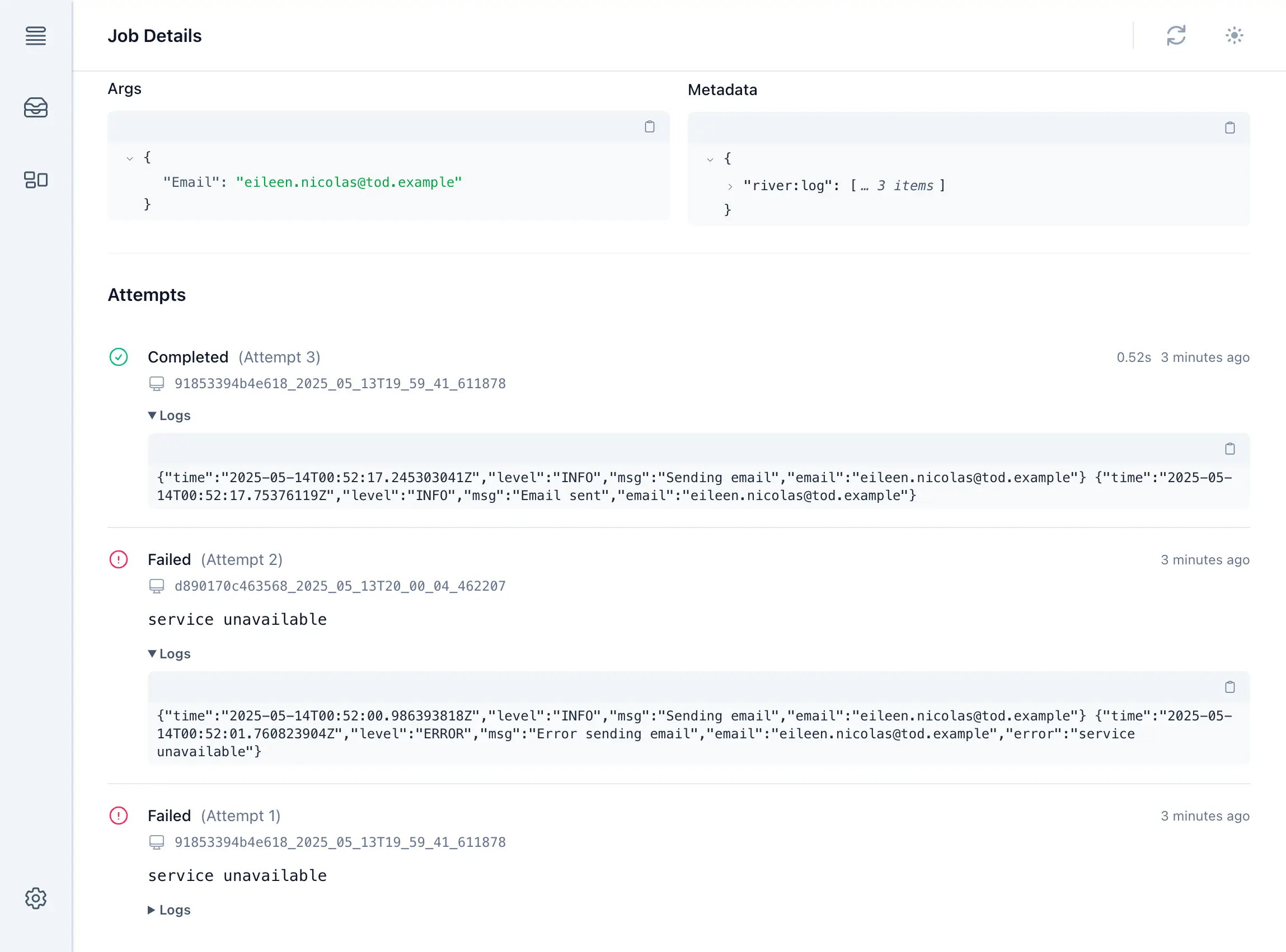
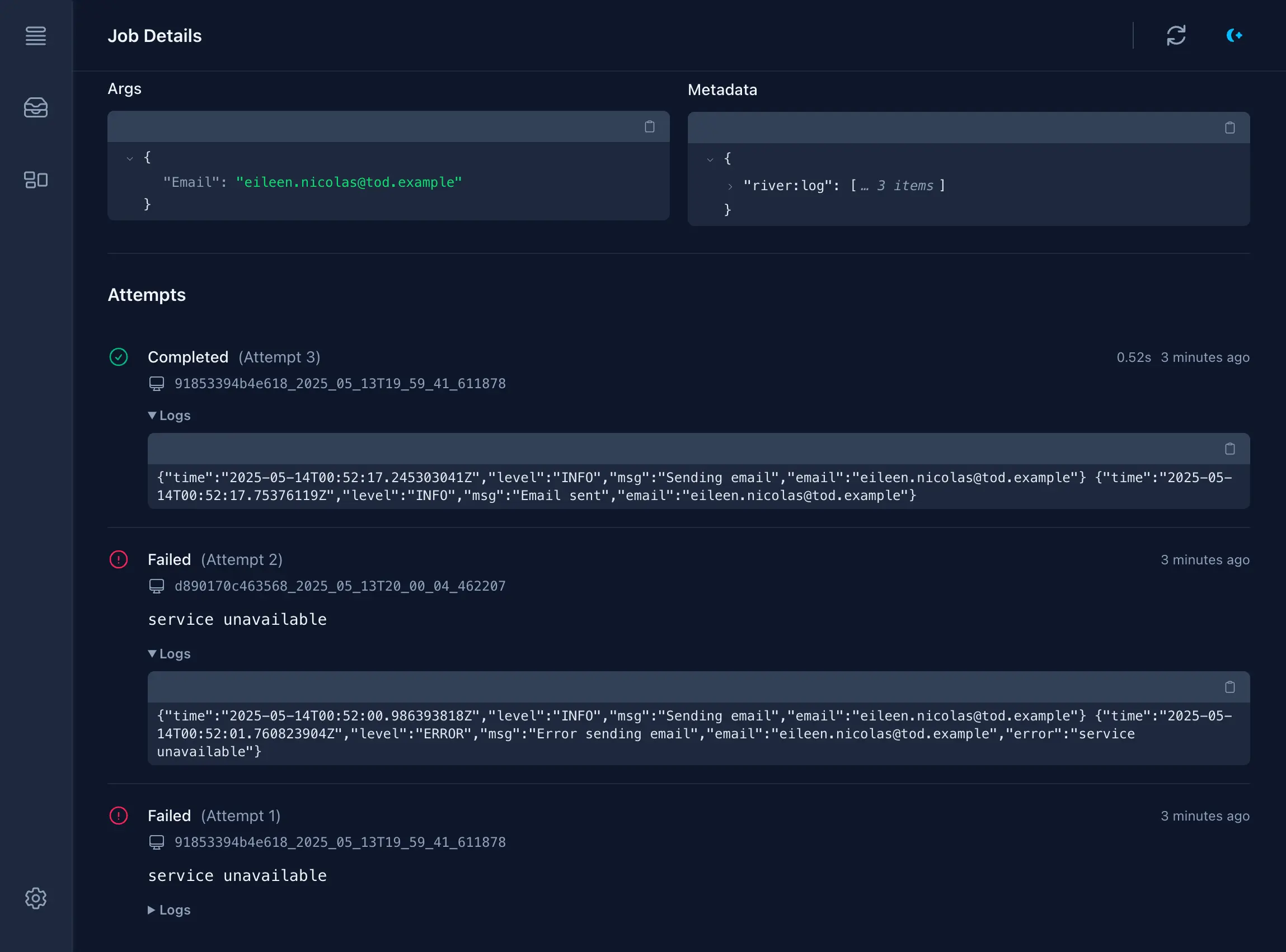
After being written to each job's row, logs are accessible from the job details page in [River UI](/docs/river-ui). Each run of a job shows up in its own section, complete with logs emitted during the run.
## TOAST and limits [](#toast-and-limits)
Job-persisted logs are stored to metadata. Metadata is a `jsonb` blob, making it a varlena type in Postgres that's stored out of band of its job row in [TOAST](https://www.postgresql.org/docs/current/storage-toast.html), thereby having minimal impact on a job table's performance.
However, `jsonb` fields have a maximum size of 255 MB and because on the default retry policy a job will run up to 25 times, River caps the length of logs for a single run at 2 MB (2 \* 25 = 50 MB, where 50 MB << 255 MB to leave room for other uses of metadata). This limit can be increased or decreased using the [`MiddlewareConfig.MaxSizeBytes`](https://pkg.go.dev/github.com/riverqueue/river/riverlog#MiddlewareConfig) option. It's not an error if logs exceed `MaxSizeBytes`, but they'll be truncated to fit.
## Custom logging context [](#custom-logging-context)
The default use of `riverlog` is tied quite strongly to Go's `slog` package, and although `slog` is a reasonable default in most situations, it might not be suitable for all projects.
For added flexibility `riverlog` provides an alternate `NewMiddlewareCustomContext` that takes a context and writer and returns a context that'll be inherited by `Work` functions. It can be used to store any arbitrary value to context like a Logrus or Zap logger:
```go
type customContextKey struct{}
riverClient, err := river.NewClient(riverpgxv5.New(dbPool), &river.Config{
Plugins: []rivertype.Plugin{
riverlog.NewMiddlewareCustomContext(func(ctx context.Context, w io.Writer) context.Context {
// For demonstration purposes we show the use of a built-in
// non-slog logger, but this could be anything like Logrus or
// Zap. Even the raw writer could be stored if so desired.
logger := log.New(w, "", 0)
return context.WithValue(ctx, customContextKey{}, logger)
}, nil),
},
})
if err != nil {
panic(err)
}
```
```go
func (w *CustomContextLoggingWorker) Work(ctx context.Context, job *river.Job[CustomContextLoggingArgs]) error {
// Extract the logger embedded in context by middleware
logger := ctx.Value(customContextKey{}).(*log.Logger)
logger.Printf("Raw log from worker")
return nil
}
```
# Job retries
> River tries to execute jobs exactly once, but jobs should expect to sometimes be retried.
When River jobs encounter an error or other failure, they are automatically retried after a delay. The default retry policy backs off for `attempts ^ 4 + rand(±10%)` seconds (0s, 1s, 16s, ...), and jobs will be tried a maximum of 25 times by default.
***
## Limiting retry attempts [](#limiting-retry-attempts)
River's default is to retry jobs up to 25 times as defined by `river.DefaultMaxAttempts`. This can be customized for a given worker using the optional `JobArgsWithInsertOpts` interface on the `JobArgs` implementation:
```go
type RetryOnceJobArgs struct {}
func (args RetryOnceJobArgs) Kind() string { return "RetryOnceJob" }
func (args RetryOnceJobArgs) InsertOpts() river.InsertOpts {
return river.InsertOpts{MaxAttempts: 1}
}
```
The max attempts can also be customized for an individual job at insertion time. This takes precedence over a job-level default:
```go
_, err = riverClient.Insert(ctx, RetryOnceJobArgs{}, &river.InsertOpts{
// use a max attempts of 5 for this one job even though the job has a
// default limit of 1:
MaxAttempts: 5,
})
```
***
## Retry delays [](#retry-delays)
Jobs are typically delayed for some amount of time between attempts. River provides reasonable default retry delays, but this behavior is also fully customizable at the client and worker level.
### Client retry policy [](#client-retry-policy)
At the client level, River provides a configurable `RetryPolicy` option which defaults to `DefaultClientRetryPolicy`. The default retry policy uses an exponential backoff based on how many times the job has errored. A randomized ±10% jitter is applied to prevent stampeding errors from all retrying at the same time.
```ruby
attempts ^ 4 + rand(±10%)
```
A job which has errored repeatedly will see its retries delayed as shown below:
| Attempt | Delay (±10%) | |
| ------- | ------------ | -------------------------------------- |
| 0 → 1 | - | Initial run before an error (no delay) |
| 1 → 2 | 1s | Delay after first error |
| 2 → 3 | 16s | |
| 3 → 4 | 1m21s | |
| 4 → 5 | 4m16s | |
| 5 → 6 | 10m25s | |
| ... | ... | |
| 24 → 25 | 3d20h9m36s | Last retry, \~3 weeks after first run |
The last retry comes about **three weeks** after the first time a job is worked, so in case of a buggy job, there's plenty of time to get a fix out before the job is finally discarded.
The client retry policy can easily be customized:
```go
// LinearRetryPolicy delays subsequent retries by 5 seconds for each time
// the job has failed (5s, 10s, 15s, etc.).
type LinearRetryPolicy struct {}
// NextRetry returns the next retry time based on the non-generic JobRow
// which includes an up-to-date Errors list.
func (policy *LinearRetryPolicy) NextRetry(job *rivertype.JobRow) time.Time {
// The latest error is not yet included in the job's Errors list, so we
// add 1 to the length to account for that.
return time.Now().Add((len(job.Errors) + 1) * 5 * time.Second)
}
client, err := river.NewClient(riverpgxv5.New(dbPool), &river.Config{
RetryPolicy: &LinearRetryPolicy{},
// ...
})
```
### Customizing retry delays for a specific worker [](#customizing-retry-delays-for-a-specific-worker)
While the client retry policy applies to all kinds of jobs worked by that client, workers can also override the retry behavior for all jobs of that kind. This is done via the `Worker` interface's `NextRetry(*Job[T]) time.Time` method. `WorkerDefaults` always returns 0 for this method to fallback to the client retry policy, so it can be customized for a given worker just by returning a non-zero value:
```go
type ConstantRetryTimeWorker struct {
river.WorkerDefaults[MyJobArgs]
}
func (w *ConstantRetryTimeWorker) Work(job *Job[MyJobArgs]) error {
// ...
}
// NextRetry always schedules the next retry for 10 seconds from now.
func (w *ConstantRetryTimeWorker) NextRetry(job *Job[MyJobArgs]) time.Time {
return time.Now().Add(10*time.Second)
}
```
# Leader election
> Leader election ensures that only one River worker is performing maintenance tasks at a given time.
River has a built-in leader election system which is used internally so that even in the presence of many concurrently operating clients, only one at a time is running queue maintenance tasks.
***
## In charge of maintenance [](#in-charge-of-maintenance)
River operates a number of [maintenance services](/docs/maintenance-services) to keep queues healthy. For example, there's a service to remove finished jobs after they've crossed a retention threshold, and another that rescues jobs that appear to be stuck.
Maintenance tasks are performed broadly, and only one client needs to be running them at a time — more than one would produce unnecessary work and contention. River engages in a leader election process so that even with many concurrently running clients, only one of them is in charge of queue maintenance. Leadership coordination happens through the unlogged `river_leader` table.
When a leader is [shutting down](/docs/graceful-shutdown), it resigns leadership and notifies other clients using a Postgres `LISTEN`/`NOTIFY` channel, prompting a new leadership election. This happens quickly, so as long as there's more than one River client deployed, there will be few gaps in maintenance operations.
River also handles situations where the current leader does not shut down cleanly, such as a program crash, power outage, or network interruption. If the current leader is unable to renew its leadership within a five second TTL, a new leader will automatically be elected from the remaining available nodes.
## One leader per database and schema [](#one-leader-per-database-and-schema)
Leadership is per database and schema. If you have many River clients running against different databases and schemas, there will be at most one leader per database and schema combination.
# Maintenance services
> River includes a number of auxiliary services for features and queue maintenance.
River includes a number of auxiliary services for features and queue maintenance. These perform functions like cleaning cancelled, completed, and discarded jobs from the database, periodically rebuilding indexes to optimize performance, and rescuing stuck jobs. One client at a time runs maintenance services, determined by [leader election](/docs/leader-election).
***
## Cleaner [](#cleaner)
River leaves cancelled, completed, and discarded jobs in the database even though they're at the end of their lifecycle so that operators can introspect them, but if left to accumulate forever, they'd eventually grow the jobs table to a point where its size would consume excessive storage and impact performance.
To prevent the jobs table growing without bound, River includes a job cleaner process that periodically prunes old jobs. It wakes up periodically and deletes completed, cancelled, and permanently failed (discarded) jobs if their last attempt was beyond the retention period.
The default retention periods vary by job state, and each is configurable in [`Config`](https://pkg.go.dev/github.com/riverqueue/river#Config):
* Cancelled: `CancelledJobRetentionPeriod`, defaults to 24 hours.
* Completed: `CompletedJobRetentionPeriod`, defaults to 24 hours.
* Discarded: `DiscardedJobRetentionPeriod`, defaults to 7 days.
### Workflow-aware retention [](#workflow-aware-retention)
River Pro workflows have auxiliary data in addition to their task jobs, including workflow rows, attempts, signals, timers, and evaluator worklist rows. By default, workflow task jobs still use the normal per-job retention behavior described above, including [per-queue retention](/docs/pro/per-queue-job-retention) and [dead letter queue](/docs/pro/dead-letter-queue) movement for discarded jobs. After all jobs and dead letter rows for a finalized workflow are gone, the Pro cleaner removes the remaining workflow metadata.
For installations that want workflow history to remain together, enable [`riverpro.Config.WorkflowAwareRetention`](/pkg/riverpro/latest/riverpro#Config). With workflow-aware retention enabled, workflow task jobs are excluded from normal per-job cleanup, and discarded workflow tasks are not moved to the dead letter queue before the workflow is cleaned. Finalized workflows are deleted as a unit:
* `closed` workflows use `WorkflowClosedRetentionPeriod`, which defaults to 24 hours.
* `cancelled` workflows use `WorkflowCancelledRetentionPeriod`, which defaults to 24 hours.
```go
riverClient, err := riverpro.NewClient(riverpropgxv5.New(dbPool), &riverpro.Config{
Config: river.Config{
Queues: map[string]river.QueueConfig{
river.QueueDefault: {MaxWorkers: 100},
},
Workers: workers,
},
WorkflowAwareRetention: true,
WorkflowClosedRetentionPeriod: 30 * 24 * time.Hour,
WorkflowCancelledRetentionPeriod: 7 * 24 * time.Hour,
})
if err != nil {
return err
}
```
Set either workflow retention period to `-1` to preserve workflows in that state indefinitely. Setting both periods to `-1` keeps finalized workflow data indefinitely, including task jobs, dead letter jobs, attempts, timers, signals, and wait-condition evidence.
Workflow-aware retention changes cleanup semantics
When workflow-aware retention is enabled, workflow task jobs no longer follow their individual finalized timestamps, per-queue retention periods, or dead letter movement. Use it when workflow-level auditability is more important than cleaning each task according to normal job retention.
***
## Periodic enqueuer [](#periodic-enqueuer)
The periodic enqueuer schedules [periodic jobs](/docs/periodic-jobs). On start, it calculates the next run time of every configured [`PeriodicJob`](https://pkg.go.dev/github.com/riverqueue/river#PeriodicJob), then runs in a loop:
* Sleeps until the next run time of the first job that'll come due.
* Runs the job and any others that'll come due within a small margin of now.
* Recalculates the next run time of all jobs that ran.
* Goes back to sleep and repeats the cycle.
The periodic enqueuer has no configuration aside from its assigned periodic jobs.
***
## Queue cleaner [](#queue-cleaner)
The `river_queue` table is used to track active queues and powers features such as [pause and resume](/docs/pausing-queues). To avoid this table remaining bloated with queues that are no longer in use, a queue cleaner maintenance process is responsible for periodically deleting the records of any queues which have not been used within the past 24 hours (based on their `updated_at` timestamp).
The queue cleaner is not currently configurable.
***
## Reindexer [](#reindexer)
The reindexer works periodically to issue a [`REINDEX INDEX CONCURRENTLY`](https://www.postgresql.org/docs/current/sql-reindex.html) to rebuild certain key job indexes. In most situations reindexing isn't expected to improve performance, but it can help in some degenerate cases like where a glut of jobs had at one point bloated the B-tree index and subsequently left it with many empty or nearly empty pages. In such situations Postgres' indexes will never "collapse" of their own accord, but a `REINDEX` to rebuild them from scratch produces a new index with the live rows and without the empty space.
The reindexer rebuilds one index at a time in order to not put an undue amount of stress on the database.
By default the reindexer runs every day at midnight UTC, but it can be customized through [`Config.ReindexerSchedule`](https://pkg.go.dev/github.com/riverqueue/river#Config) with a custom scheduling function. Like with periodic jobs, a [cron package](/docs/periodic-jobs#complex-cron-schedules) can be used to succinctly define a complex schedule. It can be disabled altogether using `river.NeverSchedule()` as its schedule.
By default the reindexer only rebuilds indexes in `river_job`, the table by far the most prone to index bloat. The default list of indexes is available in [`ReindexerIndexNamesDefault`](https://pkg.go.dev/github.com/riverqueue/river#ReindexerIndexNamesDefault) and can be customized with [`Config.ReindexerIndexNames`](https://pkg.go.dev/github.com/riverqueue/river#Config).
### Reindex artifacts [](#reindex-artifacts)
`REINDEX INDEX CONCURRENTLY` may leave behind partially built indexes if a reindex attempt doesn't complete. Postgres names these artifacts by adding `_ccnew` or `_ccold` to the original index name, like `river_job_args_index_ccnew` or `river_job_args_index_ccold`. After multiple failed attempts, Postgres may add a numeric suffix like `river_job_args_index_ccnew1`.
When River finds one of these artifacts, it logs a warning and skips the reindex attempt instead of removing the artifact and trying again. The artifact usually means a previous reindex exceeded [`Config.ReindexerTimeout`](https://pkg.go.dev/github.com/riverqueue/river#Config), so another immediate attempt is likely to fail in the same way and put unnecessary pressure on the database.
To find all reindex artifacts attached to River's `river_job` table:
```sql
SELECT n.nspname AS schema_name,
c.relname AS index_name
FROM pg_class c
JOIN pg_namespace n ON n.oid = c.relnamespace
JOIN pg_index i ON i.indexrelid = c.oid
JOIN pg_class t ON t.oid = i.indrelid
WHERE t.relname = 'river_job'
AND c.relname ~ '_cc(new|old)[0-9]*$'
ORDER BY 1, 2;
```
You can get the reindexer running again by manually dropping indexes returned by the query above:
```sql
DROP INDEX CONCURRENTLY IF EXISTS river_job_args_index_ccnew;
DROP INDEX CONCURRENTLY IF EXISTS river_job_args_index_ccold;
DROP INDEX CONCURRENTLY IF EXISTS river_job_metadata_index_ccnew;
DROP INDEX CONCURRENTLY IF EXISTS river_job_metadata_index_ccold;
```
Make sure to qualify with a schema name if [`Config.Schema`](/docs/alternate-schema) is configured.
If you had to remove reindexer artifacts, consider increasing `Config.ReindexerTimeout` before re-enabling the reindexer or waiting for the next scheduled run, otherwise the next attempt may also fail and leave another artifact behind.
***
## Rescuer [](#rescuer)
The rescuer looks for "stuck" jobs and either enqueues them to be reworked, or discards them if they've hit their maximum allowed attempts. A job may become stuck in situations like:
* A hardware crash causes the process to terminate before a job finished work or before it could be completed.
* A bug. Think of a job that waits on a channel to which nothing will ever send to, and which isn't using a `select` to respect context cancellation. The job waits for something that will never happen. The client will eventually try to cancel it according to its [`Config.JobTimeout`](https://pkg.go.dev/github.com/riverqueue/river#Config) configuration, but because the job can't be cancelled, nothing happens, and it'll only end once its parent process is terminated. It's important to [design jobs to be cancellable](/docs/graceful-shutdown#designing-cancellable-jobs) to avoid this problem.
* After the job ran, there was a problem persisting its new state to the database. This problem should be rare, and can be avoided completely with the use of [transactional job completion](/docs/transactional-job-completion).
The duration after which a job is considered stuck and eligible for rescue can be configured with [`Config.RescueStuckJobsAfter`](https://pkg.go.dev/github.com/riverqueue/river#Config). Its value:
* Defaults to one hour, or `JobTimeout` plus one hour in case `JobTimeout` has been configured to be larger than one hour.
* Must be greater than `JobTimeout` if both it and `JobTimeout` are configured.
Jobs that have overridden the default timeout by implementing `Timeout()` on their worker will be given at least that timeout duration before they're considered stuck and eligible for rescue.
The rescuer bounds job duration
`Config.RescueStuckJobsAfter` is effectively an upper bound on how long jobs are allowed to run, because jobs that are still running after this duration will be rescheduled to run again, potentially alongside an existing execution attempt for the same job.
***
## Scheduler [](#scheduler)
Jobs can be scheduled to run in the future for several reasons:
* At insertion time, a `ScheduledAt` time was specified in the job's [`InsertOpts`](https://pkg.go.dev/github.com/riverqueue/river#InsertOpts).
* A worker may have [snoozed](/docs/snoozing-jobs) the job to run again in the future.
* The job may have errored on a previous execution and needs to be [retried](/docs/job-retries) after a backoff duration.
The scheduler executes at a constant interval. Each time it runs, it queries for jobs that are ready to be attempted again and makes them `available`. The scheduler runs every 5 seconds and is not configurable.
# Metrics
> Receive River's internal operational metrics through `HookMetricEmit`, or export them to OpenTelemetry with `otelriver`.
River emits metrics from internal operations that application code can't otherwise instrument directly. Starting in River 0.41, clients can receive these metrics through [`HookMetricEmit`](https://pkg.go.dev/github.com/riverqueue/river/rivertype#HookMetricEmit) or export them to an OpenTelemetry-compatible provider with [`otelriver`](https://github.com/riverqueue/rivercontrib/tree/master/otelriver).
These metrics include the duration of River's core job-fetch query, which can provide an early warning that a queue is slowing down even when individual jobs continue to run at their usual speed.
***
## Building a custom integration [](#building-a-custom-integration)
Custom integrations can implement `HookMetricEmit` directly or use [`river.HookMetricEmitFunc`](https://pkg.go.dev/github.com/riverqueue/river#HookMetricEmitFunc). Use a type switch with a `default` case so that the integration continues to work when a future River version adds another metric type. The current payload types are described in the next section.
```go
metricChan := make(chan rivertype.Metric, 100)
metricPlugin := river.HookMetricEmitFunc(func(
_ context.Context,
params *rivertype.HookMetricEmitParams,
) {
select {
case metricChan <- params.Metric:
default:
// Drop the metric rather than block River's job-fetch loop.
}
})
go func() {
for metric := range metricChan {
switch metric := metric.(type) {
case *rivertype.JobGetAvailableDurationMetric:
recordFetchDuration(metric.Queue, metric.Duration)
case *rivertype.JobGetAvailableCountMetric:
recordFetchCount(metric.Queue, metric.Count)
default:
// Ignore metrics added by future River versions.
}
}
}()
riverClient, err := river.NewClient(riverpgxv5.New(dbPool), &river.Config{
Plugins: []rivertype.Plugin{metricPlugin},
// ...
})
```
Metric hooks run synchronously in hot paths, including while River is fetching jobs. They must not perform network access, persistence, or expensive processing inline. Use a metrics library that records asynchronously, or hand metrics to a bounded channel as shown above. If the channel is full, dropping a metric is preferable to slowing down the job-fetch loop.
## Available metrics [](#available-metrics)
The example above handles the two metric payloads River currently emits after a successful job-fetch operation:
* [`JobGetAvailableDurationMetric`](https://pkg.go.dev/github.com/riverqueue/river/rivertype#JobGetAvailableDurationMetric): How long it took to lock a batch of available jobs. Its fields contain duration and queue name. The timing of this metric growing out of hand is an early sign of database degradation (e.g. from a long-running query) that may lead to queue degradation.
* [`JobGetAvailableCountMetric`](https://pkg.go.dev/github.com/riverqueue/river/rivertype#JobGetAvailableCountMetric): How many jobs were locked in the batch. Its fields contain the count and queue name.
Each payload implements [`rivertype.Metric`](https://pkg.go.dev/github.com/riverqueue/river/rivertype#Metric) and has a corresponding name, `MetricNameJobGetAvailableDuration` or `MetricNameJobGetAvailableCount`. More metric types may be added in future River versions.
## Plug and play OpenTelemetry with `otelriver` [](#plug-and-play-opentelemetry-with-otelriver)
For a ready-made integration that handles these payloads, install `otelriver`:
```bash
go get -u github.com/riverqueue/rivercontrib/otelriver
```
Add it to [`Config.Plugins`](https://pkg.go.dev/github.com/riverqueue/river#Config.Plugins):
```go
import (
"github.com/riverqueue/river"
"github.com/riverqueue/river/riverdriver/riverpgxv5"
"github.com/riverqueue/river/rivertype"
"github.com/riverqueue/rivercontrib/otelriver"
)
riverClient, err := river.NewClient(riverpgxv5.New(dbPool), &river.Config{
Plugins: []rivertype.Plugin{
otelriver.NewMiddleware(nil),
},
// ...
})
if err != nil {
panic(err)
}
```
Despite its constructor's name, `otelriver.NewMiddleware` implements both River middleware and `HookMetricEmit`. Registering it under `Config.Plugins` activates both interfaces, enabling its existing insertion and work instrumentation along with the internal River metrics. An existing configuration under `Config.Middleware` should be moved to `Config.Plugins` to receive the internal metrics.
`otelriver` exports the job-fetch payloads as:
* `river.job_get_available_duration`: A histogram of successful job-fetch durations, tagged by `queue`.
* `river.job_get_available_count`: A histogram of the number of jobs locked by successful fetches, tagged by `queue`.
See [OpenTelemetry](/docs/open-telemetry) for provider configuration and the other traces and metrics available through `otelriver`.
# Migrations
> Running migrations in a database to bring up River's tables.
River needs a small set of tables in the database to operate, and provides a command line tool which executes migrations.
***
## Running migrations [](#running-migrations)
River persists jobs to a Postgres database, and needs a small set of tables created to insert jobs and carry out [leader election](/docs/leader-election). It's bundled with a command line tool which executes migrations, and which future-proofs River in case other migration steps need to be run in future versions.
Install the River CLI:
```sh
go install github.com/riverqueue/river/cmd/river@latest
```
With the `DATABASE_URL` of a target database (looks like `postgres://host:5432/db`), migrate up:
```sh
river migrate-up --line main --database-url "$DATABASE_URL"
```
See also [using an alternate Postgres schema](/docs/alternate-schema).
### Migrating down [](#migrating-down)
River tables can be removed through an equivalent down migration:
```sh
river migrate-down --line main --database-url "$DATABASE_URL" --max-steps 10
```
This is a destructive action that'll remove River's job table along with all the jobs that were in it. `river migrate-down` defaults to one migration step at a time. `--max-steps` is set to a high number so all steps are removed.
### Listing migrations [](#listing-migrations)
To see which migrations are available and which have been applied, use `migrate-list`:
```sh
river migrate-list --line main --database-url "$DATABASE_URL"
```
### Using `PG*` env vars [](#using-pg-env-vars)
River's CLI commonly accepts a `--database-url` argument, but will alternatively accept database configuration in [common libpq env vars](https://www.postgresql.org/docs/current/libpq-envars.html). This may be useful in cases like a more elaborate SSL-based database configuration is required or if a credential contains special characters that aren't URL-friendly.
For example, this command will migrate up on database `river_dev` present on `localhost` (default) at port `5432` (default) with no username or password:
```sh
PGDATABASE=river_dev river migrate-up --line main
```
Or more explicitly:
```sh
PGHOST=localhost PGPORT=5432 PGDATABASE=river_dev river migrate-up --line main
```
The CLI respects the same env vars that [pgx](https://github.com/jackc/pgx) does. At the time of writing, these are:
* `PGAPPNAME`
* `PGCONNECT_TIMEOUT`
* `PGDATABASE`
* `PGHOST`
* `PGPASSFILE`
* `PGPASSWORD`
* `PGPORT`
* `PGSERVICE`
* `PGSERVICEFILE`
* `PGSSLCERT`
* `PGSSLKEY`
* `PGSSLMODE`
* `PGSSLPASSWORD`
* `PGSSLROOTCERT`
* `PGTARGETSESSIONATTRS`
* `PGUSER`
### Migrations in transactions [](#migrations-in-transactions)
Most migrations should be run in a transaction, specifically using one transaction for each migration. River's CLI does this automatically, and if you use the `rivermigrate.Migrate` [Go API](#go-migration-api), it'll automatically wrap each migration in a transaction.
Single transactions for multiple migrations
The complete set of migrations cannot be executed within a single transaction. This is because PostgreSQL does not allow an immutable function (migration 6) to be created in the same transaction where a dependent enum has been modified (migration 4, which added `pending` to `river_job.state`).
## Exporting SQL for use in other frameworks [](#exporting-sql-for-use-in-other-frameworks)
For users that would like to use their own migration framework instead of the one built into River, the CLI also supports dumping the raw SQL so it can be imported elsewhere.
Print a single version using `river migrate-get` along with a `--version` parameter and either `--up` or `--down`:
```sh
river migrate-get --line main --version 3 --up > river3.up.sql
river migrate-get --line main --version 3 --down > river3.down.sql
```
The contents of `river3.up.sql` will be:
```sql
-- River migration 003 [up]
ALTER TABLE river_job ALTER COLUMN tags SET DEFAULT '{}';
UPDATE river_job SET tags = '{}' WHERE tags IS NULL;
ALTER TABLE river_job ALTER COLUMN tags SET NOT NULL;
```
When bootstrapping new projects, River's full set of migrations are available with `--all`. Version 1 contains the tables for River's internal migration framework, so a common pattern is to use `--all`, but exclude version 1 in both directions:
```sh
river migrate-get --line main --all --exclude-version 1 --up > river_all.up.sql
river migrate-get --line main --all --exclude-version 1 --down > river_all.down.sql
```
## Go migration API [](#go-migration-api)
River provides a Go API to run migrations through the [`rivermigrate` package](https://pkg.go.dev/github.com/riverqueue/river/rivermigrate), for those who prefer it over a CLI.
Use is similar to the River client. Instantiate a migrator using a [database driver](/docs/database-drivers) like [`riverpgxv5`](https://pkg.go.dev/github.com/riverqueue/riverdriver/riverpgxv5):
```go
migrator, err := rivermigrate.New(riverpgxv5.New(dbPool), nil)
if err != nil {
panic(err)
}
```
Then migrate up:
```go
res, err := migrator.MigrateTx(ctx, tx, rivermigrate.DirectionUp, &rivermigrate.MigrateOpts{
TargetVersion: ,
})
if err != nil {
panic(err)
}
```
See the [`Migrate` example](https://pkg.go.dev/github.com/riverqueue/river/rivermigrate#example-package-Migrate) for complete code.
The migrate function has both non-transactional (`Migrate`) and transactional (`MigrateTx`) variants, and can be used in a variety of ways:
* With no or empty `MigrateOpts`, fully migrates to the latest River schema version.
* `MaxSteps` specifies the maximum number of steps to apply.
* `TargetVersion` targets a specific schema version. This is the recommended use when pairing River's migration API with another migration framework like [Goose](https://github.com/pressly/goose). Find the current River migration using `river migrate-list --line=main --database-url=$DATABASE_URL`, and target that. As new River migrations are released in future versions, add new migrations that target them.
### Guarding migrations with advisory locks [](#guarding-migrations-with-advisory-locks)
If multiple instances of a program may start at the same time and run River migrations from Go, wrap the migration call in a Postgres advisory lock so only one instance migrates at a time. The example below uses Pgx to hold a transaction-level advisory lock while `Migrate` runs:
```go
import (
"context"
"hash/fnv"
"github.com/jackc/pgx/v5/pgxpool"
"github.com/riverqueue/river/riverdriver/riverpgxv5"
"github.com/riverqueue/river/rivermigrate"
)
func MigrateRiver(ctx context.Context, dbPool *pgxpool.Pool) error {
lockTx, err := dbPool.Begin(ctx)
if err != nil {
return err
}
defer lockTx.Rollback(context.Background())
// Wait until any other instance running River migrations is finished.
if _, err := lockTx.Exec(
ctx,
"SELECT pg_advisory_xact_lock($1)",
advisoryLockID("my_app:river_migrations"),
); err != nil {
return err
}
migrator, err := rivermigrate.New(riverpgxv5.New(dbPool), nil)
if err != nil {
return err
}
_, err = migrator.Migrate(ctx, rivermigrate.DirectionUp, &rivermigrate.MigrateOpts{
TargetVersion: ,
})
if err != nil {
return err
}
return lockTx.Commit(ctx)
}
// Postgres advisory locks take integers. Here we use an FNV hash to generate
// one, but a hard-coded integer ID or alternate hash method also work.
func advisoryLockID(name string) int64 {
h := fnv.New64a()
_, _ = h.Write([]byte(name))
return int64(h.Sum64())
}
```
The advisory lock transaction is only for coordination. River still runs migration SQL through `Migrate`, which applies each migration in its own transaction. The lock is released automatically when `lockTx` commits or rolls back.
This isn't necessary with SQLite because only one writer can be active at a time. Hold a transaction open around migrations with `MigrateTx` and other migrators will have to block until it's finished.
### Migrating down [](#migrating-down-1)
Migrate down:
```go
res, err = migrator.MigrateTx(ctx, tx, rivermigrate.DirectionDown, &rivermigrate.MigrateOpts{
MaxSteps: 1,
})
```
Unlike migrating up, migrating down applies only one step by default (when `MigrateOpts` is `nil` or empty). The special value `TargetVersion: -1` **will remove all River schema additions and delete any data from its tables**.
### With Goose's Go API [](#with-gooses-go-api)
River provides a [`riverdatabasesql` driver](https://pkg.go.dev/github.com/riverqueue/river/riverdriver/riverdatabasesql) that lets it run with a `sql.Tx` from the standard library for use with tools like the [Goose migration framework](https://github.com/pressly/goose).
Goose Go migrations involve building a custom binary ([see example](https://github.com/pressly/goose/tree/master/examples/go-migrations)), then creating migration files that are compiled into it. Add contents similar to the below to a file like `00001_raise_river.go`:
```go
package main
import (
"context"
"database/sql"
"github.com/pressly/goose/v3"
"github.com/riverqueue/river/riverdriver/riverdatabasesql"
"github.com/riverqueue/river/rivermigrate"
)
func init() {
goose.AddMigrationNoTxContext(Up, Down)
}
func Up(ctx context.Context, db *sql.DB) error {
migrator := rivermigrate.New(riverdatabasesql.New(db), nil)
// Migrate up. An empty MigrateOpts will migrate all the way up, but
// best practice is to specify a specific target version.
_, err := migrator.Migrate(ctx, rivermigrate.DirectionUp, &rivermigrate.MigrateOpts{
TargetVersion: ,
})
return err
}
func Down(ctx context.Context, db *sql.DB) error {
migrator := rivermigrate.New(riverdatabasesql.New(db), nil)
// TargetVersion -1 removes River's schema completely.
_, err := migrator.Migrate(ctx, rivermigrate.DirectionDown, &rivermigrate.MigrateOpts{
TargetVersion: -1,
})
return err
}
```
Best practice is to write migrations so they target River's latest version. Get it by looking for the biggest number in River's `migrate-list` CLI output, or in the [migrations directory](https://github.com/riverqueue/river/tree/master/riverdriver/riverdatabasesql/migration/main).
The `main.go` file for the custom Goose binary will connect to Postgres with a driver like pgx (again, see the [full example](https://github.com/pressly/goose/tree/master/examples/go-migrations)):
```go
import _ "github.com/jackc/pgx/v5/stdlib"
...
db, err := goose.OpenDBWithDriver("pgx", dbstring)
if err != nil {
// handle error
}
```
Then built and run with:
```sh
go build -o goose-custom *.go
./goose-custom postgres "$DATABASE_URL" up
```
## Table reference [](#table-reference)
Here's what each of River's jobs is used for:
* `river_job`: The main jobs table where all the work happens. Jobs are inserted as new rows and clients read out of it in bulk as they lock jobs for work.
* `river_leader`: An unlogged table used to [elect a leader](/docs/leader-election) that will run queue maintenance services.
* `river_migration`: Stores which River migrations have been applied.
# Multiple queues
> Named queues provide isolation for different kinds of jobs within the same table.
River can be configured with any number of queues. All jobs share a single database table regardless of the number of queues in operation, but workers will only select jobs to work for queues that they're configured to handle.
Sample use cases for multiple queues:
* **Guaranteeing worker availability:** A commonly seen pattern is configure a high priority queue with its own set of a workers so that even in the event of a busy general queue, there's always capacity available for priority jobs and they're worked in a timely manner.
* **Sustaining timely throughput:** Similarly, it might be desirable to have a "high effort" queue for jobs that are known to take a long time to execute, like video encoding or LLM training. Keeping expensive jobs in a separate queue helps sustain more timely throughput for other job kinds, which won't be accidentally blocked by long-lived jobs saturating the default queue.
* **Isolating components:** Multiple components/applications that share a single database may all want to use a job queue, but not handle jobs from any other component. River's multiple queues make this easy by naming queues after each component.
***
## Configuring queues [](#configuring-queues)
Queues and the maximum number of workers for each are configured through `river.NewClient`:
```go
riverClient, err := river.NewClient(riverpgxv5.New(dbPool), &river.Config{
Queues: map[string]river.QueueConfig{
river.QueueDefault: {MaxWorkers: 100},
},
Workers: workers,
})
if err != nil {
// handle error
}
```
Most River examples suggest the use of the default queue, `river.QueueDefault`. There's nothing special about the default queue. All it does is provide a convenient convention that's an appropriate default for most apps, and can be renamed or removed.
More queues are added by putting them in the `Queues` map:
```go
riverClient, err := river.NewClient(riverpgxv5.New(dbPool), &river.Config{
Logger: slog.New(&slogutil.SlogMessageOnlyHandler{Level: slog.LevelWarn}),
Queues: map[string]river.QueueConfig{
river.QueueDefault: {MaxWorkers: 100},
"high_priority": {MaxWorkers: 100},
},
Workers: workers,
})
```
Real applications will probably want to use a constant instead of a string for queue names (i.e. `"high_priority"`) so that it can be referenced from other parts of the code, like where jobs are inserted.
## Override queue by job kind [](#override-queue-by-job-kind)
Every instance of a job kind can be sent to a specific queue by overriding [`InsertOpts`](https://pkg.go.dev/github.com/riverqueue/river#InsertOpts) on its job args struct, and returning `Queue`:
```go
type AlwaysHighPriorityArgs struct{}
func (AlwaysHighPriorityArgs) Kind() string { return "always_high_priority" }
func (AlwaysHighPriorityArgs) InsertOpts() river.InsertOpts {
return river.InsertOpts{
Queue: "high_priority",
}
}
```
See the [`CustomInsertOpts` example](https://pkg.go.dev/github.com/riverqueue/river#example-package-CustomInsertOpts) for complete code.
## Override queue on insertion [](#override-queue-on-insertion)
Alternatively, specific job insertions can specify a queue using the `InsertOpts` parameter on `Insert`/`InsertTx`:
```go
_, err = riverClient.Insert(ctx, SometimesHighPriorityArgs{}, &river.InsertOpts{
Queue: "high_priority",
})
if err != nil {
// handle error
}
```
## Renaming or removing queues, and compatibility [](#renaming-or-removing-queues-and-compatibility)
Like a job's `kind`, its queue is a string that's stored to job records in the database, and renaming or removing a queue might have the unintended consequence of leaving orphaned jobs in the database that no longer have workers that could work them. Jobs with an old queue name may have been inserted while a deploy was going out, or in an error state scheduled for retry.
For safety, renaming or removing a queue should be a two step operation:
1. Rename the queue at all insertion sites, add the new queue name to the River client's `Queues` map (if applicable), but don't remove the old queue. A queue being renamed will have a set of workers configured for both the old name and the new one. Deploy.
2. After observing that all jobs on the old queue have safely completed, remove it from the River client. Deploy again.
# OpenTelemetry
> Getting operational insight into River applications using OpenTelemetry.
In addition to its standard logging system, River supports [OpenTelemetry](https://opentelemetry.io) for getting operational insight into live production stacks. OpenTelemetry is an open metrics and tracing standard compatible with [a wide array of vendors](https://opentelemetry.io/ecosystem/vendors/) including the best known industry names like DataDog or Sentry. River supports these services through OpenTelemetry rather than maintaining vendor-specific packages for each one.
***
## Installing the OpenTelemetry plugin [](#installing-the-opentelemetry-plugin)
River's OpenTelemetry plugin is distributed as `otelriver` in the [`rivercontrib` repository](https://github.com/riverqueue/rivercontrib/tree/master/otelriver).
Pull the package into an existing Go module with `go get`:
```bash
go get -u github.com/riverqueue/rivercontrib/otelriver
```
Then, install it as a [plugin](/docs/plugins) on a River client:
```go
import "github.com/riverqueue/rivercontrib/otelriver"
```
```go
riverClient, err := river.NewClient(riverpgxv5.New(dbPool), &river.Config{
Plugins: []rivertype.Plugin{
// Install the OpenTelemetry plugin to instrument jobs inserted or worked
// by this River client, along with River's internal metrics.
otelriver.NewMiddleware(nil),
},
})
```
`otelriver.NewMiddleware` implements both [middleware](/docs/middleware) and River's [metrics hook](/docs/metrics). Registering it under `Config.Plugins` activates both interfaces. Existing configurations that register it under `Config.Middleware` should move it to `Config.Plugins` to receive internal River metrics.
## Global providers and DataDog example [](#global-providers-and-datadog-example)
`otelriver`'s default invocation will pick up a global metrics/trace provider automatically, so no work is necessary beyond configuring OpenTelemetry for your preferred vendor. Here's how to do that with DataDog:
```go
import (
ddotel "github.com/DataDog/dd-trace-go/v2/ddtrace/opentelemetry"
"go.opentelemetry.io/otel"
)
```
```go
provider := ddotel.NewTracerProvider()
defer func() { _ = provider.Shutdown() }()
otel.SetTracerProvider(provider)
riverClient, err := river.NewClient(riverpgxv5.New(nil), &river.Config{
Plugins: []rivertype.Plugin{
otelriver.NewMiddleware(nil),
},
})
```
See the full [example for use of `otelriver` with DataDog](https://github.com/riverqueue/rivercontrib/blob/master/datadogriver/example_global_provider_test.go). Other providers should have similar configuration instructions for their use with OpenTelemetry.
### Injecting providers [](#injecting-providers)
Where it's not desirable to use global providers (like to facilitate testing), they can also be injected via middleware configuration:
```go
provider := ddotel.NewTracerProvider()
defer func() { _ = provider.Shutdown() }()
riverClient, err := river.NewClient(riverpgxv5.New(nil), &river.Config{
Plugins: []rivertype.Plugin{
otelriver.NewMiddleware(&otelriver.MiddlewareConfig{
TracerProvider: provider,
}),
},
})
```
## List of middleware options [](#list-of-middleware-options)
The middleware supports options through [`MiddlewareConfig`](https://pkg.go.dev/github.com/riverqueue/rivercontrib/otelriver#MiddlewareConfig):
```go
middleware := otelriver.NewMiddleware(&MiddlewareConfig{
DurationUnit: "ms",
EnableSemanticMetrics: true,
MeterProvider: meterProvider,
TracerProvider: tracerProvider,
})
```
* `DurationUnit`: The unit which durations are emitted as, either "ms" (milliseconds) or "s" (seconds). Defaults to seconds.
* `EnableSemanticMetrics`: Causes the middleware to emit metrics compliant with OpenTelemetry's ["semantic conventions"](https://opentelemetry.io/docs/specs/semconv/messaging/messaging-metrics/) for message clients. This has the effect of having all messaging systems share the same common metric names, with attributes differentiating them.
* `MeterProvider`: Injected OpenTelemetry meter provider. Defaults to global meter provider.
* `TracerProvider`: Injected OpenTelemetry tracer provider. Defaults to global tracer provider.
## List of traces and metrics [](#list-of-traces-and-metrics)
The package produces two main [traces](https://opentelemetry.io/docs/concepts/signals/traces/):
* `river.insert_many`: Traced across a batch insert of jobs. In River, all jobs are inserted as part of a batch (therefore the name "many"), although they'll be batches of one in cases where only one job is being inserted.
* `river.work`: Traced across a single job being worked.
It also emits [metrics](https://opentelemetry.io/docs/concepts/signals/metrics/):
* `river.insert_count`: Number of individual jobs inserted.
* `river.insert_many_count`: Number of job batches inserted.
* `river.insert_many_duration`: Gauge of the duration of a batch insert operation.
* `river.job_get_available_count`: Histogram of the number of jobs locked by successful fetches.
* `river.job_get_available_duration`: Histogram of successful job-fetch durations.
* `river.work_count`: Number of jobs worked.
* `river.work_duration`: Gauge of the duration of a single job worked (in seconds).
Operations are tagged with a `status` attribute of `ok`, `error`, or `panic` so metrics can be filtered to only successes or only failures. Work operations are tagged with `kind` and `queue` to help with additional customization.
# Pausing queues
> Pause a queue across all clients to temporarily stop new jobs from being worked.
Queues can be paused individually or all at once to temporarily prevent new jobs from being worked until they are resumed.
***
## Pausing a single queue [](#pausing-a-single-queue)
The capability to pause a queue is a useful operational lever. This can be done without shutting down clients, enabling users to pause a subset of jobs but leave other queues to process jobs normally.
The `Client` offers `QueuePause` and `QueueResume` APIs to pause and resume individual queues. The following example demonstrates these APIs for the `default` queue:
```go
riverClient, err := river.NewClient(riverpgxv5.New(dbPool), &river.Config{
// ...
})
if err = riverClient.QueuePause(ctx, "default"); err != nil {
// handle error
}
if err = riverClient.QueueResume(ctx, "default"); err != nil {
// handle error
}
```
Queues remain paused indefinitely until they are later resumed. However, if a queue is removed from the configs of all active workers, its record will be removed after 24 hours; if readded it will begin in an unpaused state. See the [full details](#details-and-caveats) below for more information.
## Pausing all queues [](#pausing-all-queues)
Use the special asterisk queue name `*` to pause or resume *all* known queues:
```go
if err = riverClient.QueuePause(ctx, "*"); err != nil {
// handle error
}
if err = riverClient.QueueResume(ctx, "*"); err != nil {
// handle error
}
```
This only pauses or resumes queues which are currently known (tracked in the `river_queue` table) and has no effect on queues which are later added to clients.
See the [`Pause` example](https://pkg.go.dev/github.com/riverqueue/river#example-package-QueuePause) for complete code.
***
## Details and caveats [](#details-and-caveats)
Active queues are tracked with records in the `river_queue` table. When started, clients will `UPSERT` (`INSERT ... ON CONFLICT DO UPDATE`) a row on this table for each queue configured in their `Queues` config. They will also periodically bump the `updated_at` timestamp on these rows to indicate they are still being used. A separate [queue cleaner](/docs/maintenance-services#queue-cleaner) maintanence service is responsible for periodically deleting old inactive queues from this table.
Pause functionality works as follows:
1. When paused, the `river_queue` row for the queue is updated with a `paused_at` timestamp to indicate that it is currently paused.
2. Active clients are notified of this change using River's pubsub notification system (`LISTEN`/`NOTIFY`) so they can immediately pause work. River clients configured with no notifier will detect their pause status through periodic polling of their `river_queue` record.
3. Once a client detects that a queue is paused, it will cease fetching additional jobs for that queue until it is later resumed.
Even when paused, actively configured queues are still periodically updated in the `river_queue` table so that a queue which is *paused* but still *in use* will remain paused indefinitely. However, if a paused queue is removed from all active client configs, it will be removed by the queue cleaner after 24 hours, meaning if it is subsequently re-added to a client config it will start unpaused.
Clients which are started *after* a queue has been paused will detect that the queue is paused at startup and will not fetch or work any jobs on that queue until resumed.
# Periodic and cron jobs
> Enqueue a job on a fixed interval or complex cron schedule.
Periodic jobs make it easy to enqueue a job regularly on a fixed interval or even a complex cron schedule. Periodic job insertion is performed by the cluster's [leader](/docs/leader-election), which holds the schedule in memory. This makes periodic jobs prone to some [caveats](#details-and-caveats) as the schedule resets across restarts or elections.
See also [durable periodic jobs](/docs/pro/durable-periodic-jobs), whose run times are persisted to the database. This is a [Pro](/docs/pro) feature added in River Pro v0.15.
***
## Basic usage [](#basic-usage)
Periodic jobs are configured as part of the Client. Each job must be initialized with `NewPeriodicJob` and added to a slice of `[]*river.PeriodicJob`. Each job is defined with a *schedule*, a *constructor*, and options.
The following code configures an empty `MyPeriodicJobArgs{}` job to be inserted every 15 minutes:
```go
periodicJobs := []*river.PeriodicJob{
river.NewPeriodicJob(
river.PeriodicInterval(15*time.Minute),
func() (river.JobArgs, *river.InsertOpts) {
return MyPeriodicJobArgs{}, nil
},
&river.PeriodicJobOpts{RunOnStart: true},
),
}
riverClient, err := river.NewClient(riverpgxv5.New(dbPool), &river.Config{
PeriodicJobs: periodicJobs,
// ...
})
```
See the [`PeriodicJob` example](https://pkg.go.dev/github.com/riverqueue/river#example-package-PeriodicJob) for complete code.
Note the use of the `RunOnStart: true` option. This option causes the job to be inserted immediately anytime a new leader is elected.
## Complex cron schedules [](#complex-cron-schedules)
For schedules that are more complex or which require precise control over runtimes, we recommend the [robfig/cron](https://github.com/robfig/cron) package:
```shell
go get github.com/robfig/cron/v3
```
The cron package's [Schedule interface](https://pkg.go.dev/github.com/robfig/cron/v3#Schedule) is the same as River's `PeriodicSchedule`, meaning that you can use any schedule generated by that package directly in River.
```go
cron.ParseStandard("0 * * * *") // every hour on the hour
cron.ParseStandard("30 * * * *") // every hour on the half hour
cron.ParseStandard("*/15 * * * *") // every 15th minute of every hour, i.e. :00, :15, :30, :45
cron.ParseStandard("@midnight") // midnight every night, UTC
cron.ParseStandard("CRON_TZ=America/Chicago @midnight") // midnight every night, in Chicago
```
Here's an example that runs `MyPeriodicJobArgs{}` every 15th minute:
```go
schedule, err := cron.ParseStandard("*/15 * * * *")
if err != nil {
panic("invalid cron schedule")
}
periodicJobs := []*river.PeriodicJob{
river.NewPeriodicJob(
schedule,
func() (river.JobArgs, *river.InsertOpts) {
return MyPeriodicJobArgs{}, nil
},
nil,
),
}
riverClient, err := river.NewClient(riverpgxv5.New(dbPool), &river.Config{
PeriodicJobs: periodicJobs,
// ...
})
```
See the [`CronJob` example](https://pkg.go.dev/github.com/riverqueue/river#example-package-CronJob) for complete code.
## Adding periodic jobs after client start [](#adding-periodic-jobs-after-client-start)
River supports adding or removing periodic jobs after client start through the use of [`Client.PeriodicJobs`](https://pkg.go.dev/github.com/riverqueue/river#Client.PeriodicJobs). For example:
```go
riverClient, err := river.NewClient(...)
if err != nil {
panic(err)
}
if err := riverClient.Start(ctx); err != nil {
panic(err)
}
// Add a periodic job after client has already started.
periodicJobHandle := riverClient.PeriodicJobs().Add(
river.NewPeriodicJob(
river.PeriodicInterval(15*time.Minute),
func() (river.JobArgs, *river.InsertOpts) {
return MyPeriodicJobArgs{}, nil
},
nil,
),
)
```
Adding or removing a job interrupts [a running periodic enqueuer service's](/docs/maintenance-services#periodic-enqueuer) wait loop, causing it to immediately insert a new job if `RunOnStart` was enabled, and scheduling its first run as appropriate.
Adding or removing periodic jobs has no effect unless the client is a cluster's [elected leader](/docs/leader-election), so to guarantee an operation has its desired effect, periodic jobs should be added and removed to or from *all* River clients across all running processes.
### Removing jobs with handle [](#removing-jobs-with-handle)
Adding a periodic job returns a periodic job "handle", which can later be used to remove the job if necessary:
```go
// Remove a periodic job using handle return by Client.PeriodicJobs.Add.
riverClient.PeriodicJobs().Remove(periodicJobHandle)
```
***
## Details and caveats [](#details-and-caveats)
Periodic jobs use the [leader election](/docs/leader-election) system to ensure that only one worker is managing periodic jobs at any time (in a given database and schema). Periodic jobs are stateless, meaning there is no coordinated or persisted state between workers as far as when the next jobs will run. After a leader election (such as when the previous leader terminates), the new leader will evaluate all the schedules it knows about starting at the current time. It will also consider the `RunOnStart` option.
With this architecture, there is a possibility that periodic jobs will sometimes be skipped. River's leader election is fast, but for a job that only runs at midnight every night, it's possible that the current leader could be shut down at 11:59:59.99 and the new leader may not take over until 12:00:00.05.
Fortunately, many of these concerns can be addressed by combining periodic jobs with [unique jobs](/docs/unique-jobs) and the `RunOnStart` option. For example, a job which is configured to be unique at the hourly level will only enqueue once in that hour no matter how many times it's attempted. By using this with the `RunOnStart` option, the above scenario would no longer result in a skipped job.
As with other maintenance processes, insert-only clients do not participate in leader election and are not involved in periodic jobs. To ensure consistent enqueueing of periodic jobs, the same periodic job configuration should be added to all River clients that are executing jobs in a given database and schema.
Alternatively, users can upgrade to [River Pro](/pro) and use [durable periodic jobs](/docs/pro/durable-periodic-jobs).
### Periodic job metadata [](#periodic-job-metadata)
Periodic jobs are inserted with a `"periodic": true` metadata key, making it possible to distinguish them from other non-periodic jobs in the database.
# PgBouncer
> How to use River with PgBouncer, a popular connection pooler for Postgres.
River supports [PgBouncer](https://www.pgbouncer.org/), but needs a minimum setting of transaction pooling for clients inserting jobs. When acting as a work coordinator, clients use [`LISTEN`/`NOTIFY`](https://www.postgresql.org/docs/current/sql-listen.html) and need PgBouncer in session pooling mode, or no PgBouncer, to work.
A good compromise is to use PgBouncer with transaction pooling for all job insertions and workers, but give work coordinators a raw Postgres pool. See [a realistic scenario](#a-realistic-scenario).
***
## PgBouncer modes [](#pgbouncer-modes)
As background, `PgBouncer` supports [three modes](https://www.pgbouncer.org/features.html):
* **Session pooling:** Pooling occurs at the session level. When a client requests a session, it's assigned a "real" Postgres connection, and is allowed to keep it until explicitly released.
* **Transaction pooling:** Pooling occurs at the transaction level. When a client starts a transaction, it's affixed to a single Postgres connection until the transaction commits or is rolled back.
* **Statement pooling:** Pooling occurs at the statement level. Clients only stay affixed to a Postgres connection for as long as it takes to execute a single statement. Multi-statement transactions aren't allowed.
## Ways to use River client [](#ways-to-use-river-client)
A River [`Client`](https://pkg.go.dev/github.com/riverqueue/river#Client) can broadly be used in two ways:
* **Insert-only:** The client is initialized, but [`Start`](https://pkg.go.dev/github.com/riverqueue/river#Client.Start) is never called. A client in such a state supports inserting jobs, but will never work them or participate in the [leader election process](/docs/leader-election).
* **Work coordinator:** The client is initialized and [`Start`](https://pkg.go.dev/github.com/riverqueue/river#Client.Start) is invoked. This client supports inserting jobs, working jobs, and will participate in leadership election. `LISTEN`/`NOTIFY` is required for both listening for new jobs and listening for leadership demotions. It needs a minimum of two connections that aren't using PgBouncer or are using PgBouncer configured for session pooling, and will vacillate between roughly two to five connections (usually closer to two) to fetch jobs and do maintenance work.
The work coordinator runs user-defined [`Worker`](https://pkg.go.dev/github.com/riverqueue/river#Worker) implementations and those may need connections of their own, but that's entirely up to their authors. We recommend that most work occurs transactionally, but they support whichever PgBouncer modes they're written to support.
| | Session pooling | Transaction pooling | Statement pooling |
| ---------------------------------- | --------------- | ------------------- | ----------------- |
| Insert-only client | ✓ | ✓ | |
| Work coordinator client | ✓ | | |
| Workers (implementation dependent) | ✓ | ✓ | ✓ |
As shown in the matrix above, River clients need PgBouncer to be configured with at least transaction pooling, and if acting as a coordinator, PgBouncer configured for session pooling, or no PgBouncer at all.
Even an insert-only client doesn't support statement pooling because certain features like [unique jobs](/docs/unique-jobs) require the use of a transaction.
## A realistic scenario [](#a-realistic-scenario)
A plausible scenario where River and PgBouncer are used together is to configure PgBouncer with transaction pooling, and use it for inserting all jobs and performing all work, but giving a raw Postgres connection pool to work coordinators.
This should work well in most circumstances because there's expected to be many clients inserting jobs and many workers working them, but comparably few work coordinators because each one can boot hundreds of goroutines to handle work. There's a fixed minimum required connections per work coordinator (minimum one for `LISTEN`/`NOTIFY` and one that'll be fetching quite frequently, but will use a few more during a leadership election or while performing maintenance work), but high levels of concurrency can be achieved using a modest number of processes running work coordinators, and with each configured with a high number of [`MaxWorkers`](https://pkg.go.dev/github.com/riverqueue/river#QueueConfig) for their queues.
### Insert clients [](#insert-clients)
To make this concrete, here's an insert-only client like might be used in a web or API process, configured to use PgBouncer as its pool:
```go
dbPool, err := pgxpool.New(ctx, os.Getenv("PGBOUNCER_DATABASE_URL"))
if err != nil {
// handle error
}
riverClient, err := river.NewClient(riverpgxv5.New(dbPool), &river.Config{})
if err != nil {
// handle error
}
// client NOT started
```
```go
_, err = riverClient.Insert(ctx, DatabaseArgs{SQL: "SELECT 1"}, nil)
if err != nil {
// handle error
}
```
### Workers [](#workers)
Individual workers also use PgBouncer. They're worked *by* a work coordinator, but don't need to use the same database pool configuration as their progenitor:
```go
type DatabaseArgs struct {
SQL string `json:"sql"`
}
func (DatabaseArgs) Kind() string { return "database" }
type DatabaseWorker struct {
river.WorkerDefaults[DatabaseArgs]
dbPool *pgxpool.Pool
}
func (w *DatabaseWorker) Work(ctx context.Context, job *river.Job[SortArgs]) error {
_, err := w.dbPool.Exec(job.Args.SQL)
if err != nil {
return err
}
return nil
}
```
```go
dbPool, err := pgxpool.New(ctx, os.Getenv("PGBOUNCER_DATABASE_URL"))
if err != nil {
// handle error
}
workers := river.NewWorkers()
river.AddWorker(workers, &DatabaseWorker{dbPool: dbPool})
```
### Work coordinator [](#work-coordinator)
The work coordinator needs a real Postgres database pool so it can use `LISTEN`/`NOTIFY`, but is configured with high concurrency so relatively few total coordinators are required:
```go
dbPool, err := pgxpool.New(ctx, os.Getenv("DATABASE_URL")) // NOT PgBouncer
if err != nil {
// handle error
}
riverClient, err := river.NewClient(riverpgxv5.New(dbPool), &river.Config{
Queues: map[string]river.QueueConfig{
river.QueueDefault: {MaxWorkers: 1_000},
},
Workers: workers,
})
if err != nil {
// handle error
}
if err := riverClient.Start(ctx); err != nil {
// handle error
}
```
# Plugins
> Extend River job insertion and execution with hooks and middleware installed as plugins.
Plugins run custom code at predefined points in River's lifecycle. They're useful for shared behavior like logging, telemetry, modifying job parameters, and integrating River with other systems.
A plugin can implement hooks, middleware, or both. Hooks run at a specific point and return immediately, while middleware wrap an operation and stay on the stack for its duration.
***
## Defining and installing a plugin [](#defining-and-installing-a-plugin)
Most custom plugins should embed [`river.PluginDefaults`](https://pkg.go.dev/github.com/riverqueue/river#PluginDefaults), then implement one or more of River's operation-specific hook or middleware interfaces:
```go
type logPlugin struct {
river.PluginDefaults
}
func (*logPlugin) InsertBegin(
ctx context.Context,
params *rivertype.JobInsertParams,
) error {
fmt.Printf("inserting job with kind %q\n", params.Kind)
return nil
}
func (*logPlugin) WorkBegin(ctx context.Context, job *rivertype.JobRow) error {
fmt.Printf("working job with kind %q\n", job.Kind)
return nil
}
```
`PluginDefaults` provides the marker methods that are required to implement [`rivertype.Plugin`](https://pkg.go.dev/github.com/riverqueue/river/rivertype#Plugin), and guarantees forward compatibility if the interface is extended in the future.
Install plugins globally with [`Config.Plugins`](https://pkg.go.dev/github.com/riverqueue/river#Config.Plugins):
```go
riverClient, err := river.NewClient(riverpgxv5.New(dbPool), &river.Config{
// Order is significant.
Plugins: []rivertype.Plugin{
&logPlugin{},
&timingPlugin{},
},
})
```
River checks each plugin for all supported hook and middleware operation interfaces when the client is initialized. A plugin may implement any number of them, and will only be invoked for the operations it supports.
Order in `Config.Plugins` is significant. Hooks run in list order. Middleware earlier in the list wrap middleware that appear later, so the first applicable middleware is the first entered and last exited.
## Hooks [](#hooks)
Hooks run at a specific point in River's lifecycle and return immediately. The `logPlugin` above implements two hook interfaces: [`rivertype.HookInsertBegin`](https://pkg.go.dev/github.com/riverqueue/river/rivertype#HookInsertBegin) and [`rivertype.HookWorkBegin`](https://pkg.go.dev/github.com/riverqueue/river/rivertype#HookWorkBegin).
An insert hook may modify the provided parameters before the job is inserted. A work hook may inspect the job row, but changes made to its context don't propagate after the hook returns.
Hooks differ from middleware in that they're invoked at a specific moment in time instead of keeping a frame on the stack during an operation. Because they keep the stack shallower, their use is recommended over middleware when either can do the job.
### Hook operations [](#hook-operations)
Available hook operation interfaces are:
* [`rivertype.HookInsertBegin`](https://pkg.go.dev/github.com/riverqueue/river/rivertype#HookInsertBegin): Invoked before each job is inserted.
* [`rivertype.HookMetricEmit`](https://pkg.go.dev/github.com/riverqueue/river/rivertype#HookMetricEmit): Receives metrics emitted by River. Implementations should avoid blocking because metrics are emitted in hot paths.
* [`rivertype.HookPeriodicJobsStart`](https://pkg.go.dev/github.com/riverqueue/river/rivertype#HookPeriodicJobsStart): Invoked before the periodic job enqueuer starts on a newly elected leader.
* [`rivertype.HookWorkBegin`](https://pkg.go.dev/github.com/riverqueue/river/rivertype#HookWorkBegin): Invoked before a job is worked.
* [`rivertype.HookWorkEnd`](https://pkg.go.dev/github.com/riverqueue/river/rivertype#HookWorkEnd): Invoked after a job is worked and may modify its returned error.
## Middleware [](#middleware)
Middleware wrap an operation and receive a `doInner` function that invokes the rest of the middleware stack and the underlying River operation. This lets middleware run code both before and after an operation, measure its duration, or pass a modified context to inner middleware and workers:
```go
type timingPlugin struct {
river.PluginDefaults
}
func (*timingPlugin) Work(
ctx context.Context,
job *rivertype.JobRow,
doInner func(context.Context) error,
) error {
start := time.Now()
err := doInner(ctx)
slog.InfoContext(ctx, "job worked",
"kind", job.Kind,
"duration", time.Since(start),
)
return err
}
```
Middleware must call `doInner` for the underlying operation to run. They may return early intentionally, but doing so prevents River and any inner middleware from handling the operation.
### Middleware operations [](#middleware-operations)
Available middleware operation interfaces are:
* [`rivertype.JobInsertMiddleware`](https://pkg.go.dev/github.com/riverqueue/river/rivertype#JobInsertMiddleware): Invoked around a batch of jobs being inserted.
* [`rivertype.WorkerMiddleware`](https://pkg.go.dev/github.com/riverqueue/river/rivertype#WorkerMiddleware): Invoked around a job being worked.
## Job-specific plugins [](#job-specific-plugins)
Plugins installed through `Config.Plugins` apply globally. To install plugins only for a particular job kind, implement [`river.JobArgsWithPlugins`](https://pkg.go.dev/github.com/riverqueue/river#JobArgsWithPlugins) on its job args:
```go
type EmailArgs struct {
To string `json:"to"`
}
func (EmailArgs) Kind() string { return "email" }
func (EmailArgs) Plugins() []rivertype.Plugin {
return []rivertype.Plugin{
&logPlugin{},
&timingPlugin{},
}
}
```
The plugins may implement hooks, middleware, or both. Their hooks run after globally installed hooks, and their middleware runs inside globally installed middleware.
River resolves `Plugins` once for each job kind using a zero-valued instance of its args, then caches the result. The returned plugins must depend only on the job type, not on fields like `EmailArgs.To`.
A job-specific [`rivertype.JobInsertMiddleware`](https://pkg.go.dev/github.com/riverqueue/river/rivertype#JobInsertMiddleware) runs once around any insertion batch containing that job kind. It receives the complete batch, which may also contain other kinds of jobs.
## Choosing between hooks and middleware [](#choosing-between-hooks-and-middleware)
Hooks should generally be preferred when either type can perform the work. They're more granular and don't add a frame to the stack for the duration of an operation. Use middleware when code needs to wrap an operation, measure its duration, or propagate a modified context.
| | Hooks | Middleware |
| --------------------- | ----------------------------------------------- | ----------------------------------- |
| Invocation | Run at a lifecycle point and return | Wrap an operation through `doInner` |
| Context | Changes are discarded on return | Changes propagate to inner calls |
| Insertion granularity | One invocation per job | One invocation per inserted batch |
| Typical uses | Parameter changes, validation, metric receivers | Tracing, timing, contextual logging |
## Testing interface compliance [](#testing-interface-compliance)
The base plugin interfaces are intentionally minimal, so a method with a subtly incorrect signature would compile but never be invoked. Add compile-time assertions for every operation interface a plugin is expected to implement:
```go
var (
_ river.JobArgsWithPlugins = EmailArgs{}
_ rivertype.Plugin = (*logPlugin)(nil)
_ rivertype.HookInsertBegin = (*logPlugin)(nil)
_ rivertype.HookWorkBegin = (*logPlugin)(nil)
_ rivertype.Plugin = (*timingPlugin)(nil)
_ rivertype.WorkerMiddleware = (*timingPlugin)(nil)
)
```
# About River Pro
> River Pro extends River's core set of features with additional advanced ones that are most often in demand by larger organizations.
[River Pro](/pro) extends River with time-saving features and commercial support, including workflows. It is distributed as a private Go module and is available through a paid subscription. Plans are detailed on the [pricing page](/pro#pricing).
**River is open-source software and always will be.** With your subscription, you are ensuring the sustainable maintenance and development of River.
After subscribing, see [getting started with River Pro](/docs/pro/getting-started) for information on how to configure River's private module proxy, bringing Pro packages into a project, and running Pro migration lines. You may also want to read [Go modules and private proxy best practices](/docs/pro/go-proxy) for ideas on sustainably managing private Go proxy configuration in a project.
***
## Go package docs [](#go-package-docs)
River Pro's `riverpro` Go package has generated documentation hosted on this website. Docs are available [for each released](/pkg/riverpro), along with [the latest version](/pkg/riverpro/latest/riverpro) always available at a fixed URL.
[](/pkg/riverpro)
## Guides by feature [](#guides-by-feature)
With the private module and `riverpro` CLI installed, it'll be possible to start using specific Pro features:
* [**Concurrency limits:**](/docs/pro/concurrency-limits) Limit the number of concurrent jobs that can run at a time.
* [**Dead letter queue:**](/docs/pro/dead-letter-queue) A queue for failed jobs that can be retried or inspected.
* [**Durable periodic jobs:**](/docs/pro/durable-periodic-jobs) Periodic jobs that persist even if River is restarted.
* [**Encrypted jobs:**](/docs/pro/encrypted-jobs) Encrypt sensitive data in jobs.
* [**Ephemeral jobs:**](/docs/pro/ephemeral-jobs) Jobs that are deleted after they finish running.
* [**Sequences:**](/docs/pro/sequences) Execute a series of jobs in a guaranteed one-at-a-time sequential order.
* [**Workflows:**](/docs/pro/workflows) Define a graph of interdependent jobs to express complex, multi-step workflows.
* More coming soon. [Let us know](mailto:team@riverqueue.com) what you'd like to see next.
# Batching
> Run many similar jobs at once with the new batching feature. Batches can wait for a configurable amount of time to try to fetch a full batch before executing all fetched jobs at the same time with `WorkMany`.
Batching groups together many jobs of the same kind and executes them at the same time. A batch "leader" briefly waits for additional jobs that match the same batch key, then invokes your worker's `WorkMany` to process the group efficiently.
Batching is a feature of [River Pro](/pro) ✨. If you haven't yet, [install River Pro](/docs/pro/getting-started) and run the [`pro` migration line](/docs/pro/migrations).
***
## Basic usage [](#basic-usage)
Enable batching for a job kind in three steps:
1. Implement `BatchOpts()` on your job args (alongside `Kind()`), returning a [`riverpro.BatchOpts`](/pkg/riverpro/latest/riverpro#BatchOpts) to enable batching and configure how batches are formed.
2. Implement [`ManyWorker`](/pkg/riverpro/latest/riverpro/riverbatch#ManyWorker) by adding a `WorkMany` method that processes a slice of jobs of the same kind.
3. In your `Work` method, delegate to the batching helper ([`riverbatch.Work`](/pkg/riverpro/latest/riverpro/riverbatch#Work)) so a fetched job can prepare and execute a batch.
```go
type MyBatchArgs struct{}
func (MyBatchArgs) Kind() string { return "my_batch" }
// Enable batching for this job kind. Customize options as needed.
func (MyBatchArgs) BatchOpts() riverpro.BatchOpts { return riverpro.BatchOpts{} }
type MyWorker struct {
river.WorkerDefaults[MyBatchArgs]
}
func (w *MyWorker) Work(ctx context.Context, job *river.Job[MyBatchArgs]) error {
// Invoke the batch helper so this job can gather a batch and run WorkMany.
return riverbatch.Work[MyBatchArgs, pgx.Tx](ctx, job, w, nil)
}
func (w *MyWorker) WorkMany(ctx context.Context, jobs []*river.Job[MyBatchArgs]) error {
// Process the entire batch at once.
//
// Return nil to mark the entire batch as successful, a regular error to
// fail the entire batch with the same error, or a MultiError to return
// individualized errors per job.
return nil
}
```
## How batching works [](#how-batching-works)
When a batchable job is fetched, it becomes a leader and computes a batch key based on the job kind and configured options. The batch key is precomputed at insert time for efficient lookups.
Once a leader is fetched, it polls at the configured interval to find more jobs matching the same batch key until the maximum count or timeout is reached. Once a full batch is fetched or the maximum delay has elapsed, the leader's worker's `WorkMany` is invoked once with the collected jobs (see [`ManyWorker`](/pkg/riverpro/latest/riverpro/riverbatch#ManyWorker)).
Multiple leaders with the same key
River Pro's batching design is fully decentralized with no central coordinator. Multiple leaders with the same key may exist concurrently.
### Operational considerations [](#operational-considerations)
The batch leader occupies a worker slot from the moment it is fetched until `WorkMany` completes. This can make jobs run longer than expected while a leader waits to collect a full batch. Account for this when choosing `MaxWorkers` and the max delay.
* If partitioning by arguments, choose partitions that reflect isolation boundaries (e.g., per customer) to avoid over-aggregation and long waits.
* Tune batch size, timeout, and poll interval to balance throughput and latency. Larger batches improve efficiency but increase tail latency for early jobs in the group.
* `WorkMany` can return per-job errors via a [`MultiError`](/pkg/riverpro/latest/riverpro/riverbatch#MultiError) to mark individual jobs failed while succeeding others in the same batch.
## Configuration [](#configuration)
Batches are always formed from jobs of a single kind, however their formation and partitioning can be further configured with [`riverpro.BatchOpts`](/pkg/riverpro/latest/riverpro#BatchOpts) returned from `BatchOpts()` on your job args type.
Once a leader job is fetched, it will begin polling for more jobs that match the same batch key at a configured interval until either a maximum batch size is reached or a maximum wait time elapses. To customize the batching behavior, you can override the default options with [`riverbatch.WorkerOpts`](/pkg/riverpro/latest/riverpro/riverbatch#WorkerOpts) when calling the [`riverbatch.Work`](/pkg/riverpro/latest/riverpro/riverbatch#Work) helper:
```go
func (w *MyWorker) Work(ctx context.Context, job *river.Job[MyBatchArgs]) error {
// Override the default batch options so that we always wait 10 seconds
// for a full batch before executing:
return riverbatch.Work[MyBatchArgs, pgx.Tx](ctx, job, w, &riverbatch.WorkerOpts{
MaxCount: 1000, // 100 by default
MaxDelay: 10 * time.Second, // 5 seconds by default
PollInterval: 10 * time.Second, // 1 second by default
})
}
```
Batches are gathered by a leader job for a short window: the leader polls for more jobs at a configured interval until either a maximum batch size is reached or a timeout elapses.
Common considerations when choosing options (see [`WorkerOpts`](/pkg/riverpro/latest/riverpro/riverbatch#WorkerOpts)):
* Maximum batch size (`MaxCount`): upper bound on jobs collected per batch.
* Batch timeout (`MaxDelay`): how long a leader waits to gather more jobs before executing.
* Poll interval (`PollInterval`): how frequently the leader checks for additional matching jobs while waiting.
### Batching by arguments [](#batching-by-arguments)
Batches are always formed per job kind, meaning that when any batchable job is fetched, it will attempt to fill a batch with other available jobs of the same kind.
To achieve more granular batching, you can further partition by job arguments (via [`BatchOpts.ByArgs`](/pkg/riverpro/latest/riverpro#BatchOpts.ByArgs)) to form independent batches per argument set (e.g., per customer or tenant).
When [`BatchOpts.ByArgs`](/pkg/riverpro/latest/riverpro#BatchOpts.ByArgs) is enabled, the batch key includes *all* of the job's encoded args (sorted prior to hashing). You can opt to include only a subset of args by marking fields on your `JobArgs` struct with the `river:"batch"` tag:
```go
type MyBatchArgs struct {
CustomerID string `json:"customer_id" river:"batch"`
TraceID string `json:"trace_id"`
}
func (MyBatchArgs) Kind() string { return "my_batch" }
func (MyBatchArgs) BatchOpts() riverpro.BatchOpts {
return riverpro.BatchOpts{ByArgs: true}
}
```
Only `customer_id` will contribute to the batch key; jobs with different `trace_id`s but the same `customer_id` will be batched together.
Prefer specific args for batching
Including all arguments can lead to very high cardinality, which may prevent effective batching. Prefer selecting stable identifiers (e.g., `customer_id`) via `river:"batch"` tags instead of hashing the entire args payload.
### Avoiding redundant batches [](#avoiding-redundant-batches)
Because leaders are decentralized, more than one leader may begin forming batches for the same key at the same time. If you want to avoid redundant overlapping batches, combine batching with a global concurrency limit of 1, partitioned by kind:
```go
&riverpro.Config{
ProQueues: map[string]riverpro.QueueConfig{
"my_queue": {
Concurrency: riverpro.ConcurrencyConfig{
GlobalLimit: 1,
Partition: riverpro.PartitionConfig{ByKind: true},
},
MaxWorkers: 100,
},
},
}
```
If you're also batching by arguments, your concurrency limits should also be partitioned by the same arguments.
See [Concurrency limits](/docs/pro/concurrency-limits) for details.
## Function-worker helpers [](#function-worker-helpers)
Instead of implementing a full worker type, you can use the [`riverbatch.WorkFunc`](/pkg/riverpro/latest/riverpro/riverbatch#WorkFunc) or [`riverbatch.WorkFuncSafely`](/pkg/riverpro/latest/riverpro/riverbatch#WorkFuncSafely) helpers to define a batch worker with just a function for working the batch:
```go
workers := river.NewWorkers()
river.AddWorker(workers, riverbatch.WorkFunc[MyBatchArgs, pgx.Tx](
func(ctx context.Context, jobs []*river.Job[MyBatchArgs]) error {
return nil // success
},
&riverbatch.WorkerOpts{MaxCount: 4, MaxDelay: time.Millisecond, PollInterval: 10 * time.Millisecond},
))
```
These are similar to [work functions](/docs/work-functions) for regular workers.
## Compatibility [](#compatibility)
Batching is compatible with all other River and River Pro features, including [concurrency limits](/docs/pro/concurrency-limits), [workflows](/docs/pro/workflows), and [sequences](/docs/pro/sequences).
# River Pro Changelog
> A changelog of all notable changes to River Pro.
All notable changes to this project will be documented in this file.
## v0.29.0 - 2026-08-29 [](#v0290---2026-08-29)
### Added [](#added)
* Added `riverprodatabasesql.NewWithPgxListener` for using a dedicated Pgx pool to receive Postgres notifications while continuing to execute Pro jobs and transactions through `database/sql`.
## v0.28.0 - 2026-08-25 [](#v0280---2026-08-25)
### Changed [](#changed)
* Upgrade supported Go versions to 1.26 and 1.27.
## v0.27.2 - 2026-08-22 [](#v0272---2026-08-22)
### Fixed [](#fixed)
* Fixed SQLite workflow execution failing when job completion opened a nested transaction, and fixed workflow timestamps with nanosecond precision and numeric UTC offsets being rejected.
## v0.27.1 - 2026-08-21 [](#v0271---2026-08-21)
### Fixed [](#fixed-1)
* SQLite drivers now return a non-nil empty `JobRow.Errors` slice for jobs without errors, matching the behavior of PostgreSQL drivers and ensuring the field serializes to `[]` instead of `null`.
## v0.27.0 - 2026-08-18 [](#v0270---2026-08-18)
### Added [](#added-1)
* SQLite support! SQLite implements all features and passes the full barrage of our test suite, including against local libSQL and Turso databases, but this will be its first release and there may be a few bugs that need to be squeezed out.
## v0.26.1 - 2026-08-05 [](#v0261---2026-08-05)
### Fixed [](#fixed-2)
* Fixed the legacy workflow backfill continuing to scan workflow job history after the Pro migration v7 cleanup is applied. River Pro now detects the completed workflow-v2 schema cleanup and skips the obsolete migration query.
* Fixed a sequence supervisor livelock that could occur when a single sequence key accumulated a large number of redundant inbox entries. Duplicate cleanup previously attempted to delete every entry for the key in one transaction, regardless of the promotion batch size. If that transaction exceeded the supervisor timeout, its cleanup rolled back and the same key was retried indefinitely, preventing later sequences from advancing. Cleanup is now bounded by the promotion batch size and committed incrementally so oversized backlogs drain without blocking other sequences. Repeated promotion failures now report their count, duration, and active batch size, with explicit logs when the supervisor reduces its batch size and when it recovers.
## v0.26.0 - 2026-07-27 [](#v0260---2026-07-27)
### Added [](#added-2)
* Added new feature "active job rescue", allowing running jobs to be retried promptly when their producer is known to be stale or gone instead of waiting for the standard age-based rescue threshold.
## v0.25.1 - 2026-06-16 [](#v0251---2026-06-16)
### Fixed [](#fixed-3)
* Fixed a race condition in partitioned concurrency-limited fetching that could let concurrent producers claim and run the same job when a queue used local concurrency limits without a global limit. Affected jobs could show multiple attempts and multiple `attempted_by` producers on the same `river_job.id`.
## v0.25.0 - 2026-06-03 [](#v0250---2026-06-03)
### Changed [](#changed-1)
* Upgrade River dependency to v0.39.0.
## v0.24.0 - 2026-05-19 [](#v0240---2026-05-19)
⚠️ v0.24.0 contains new database migrations for the `pro` line, versions 6 and 7, to support a more scalable and feature-rich workflow engine. Workflow and workflow job throughput have been benchmarked at 15-20x the previous engine's performance. See the "Added" section below for details on these new features.
These migrations are intended to be rolled out in two phases in production:
* Migration v6 is the compatibility step. It adds new workflow-specific tables, adds `workflow_id` and `workflow_task` columns on `river_job` and `river_job_dead_letter`, as well as indexes to support more efficient workflow queries and to enforce task name uniqueness within a workflow. On `river_job`, these columns are auto-populated by a trigger. Both tables are backfilled in the migration.
* Migration v6 also performs some non-workflow maintenance as well: if `river_job.partition_key` exists as a generated column, it's rebuilt to be a standard column with triggers instead. We've found the latter to have more predictable performance and operational properties, particularly for initial onboarding in large River installations.
* Migration v7 is the cleanup step. It removes legacy workflow indexes that older River Pro nodes still rely on for efficient queries. Once run, older workflow queries will be much less efficient.
Run v6 first, deploy v0.24.0 to all River Pro nodes, and run v7 only after the rollout is complete. These migrations are safely reversible until you start using new workflow features like signals and timers, after which reversing v6 will drop newly introduced workflow state. They also involve heavy table rewrites.
### Simple migration (suitable for most systems) [](#simple-migration-suitable-for-most-systems)
⚠️ Migration v6 can take significant time on large `river_job` tables because it includes a full backfill and several non-concurrent index builds. Most installations should run the migration as-is. If your `river_job` table is very large and you need to stage the expensive work more carefully, see the advanced migration below.
If migrating with the CLI, update it first, then use this production rollout sequence:
```shell
go install riverqueue.com/riverpro/cmd/riverpro@latest
# Step 1: apply only migration v6.
riverpro migrate-up --database-url "$DATABASE_URL" --line pro --target-version 6 --max-steps 1
# === DEPLOY BREAKPOINT ===
# Deploy this River Pro release to all instances.
# Wait for rollout completion and verify system health.
# Older releases still rely on legacy workflow indexes, so do not run v7 until every River Pro node is on v0.24.0.
# Step 2: apply only migration v7 after all nodes are on this release.
riverpro migrate-up --database-url "$DATABASE_URL" --line pro --target-version 7 --max-steps 1
```
If not using River's internal migration system, or if you want to inspect or split the SQL yourself, dump the migration files with:
```shell
go install riverqueue.com/riverpro/cmd/riverpro@latest
riverpro migrate-get --version 6 --line pro --up > river-pro-v6.up.sql
riverpro migrate-get --version 6 --line pro --down > river-pro-v6.down.sql
riverpro migrate-get --version 7 --line pro --up > river-pro-v7.up.sql
riverpro migrate-get --version 7 --line pro --down > river-pro-v7.down.sql
```
### Advanced migration (for large scale or high-throughput systems) [](#advanced-migration-for-large-scale-or-high-throughput-systems)
All of the steps in the v6 migration are idempotent and can be safely run in advance to better control the workload on a large system. These specific steps in particular are heavy and can impact a production system:
* Adding new indexes to `river_job` *without* using `CREATE INDEX CONCURRENTLY` to avoid blocking the table.
* Backfilling the new materialized workflow columns on `river_job`, which will rewrite all workflow jobs in the table to populate those columns.
To safely perform these steps manually in advance of the actual migration rollout:
1. Check for duplicate workflow task names:
```sql
SELECT metadata->>'workflow_id' AS workflow_id, metadata->>'task' AS workflow_task, COUNT(*) AS duplicate_count, ARRAY_AGG(id ORDER BY id) AS job_ids
FROM river_job
WHERE metadata->>'workflow_id' IS NOT NULL AND metadata->>'task' IS NOT NULL
GROUP BY 1, 2
HAVING COUNT(*) > 1
ORDER BY duplicate_count DESC, workflow_id, workflow_task;
```
If this returns any rows, resolve those duplicates before proceeding.
2. Dump the v6 migration with:
```shell
riverpro migrate-get --version 6 --line pro --up > river-pro-v6.up.sql
```
Any of its steps can be run in advance, but the most important ones are outlined below.
3. Add the new `workflow_id` and `workflow_task` columns to `river_job` in an initial empty state.
4. After those columns exist, backfill `river_job` in batches if needed. The migration's built-in backfill will skip rows that are already populated:
```sql
DO $$
DECLARE
rows_updated int;
BEGIN
LOOP
UPDATE river_job
SET
workflow_task = metadata->>'task',
workflow_id = metadata->>'workflow_id'
WHERE id IN (
SELECT id FROM river_job
WHERE (workflow_task IS NULL AND metadata->>'task' IS NOT NULL)
OR (workflow_id IS NULL AND metadata->>'workflow_id' IS NOT NULL)
LIMIT 10000 -- update a max of 10000 jobs per operation
FOR UPDATE SKIP LOCKED
);
GET DIAGNOSTICS rows_updated = ROW_COUNT;
EXIT WHEN rows_updated = 0;
PERFORM pg_sleep(0.1); -- wait 0.1 seconds between queries to give the DB some breathing room.
END LOOP;
END $$;
```
This commmand can be safely interrupted and re-run as needed, picking up where it left off.
5. Build the v6 indexes concurrently if you want to avoid the migration's default non-concurrent index creation. Do this by taking the `CREATE INDEX` statements from `river-pro-v6.up.sql`, changing them to `CREATE INDEX CONCURRENTLY IF NOT EXISTS`, and running them outside a transaction. This only needs to be done in advance for the indexes on the busy `river_job` table.
6. Finish by running migration v6 normally. Its conditional backfill and `IF NOT EXISTS` clauses will skip work that you already staged.
### Added [](#added-3)
* Workflow tasks gain a new "signals" feature, making them capable of blocking on external events such as human input, webhook callbacks, or any other system action. Emitted signals can include structured payloads that can be accessed from worker logic or wait conditions.
* Workflow tasks gain a new "timers" feature, which can be used together with signals to allow a task to become unblocked when a time condition has occurred.
* Workflow tasks can now have flexible wait conditions that evaluate signals, timers, dependent task inputs, and other data in a CEL expression to determine if and when the task should become unblocked for execution.
* Added opt-in workflow-aware retention for the Pro job cleaner through `riverpro.Config.WorkflowAwareRetention`.
By default, workflow jobs continue to use the same per-job retention behavior as prior releases, including top-level job retention settings, per-queue retention overrides, and dead letter movement for discarded jobs. Once all jobs and dead letter rows for a finalized workflow are gone, the Pro cleaner removes the remaining workflow auxiliary data.
When `WorkflowAwareRetention` is enabled, workflow jobs are excluded from normal per-job cleanup. The dead letter mover also skips discarded workflow jobs, so workflow jobs stay with their workflow until whole-workflow cleanup. Finalized workflows are then cleaned as a unit using `WorkflowClosedRetentionPeriod` for `closed` workflows and `WorkflowCancelledRetentionPeriod` for `cancelled` workflows, deleting workflow rows, jobs, dead letter jobs, worklist rows, attempts, timers, and signals together.
⚠️ Enabling workflow-aware retention can be breaking for installations that rely on individual workflow jobs being deleted according to their own `finalized_at`, per-queue job retention settings, or discarded workflow jobs moving to the dead letter queue. With this mode enabled, workflow data is retained and deleted according to the finalized workflow's retention horizon instead.
To preserve workflow data indefinitely, enable `WorkflowAwareRetention` and set both `WorkflowClosedRetentionPeriod` and `WorkflowCancelledRetentionPeriod` to `-1`. Setting only one workflow retention period to `-1` preserves workflows in that state while still cleaning the other state according to its configured horizon.
### Changed [](#changed-2)
* Workflow engine performance was improved with 15-20x higher throughput of both jobs and workflows.
* `river.partition_key` becomes a non-generated column whose value is updated via triggers instead. We've found this setup to be more predictable from a performance and operational standpoint.
## v0.23.2 - 2026-04-20 [](#v0232---2026-04-20)
### Fixed [](#fixed-4)
* Removed accidentally left in `replace` directives in `cmd/riverpro/go.mod`.
## v0.23.1 - 2026-04-20 [](#v0231---2026-04-20)
### Changed [](#changed-3)
* Updated River dependency to be compatible with v0.35.0.
## v0.23.0 - 2026-03-23 [](#v0230---2026-03-23)
### Added [](#added-4)
* Added `WorkflowT.LoadTask` and `WorkflowT.LoadTaskTx` methods for loading a single named task from a workflow without loading the full task set first.
### Fixed [](#fixed-5)
* Event-driven workflow staging no longer blocks on row-lock contention in a way that could leave ready tasks pending and make workflows appear stuck until the statement exited or a later backstop pass ran. The event processor now uses non-blocking lock acquisition and performs one targeted retry for workflows that had ready tasks skipped due to contention, while the supervisor/backstop path keeps its bounded blocking behavior.
* Sequence jobs no longer become runnable twice after a race, stalled sequences keep their retry signal when promotion loses that race, canceling a sequence job now advances the next job only when the sequence should continue, and the startup scan recovers locked heads instead of stalling behind them.
* `riverpropgxv5` now adapts JSON parameters for `simple protocol` / `exec` query modes so `[]byte` JSON payloads are not encoded as `bytea` in pgx text-mode execution paths. This fixes invalid JSON syntax errors when running through protocol-constrained setups like PgBouncer transaction pooling while preserving normal behavior for explicit `bytea` parameters. Fixes [riverqueue/river#1153](https://github.com/riverqueue/river/issues/1153).
## v0.22.0 - 2026-02-21 [](#v0220---2026-02-21)
### Changed [](#changed-4)
* Set minimum Go version to Go 1.25.
* Upgrade River dependency to v0.31.0.
### Fixed [](#fixed-6)
* Workflow task staging could attempt to revert jobs that had been concurrently finalized to available/scheduled and violate the `finalized_or_finalized_at_null` constraint. While this did not risk any corruption, incorrect workflow progression, or prolonged stalls, it could cause errors that would be resolved upon retry. To avoid this, workflow task staging now re-checks pending/finalized\_at in its `UPDATE` predicate. Test coverage was added to confirm behavior with concurrent finalization.
* `NewClient` no longer mutates caller-provided `*Config` values while assembling internal client configuration (including queue merge and Pro hook/middleware wiring).
## v0.21.0 - 2026-01-12 [](#v0210---2026-01-12)
### Fixed [](#fixed-7)
* Struct tags for sequences (`river:"sequence"`) and batches (`river:"batch"`) now recurse into substructs on properties or which are embedded.
## v0.20.0 - 2025-12-22 [](#v0200---2025-12-22)
### Added [](#added-5)
* Added `FetchCooldown` and `FetchPollInterval` settings to `riverpro.QueueConfig` to mirror the per-queue settings in OSS `river.QueueConfig`.
### Changed [](#changed-5)
* Update river dependency to v0.29.0.
## 0.19.0 - 2025-10-07 [](#0190---2025-10-07)
### Added [](#added-6)
* Run many similar jobs at once with the new batching feature. Batches can wait for a configurable amount of time to try to fetch a full batch before executing all fetched jobs at the same time with `WorkMany`. See [the docs for `riverbatch`](/pkg/riverpro/latest/riverpro/riverbatch) or [on the website](/docs/pro/batching) for more details on how to get started with batching.
### Changed [](#changed-6)
* Increased job fetch timeout to 30 seconds. A recent change in v0.17.0 set this timeout to a fixed value but the value chosen was 2 seconds—it should have been higher.
## 0.18.0 - 2025-09-14 [](#0180---2025-09-14)
### Added [](#added-7)
* Added `Retry` and `RetryTx` methods to the `WorkflowT[TTx]` type to allow multiple tasks in a workflow to be scheduled for retry. By default, all jobs will be retried. This can be overridden with the `Mode` option to retry only failed tasks to be retried.
* Added `WorkflowTaskWithDeps.Output` to easily decode the output from an already-loaded workflow task.
* Addd ephemeral queues feature. Entire queues can now be made ephemeral as opposed to only individual jobs.
### Changed [](#changed-7)
* Set minimum Go version to Go 1.24.
## 0.17.0 - 2025-09-04 [](#0170---2025-09-04)
This release adds new APIs for loading workflow tasks and decoding their output. From within a workflow task, it's now easy to grab all of the job's dependencies with `LoadDeps` / `LoadDepsTx` (recursively if needed) in order to inspect their output. It's also easy to load all tasks in a workflow if needed using `LoadAll` / `LoadAllTx`.
⚠️ Version v0.17.0 deprecates some existing workflow APIs as part of the new workflow task loading APIs. There is no immediate need to update existing working code and these deprecated APIs will be maintained at least until the v1 release. That said, migrating should be trivial for most apps and will unlock access to new workflow features. See the detailed notes below.
### Added [](#added-8)
* Added `WorkflowT[TTx]` type which embeds a `riverpro.Client` to facilitate loader methods that require a database. This turned out to be much cleaner than passing a lot of state to the client methods for each of these calls and should provide more flexibility for upcoming features.
* Added `WorkflowT.LoadAll` and `WorkflowT.LoadAllTx` methods for loading all tasks in a workflow, with support for pagination via `WorkflowLoadAllOpts`.
* Added `WorkflowT.LoadDeps`, `WorkflowT.LoadDepsTx`, `WorkflowT.LoadDepsByJob`, and `WorkflowT.LoadDepsByJobTx` methods for loading direct or recursive dependencies of a workflow task using `WorkflowLoadDepsOpts`.
* Added `WorkflowT.LoadOutput`, `WorkflowT.LoadOutputTx`, `WorkflowT.LoadOutputByJob`, and `WorkflowT.LoadOutputByJobTx` methods for loading and unmarshaling the output of a completed workflow task.
* Introduced `WorkflowTasks` struct to expose collections of loaded workflow tasks, with methods like `Get`, `Count`, `Names`, and `Output`.
### Changed [](#changed-8)
* Increased number of fetch attempts when encountering `expected transaction collision` errors on concurrency-limited queues, and also switched from a constant backoff interval to an increasing one after the first few attempts.
* Use a fixed timeout on job fetch attempts instead of one that starts low and increases. This should result in fewer visible context timeouts on fetch when the database is under high load.
### Fixed [](#fixed-8)
* When fetching jobs, avoid taking a lock for concurrency limiting if concurrency limits are not enabled. This restores job throughput for non-Pro queues and Pro queues without global concurrency limits.
### Deprecated [](#deprecated)
* As part of the introduction of workflow task loaders and to allow for upcoming additions, we decided to deprecate the existing `Workflow` type along with several related workflow APIs (`NewWorkflow`, `WorkflowFromExisting`, `WorkflowPrepare`, `WorkflowPrepareTx`) in favor of new transactional variants accessible through `Client.NewWorkflow` and methods on `WorkflowT`. The `Workflow` type is now an alias to `WorkflowT[any]`, and any of its new loader methods will not function unless it was loaded through a `Client` with a proper `TTx` type.
Migrating to the new APIs is straightforward, though they require an available `riverpro.Client`:
* Calls to `riverpro.NewWorkflow` should be updated to `client.NewWorkflow`.
* Calls to `riverpro.WorkflowFromExisting` should be updated to `client.WorkflowFromExisting`.
* Calls to `riverClient.WorkflowPrepare(ctx, workflow)` should be updated to `workflow.Prepare(ctx)`.
* Calls to `riverClient.WorkflowPrepareTx(ctx, tx, workflow)` should be updated to `workflow.PrepareTx(ctx, tx)`.
These deprecated APIs will be maintained at least until a v1 release.
## 0.16.0 - 2025-08-16 [](#0160---2025-08-16)
⚠️ Internal APIs used for communication between River and River Pro have changed. Make sure to update River and River Pro to latest at the same time to get compatible versions. River Pro v0.16 is compatible with River v0.24.
⚠️ Version v0.16.0 contains a new database migration for the `pro` line, version 4. This migration adds a new `river_job_dead_letter` table that's technically only necessary if using v0.16.0's new dead letter queue feature, but it's good practice to keep the pro schema as current as possible. If migrating with the CLI, make sure to update it to its latest version:
```shell
go install riverqueue.com/riverpro/cmd/riverpro@latest
riverpro migrate-up --database-url "$DATABASE_URL" --line pro
```
If not using River's internal migration system, the raw SQL can alternatively be dumped with:
```shell
go install riverqueue.com/riverpro/cmd/riverpro@latest
riverpro migrate-get --version 4 --line pro --up > river-pro-v4.up.sql
riverpro migrate-get --version 4 --line pro --down > river-pro-v4.down.sql
```
### Added [](#added-9)
* Added `DurablePeriodicJobsConfig.StartStaggerSpread` and `DurablePeriodicJobsConfig.StartStaggerThreshold` which configure a "start stagger" for durable periodic jobs. If on start up a large backlog of periodic jobs are found to be scheduled before or at the current time, job start times are distributed randomly into the near future so they don't try to all run at once.
* Added `DurablePeriodicJobsConfig.NextRunAtRatchetFunc` that configures a "ratchet" for next run times of durable jobs pulled from the database by modifying them before they're enqueued and get a new next run time. This protects against next run times in the past combined with periodic jobs that run frequently, which may cause many jobs to be enqueued all at once when a client restarts that's been offline for an extended period.
* Added "ephemeral jobs" feature, allowing certain high frequency jobs to transition from running to deleted immediately so the space they occupy can be reclaimed immediately.
* Imported Pro-specific River UI SQL queries to pave the way for a deeper Pro integration in River UI, including more Pro-specific functionality.
* Added dead letter queue feature, which optionally transitions discarded jobs to a new `river_job_dead_letter` table instead of deleting them after `DiscardedJobRetentionPeriod` has elapsed.
* Added `Client.JobDeadLetterRetry*` functions for resetting and retrying jobs that have failed all the way through to discarded and placed in the dead letter queue.
* Added `Client.JobDeadLetterGet*` functions for retrieving dead letter jobs by ID.
* Added per-queue job retention settings, configurable via `riverpro.Config.ProQueues.CancelledJobRetentionPeriod`/`CompletedJobRetentionPeriod`/`DiscardedJobRetentionPeriod`. Pro queues without custom retention settings inherit default retention from the main client.
* Per-queue job cleaner prefers a batch size of 10,000, but will fall back to smaller batches of 1,000 on consecutive database timeouts.
* Sequence and workflow supervisors also prefer a batch size of 10,000, but will fall back to smaller batches of 1,000 on consecutive database timeouts.
### Changed [](#changed-9)
* Remove unecessary transactions where a single database operation will do. This reduces the number of subtransactions created which can be an operational benefit it many cases.
* Sequences optimized to remove redundant inbox records when promoting, resulting in more efficient promotion and reduced latency.
* `JobRetry` now correctly places sequence jobs into `pending` to prevent them from immediately running, even if another job in the sequence is currently running. Fixes riverqueue/river#971.
### Fixed [](#fixed-9)
* Insert-only clients weren't properly resolving queue configurations for partitioning, resulting in jobs being sent to the global partition instead of individual partitions. The underlying bugs were corrected and thorough test coverage was added to ensure this behaves correctly going forward.
### Fixed [](#fixed-10)
* Fix use of custom schema in `Client.WorkflowCancel*` functions.
## 0.15.3 - 2025-06-06 [](#0153---2025-06-06)
v0.15.2 didn't correctly update internal version references due to a mistake in the release process. There are no additional changes in this release.
## 0.15.2 - 2025-06-06 [](#0152---2025-06-06)
### Changed [](#changed-10)
* The `pro` version 3 migration was updated to use `IF NOT EXISTS` for its table, index, and generated column additions, making it easier to add these async or concurrently as a manual step prior to the migration being run.
Customers with large job tables should be aware that this migration may take some time due to the new generated partition key column on `river_job`.
## 0.15.1 - 2025-06-05 [](#0151---2025-06-05)
⚠️ v0.15.1 contains a minor amendment to the durable periodic jobs API to bring it more inline with other project conventions (see below). This is technically a breaking change and we wouldn't ship this, but we're making the change because it's less than 24 hours since the original change.
### Changed [](#changed-11)
* `riverpro.Config.DurablePeriodicJob` becomes `riverpro.Config.DurablePeriodicJobs` (plural) to match `Config.PeriodicJobs` in the non-pro client.
## 0.15.0 - 2025-06-04 [](#0150---2025-06-04)
⚠️ Internal APIs used for communication between River and River Pro have changed. Make sure to update River and River Pro to latest at the same time to get compatible versions. River Pro v0.15.0 is compatible with River v0.23.1.
⚠️ Version 0.15.0 contains a new database migration for the `pro` line, version 3. This migration adds new indexes to optimize sequence queries, as well as new indexes optimize concurrency limited queries, and a new table for durable periodic jobs. If migrating with the CLI, make sure to update it to its latest version:
```shell
go install riverqueue.com/riverpro/cmd/riverpro@latest
riverpro migrate-up --database-url "$DATABASE_URL" --line pro
```
If not using River's internal migration system, the raw SQL can alternatively be dumped with:
```shell
go install riverqueue.com/riverpro/cmd/riverpro@latest
riverpro migrate-get --version 3 --line pro --up > river-pro-v3.up.sql
riverpro migrate-get --version 3 --line pro --down > river-pro-v3.down.sql
```
### Added [](#added-10)
* Added a Pro driver for use with `database/sql`: `riverqueue.com/riverpro/driver/riverdatabasesql`. Supports `database/sql` through Pgx or `lib/pq`. Often useful for compatibility with packages like Bun and GORM.
* Added "durable" (i.e. database backed) periodic jobs.
### Changed [](#changed-12)
* Update river dependency to v0.23.1.
* Precompute partition keys at job insertion time and optimize performance of concurrency limiting queries. This involves new indexes in `pro` migration v3. Compared to the prior release, benchmarks show a 70% decrease in job fetch time for concurrency limited queries in both partitioned and unpartitioned modes when testing with 100k available jobs and 1000 job batches. Frequent job fetches in high throughput queues will also trigger a cache on partition keys to further accelerate fetches by 85% over previous benchmarks.
### Fixed [](#fixed-11)
* Fixed an issue with the sequence supervisor not waiting for all goroutines to shut down before exiting.
* Optimized sequence promotion queries to resolve potential performance problems that surfaced for some users and to dramatically improve overall performance. The performance problems were caused by inefficient query plans that the Postgres query planner sometimes (but not always) chose to use instead of the more efficient plans. The combination of new indexes and query optimizations result in performance several times faster in the best case, and hundreds of times faster than degenerate scenarios.
* Added clean errors when invalid `nil` args are given to `NewClient`.
## 0.14.0 - 2025-05-13 [](#0140---2025-05-13)
⚠️ Internal APIs used for communication between River and River Pro have changed. Make sure to update River and River Pro to latest at the same time to get compatible versions. River Pro v0.14.0 is compatible with River v0.22.0.
### Changed [](#changed-13)
* Pro pilot: When inserting jobs, don't call the `SequencePromote` query if there were no sequence jobs inserted.
## 0.13.0 - 2025-05-02 [](#0130---2025-05-02)
⚠️ Internal APIs used for communication between River and River Pro have changed. Make sure to update River and River Pro to latest at the same time to get compatible versions. River Pro v0.13.0 is compatible with River v0.21.0.
There are no significant changes to River Pro with this release, but it's been updated to point to [River v0.21.0](https://github.com/riverqueue/river/releases/tag/v0.21.0) so that there's a version of River Pro that's compatible with changes to River's driver interface that went out in v0.21.0.
## 0.12.0 - 2025-04-08 [](#0120---2025-04-08)
⚠️ Version 0.12.0 contains a new database migration for the `pro` line, version 2. This is a purely additive migration which adds a new `river_producer` table to facilitate global concurrency limits and other upcoming features, but it is required when using the Pro client. See [documentation on running River Pro migrations](/docs/pro/getting-started#running-pro-migrations). If migrating with the CLI, make sure to update it to its latest version:
```shell
go install riverqueue.com/riverpro/cmd/riverpro@latest
riverpro migrate-up --database-url "$DATABASE_URL" --line pro
```
If not using River's internal migration system, the raw SQL can alternatively be dumped with:
```shell
go install riverqueue.com/riverpro/cmd/riverpro@latest
riverpro migrate-get --version 2 --line pro --up > river-pro-v2.up.sql
riverpro migrate-get --version 2 --line pro --down > river-pro-v2.down.sql
```
In this release, River Pro gains a major new feature: concurrency limits! 🚀 Since the earliest River releases, users have been asking for a way to enforce granular controls on job concurrency, such as ensuring that only one instance of a given job kind can run globally at once, or ensuring that only N jobs per customer can run at once. This is now part of River Pro.
In addition to concurency limits, a new encryption feature has been added for users needing additional at-rest encryption of job arguments. 🔒
### Added [](#added-11)
* New feature: concurrency limits. 🚦 Added the ability to enforce either a global or local (per-client) limit on how many jobs can run at once. By default these limits apply to the entire queue, but users can utilize the partition settings to apply the limits per job kind, or based on a subset of job arguments such as `customer_id` / `tenant_id`.
Concurrency limits can be enabled by configuring your queue with `riverpro.Config.ProQueues` field (rather than in the `river.Config.Queues` field). The `GlobalLimit` field offers the ability to limit concurrency across all clients, while the `LocalLimit` option limits concurrency within a single client; both can be used together.
The `pro` migration version 2 must be run prior to deploying this new code version.
* A new `riverencrypt` package has been added along with `riverencrypt/riversecretbox`. The former provides [function hooks](/docs/plugins#hooks) for encrypting and decrypting jobs, and the latter an encryptor implementation using [NaCl Secretbox](https://pkg.go.dev/golang.org/x/crypto/nacl/secretbox), widely respected cryptography. The two are used together to encrypt all or some jobs in the database where extra sensitivity is required.
```go
var key [32]byte
rand.Reader.Read(key[:])
riverClient, err := riverpro.NewClient(riverpropgxv5.New(dbPool), &riverpro.Config{
Config: river.Config{
Hooks: []rivertype.Hook{
riverencrypt.NewEncryptHook(riversecretbox.NewEncryptor(key)),
},
},
})
```
### Changed [](#changed-14)
* The license received some minor updates to fix typos, improve formatting, and clarify some terms including the developer limit and termination clauses.
## 0.11.0 - 2025-03-14 [](#0110---2025-03-14)
⚠️ Version 0.11.0 moves to a unified `pro` migration line instead of separate `sequence` and `workflow` lines. While we initially envisioned having separate lines for the different Pro features, it has become clear that (a) some schema changes are needed for multiple Pro features, (b) most/all feature-specific schema changes can be made with little or no negative impact on users that don't use those features, and (c) the benefits of separating the migrations did not outweigh the added complexity.
To facilicate a clean migration, the `pro` migration line is idempotent and can be re-run safely from any unmigrated or partially migrated state. Running the first `pro` mgiration will also remove the deprecated `sequence` and `workflow` migration records from the `river_migration` table (if you're using River's internal migration system).
See [documentation on running River Pro migrations](/docs/pro/getting-started#running-pro-migrations). If migrating with the CLI, make sure to update it to the latest version:
```shell
go install riverqueue.com/riverpro/cmd/riverpro@latest
riverpro migrate-up --database-url "$DATABASE_URL" --line pro
```
### Changed [](#changed-15)
* The separate `sequence` and `workflow` migration lines have been consolidated into a single `pro` line. Users should move any migration tooling to use the `pro` line instead of the deprecated `sequence` and `workflow` lines.
### Deprecated [](#deprecated-1)
* The `sequence` and `workflow` migration lines are deprecated and will be removed in a future release. Users should migrate to the `pro` line instead.
## 0.10.0 - 2025-03-04 [](#0100---2025-03-04)
⚠️ Version 0.10.0 contains a new database migration for the `sequence` line, version 2. See [documentation on running River Pro migrations](/docs/pro/getting-started#running-pro-migrations). If migrating with the CLI, make sure to update it to its latest version:
```shell
go install riverqueue.com/riverpro/cmd/riverpro@latest
riverpro migrate-up --database-url "$DATABASE_URL" --line sequence
```
If not using River's internal migration system, the raw SQL can alternatively be dumped with:
```shell
go install riverqueue.com/riverpro/cmd/riverpro@latest
riverpro migrate-get --version 2 --line sequence --up > river-sequence-v2.up.sql
riverpro migrate-get --version 2 --line sequence --down > river-sequence-v2.down.sql
```
### Changed [](#changed-16)
* The sequence v2 migration adds a new partial index for pending sequence jobs to significantly improve the performance of the sequence supervisor's full scan.
* The sequence supervisor now performs a full scan of all pending sequences when a node is elected as leader. This ensures that any sequences which may have been stalled due to a database crash are promoted. The full scan is skipped if the sequence scan index (from the v2 migration) does not exist for safety to avoid a performance hit on large production tables.
* Update (non-Pro) River dependency to 0.18.0.
### Fixed [](#fixed-12)
* Fixed a bug where all job inserts required the sequence migrations, even if not using the sequence feature.
## 0.9.0 - 2025-02-15 [](#090---2025-02-15)
### Changed [](#changed-17)
* Remove range variable capture in `for` loops and use simplified `range` syntax. Each of these requires Go 1.22 or later, which was already our minimum required version since Go 1.23 was released.
* Update (non-Pro) River dependency to 0.17.0.
## v0.8.1 - 2025-01-30 [](#v081---2025-01-30)
### Fixed [](#fixed-13)
* Bugs in the sequences implementation resulted in sequences sometimes being promoted prematurely, such as when another job in the sequence was already running. The queries have been corrected along with significantly improved test coverage to ensure correctness and prevent similar regressions.
## v0.8.0 - 2025-01-28 [](#v080---2025-01-28)
### Changed [](#changed-18)
* Update (non-Pro) River dependency to 0.15.0.
* Update (non-Pro) River dependency to 0.16.0.
## v0.7.0 - 2024-12-16 [](#v070---2024-12-16)
### Changed [](#changed-19)
* Updated internal dependency of `riverqueue/river` to compensate for a change to `baseservice.Archetype` and a utility function.
### Removed [](#removed)
* Previously deprecated workflow APIs have been removed. Users should upgrade to v0.6.0 and fix any deprecations before upgrading to this release.
## v0.6.0 - 2024-11-03 [](#v060---2024-11-03)
### Added [](#added-12)
* Added `riverworkflow.NameFromJobRow` and `riverworkflow.TaskFromJobRow` to make it easy to extract the workflow name and workflow task name from a job's metadata.
### Deprecated [](#deprecated-2)
In the v0.5.0 release, several top-level functions were added to the `riverpro` package by mistake. These have been deprecated in favor of the `riverworkflow` variants:
* `river.WorkflowIDFromJobRow` becomes `riverworkflow.IDFromJobRow`.
* `river.JobListParams` can be changed to the preexisting `riverworkflow.JobListParams`.
* `river.JobListParamsByID` can be changed to the preexisting `riverworkflow.JobListParamsByID`.
In addition, more deprecations were marked in the `riverworkflow` package for things that should now be done with the main `riverpro` package. The next release will remove the remaining deprecations.
## v0.5.1 - 2024-10-18 [](#v051---2024-10-18)
### Fixed [](#fixed-14)
* Fixed an initialization panic when using the `riverpropgxv5` driver with a regular `river.Client`.
## v0.5.0 - 2024-10-08 [](#v050---2024-10-08)
⚠️ v0.5.0 makes significant changes to the way workflows are interacted with, and introduces a `riverpro.Client` to allow for better extensibility. Pro customers should migrate to this new interface for existing workflow usage, as well as to access new Pro features including Sequences and other upcoming functionality.
The API changes can be fixed with a few quick find & replaces and should take no more than a few minutes to complete:
* Change `river.NewClient` to `riverpro.NewClient`.
* Change `river.Client` to `riverpro.Client`.
* Change `river.ClientFromContext` to `riverpro.ClientFromContext`.
* Change `river.Config` to be nested as the `Config` attr within a `riverpro.Config`.
* Change `riverworkflow.Workflow` to `riverpro.NewWorkflow`.
* Change `riverworkflow.Opts` to `riverpro.WorkflowOpts`.
* Change `riverworkflow.TaskOpts` to `riverpro.WorkflowTaskOpts`.
* Change `riverworkflow.Prepare(ctx, riverClient,` to `riverClient.WorkflowPrepare(ctx,`.
* Change `riverworkflow.PrepareTx(ctx, riverClient,` to `riverClient.WorkflowPrepareTx(ctx,`.
These APIs should be stable going forward as the new design is flexible enough to support all the upcoming functionality on the short term roadmap.
### Added [](#added-13)
* Added a new `riverpro.Client` type and `riverpro.NewClient` constructor. This new `Client` should be used in River Pro projects in order to access Pro functionality like workflows, sequences, and other upcoming features. Most usage of the old `riverworkflow` package has been deprecated and will be removed in an upcoming release.
* Introduce a new "Sequences" Pro feature ✨. Sequences enable a sequence of jobs to run in a strict one-at-a-time sequential order based on their insertion order. Sequences can be partitioned in several ways, including by arguments (full or partial), queue name, and job kind. Within each sequence, River Pro ensures that each sequence
* Added `WorkflowCancel` and `WorkflowCancelTx` methods to `riverpro.Client` to enable cancelling all non-finalized tasks in a workflow.
* Add `riverpro.ClientFromContext` to extract a `riverpro.Client` from workers, equivalent to `river.ClientFromContext` for regular clients.
* Add `riverpro.ContextWithClient` to inject a client into the context in order to facilitate testing a worker that makes use of `riverpro.ClientFromContext`.
### Breaking [](#breaking)
* The `config` argument has been removed from the `riverpropgxv5.New` constructor because it is now provided to the `riverpro.Client` constructor and propagated internally as necessary.
* The deprecated `Prepare` method on `riverworkflow.Workflow` has been removed. Use the top-level `riverpro.Client` type along with its `WorkflowPrepare` / `WorkflowPrepareTx` methods.
### Deprecated [](#deprecated-3)
* ⚠️ Most of the `riverworkflow` package has been deprecated and will be removed in a future release. Users should transition to the `riverpro.Client` type along with its related workflow functionality. While this API shift is regrettable, it's necessary to ensure a good experience going forward and to be compatible with upcoming functionality.
## v0.4.1 - 2024-09-23 [](#v041---2024-09-23)
Correctly upgrade River dependencies to v0.12.0.
## v0.4.0 - 2024-09-23 [](#v040---2024-09-23)
* Upgrade to use River v0.12.0.
## v0.3.1 - 2024-09-17 [](#v031---2024-09-17)
### Fixed [](#fixed-15)
* riverpropgxv5: `UnwrapExecutor` (for unwrapping a non-pro executor) now works when using a `nil` driver, which is required for use in functions like `rivertest.RequireInsertedTx`.
## v0.3.0 - 2024-09-11 [](#v030---2024-09-11)
### Fixed [](#fixed-16)
* Workflows: Fix an issue with directly mutating user-provided opts structs by ensuring we take copies of them prior to mutating. Without this fix, users who provided the same `InsertOpts` pointer to multiple workflow tasks would see identical metadata on all resulting tasks (rather than task-specific metadata as expected).
## v0.2.1 - 2024-08-12 [](#v021---2024-08-12)
### Fixed [](#fixed-17)
* Lowered the `go` directives in `go.mod` to Go 1.21, which River aims to support. A more modern version of Go is specified with the `toolchain` directive. This should provide more flexibility on the minimum required Go version for programs importing River.
* Fixed a potential panic when unwrapping the pro driver and executor.
## v0.2.0 - 2024-08-03 [](#v020---2024-08-03)
### Added [](#added-14)
* Tasks can now be dynamically added to an existing workflow. The `riverworkflow.FromExisting()` constructor initiates a workflow from an existing job in that workflow. New tasks can be added using the same `.Add()` method that's used for a brand new worfklow. When preparing the workflow for insert using top-level `Prepare` and `PrepareTx` functions, existing jobs will be automatically loaded as needed to validate the workflow dependency graph.
* New top-level functions in the `riverworkflow` package for `Prepare` and `PrepareTx`. These are used to prepare a workflow's tasks/jobs for insertion into the database, including validations of task dependencies. These functions should be preferred over `workflow.Prepare` which will be removed in the next release.
### Deprecated [](#deprecated-4)
* The `Prepare` method on `riverworkflow.Workflow` has been deprecated in favor of the new top-level `Prepare` and `PrepareTx` functions in that package. The new functions present a single interface for preparing workflow tasks for insertion, whether the workflow is brand new or for adding tasks to an existing workflow. This method will be removed in an upcoming release.
## v0.1.1 - 2024-07-25 [](#v011---2024-07-25)
### Added [](#added-15)
* This is the initial release of River Pro.
# Concurrency limits
> River Pro offers advanced concurrency limiting to precisely control how many jobs run simultaneously, globally or locally, with flexible partitioning options.
Concurrency limiting allows precise control over how many jobs can be worked at once, with configurable partitioning options. Limits can be configured **globally**, across all processes, and **locally**, per process, and can also be partitioned based on job attributes.
Concurrency limits are a feature of [River Pro](/pro) ✨. If you haven't yet, [install River Pro](/docs/pro/getting-started) and run the [`pro` migration line](/docs/pro/migrations).
Added in River Pro v0.12.0.
***
## Basic usage [](#basic-usage)
Concurrency limits require an up-to-date database schema with the [`pro` migration line](/docs/pro/migrations):
```sh
riverpro migrate-up --database-url "$DATABASE_URL" --line pro
```
Concurrency limits are configured per queue by using the `ProQueues` field on your `riverpro.Config`:
```go
&riverpro.Config{
Config: river.Config{
Queues: map[string]river.QueueConfig{
"default": {MaxWorkers: 100},
},
Workers: riverdemo.Workers(dbPool),
},
ProQueues: map[string]riverpro.QueueConfig{
"external_api_provider": {
Concurrency: riverpro.ConcurrencyConfig{
GlobalLimit: 20,
LocalLimit: 10,
},
MaxWorkers: 20,
},
},
}
```
A single queue may only be configured in either `ProQueues` or `Queues`, but not both. By default, no concurrency limits are applied unless specified in `Concurrency` using a `riverpro.ConcurrencyConfig`.
Concurrency limits build on River's normal job prioritization, meaning that jobs will still be fetched in order of `priority` and `scheduled_at`. However, any job that *would* be fetched based on normal prioritization will be skipped over if working it would exceed a concurrency limit.
## Global limits [](#global-limits)
Global limits ensure that no more than the specified number of jobs are worked at once *globally* across all clients working jobs in that queue (and database / schema). They are configured with the `GlobalLimit` field on `riverpro.ConcurrencyConfig`.
If no [partitioning](#partitioning) is enabled, the global limit applies to all jobs in the queue. With partitioning, the global limit is enforced independently per partition.
## Local limits [](#local-limits)
Local limits ensure that no more than the specified number of jobs are worked at once *locally* within a single client. They are configured with the `LocalLimit` field on `riverpro.ConcurrencyConfig`.
If no [partitioning](#partitioning) is enabled, the local limit applies to all jobs in the queue. With partitioning, the local limit is enforced independently per partition.
## Partitioning [](#partitioning)
By default, concurrency limits are enforced across all jobs in a queue. With partitioning, limits are enforced separately for different subsets of jobs in the queue.
Partitioning can be based on job arguments, job kind, or both.
### Partitioning by arguments [](#partitioning-by-arguments)
Partitioning by job arguments allows limits to be applied independently based on the argument values. A common use case is to partition by customer or tenant, allowing each to have an independent concurrency limit:
```go
&riverpro.Config{
ProQueues: map[string]riverpro.QueueConfig{
"expensive_actions": {
Concurrency: riverpro.ConcurrencyConfig{
GlobalLimit: 2,
Partition: riverpro.PartitionConfig{
ByArgs: []string{"customer_id"},
},
},
MaxWorkers: 10,
},
},
}
```
Here, a maximum of 2 concurrent jobs per customer run globally, while each client can handle jobs for multiple customers concurrently, up to `MaxWorkers`.
The `ByArgs` option must use JSON keys, not Go struct field names. For example:
```go
type MyJobArgs struct {
CustomerID int `json:"customer_id"`
}
```
To partition by customer, you must specify `"customer_id"` in `ByArgs`, not `"CustomerID"`. If a specified field is missing in the job arguments, River will use an empty value; in the example above, all jobs without a `customer_id` would be partitioned together.
ByArgs with all arguments
If `ByArgs` is specified as an empty slice `[]string{}`, *all* arguments will be used for partitioning. This is generally not desirable, as it may lead to high cardinality and ineffective limits.
For example, if your jobs include unique values like timestamps, each job would be treated as a separate partition.
Most use cases will instead want to partition by one or more specific arguments.
### Partitioning by kind [](#partitioning-by-kind)
Partitioning can also be based on job kind. For example, rather than a single global limit of 10 across all job kinds, the following configuration allows up to 10 jobs concurrently *for each job kind*:
```go
&riverpro.Config{
ProQueues: map[string]riverpro.QueueConfig{
"expensive_actions": {
Concurrency: riverpro.ConcurrencyConfig{
GlobalLimit: 10,
Partition: riverpro.PartitionConfig{ByKind: true},
},
MaxWorkers: 100,
},
},
}
```
In this example, no more than 10 jobs of any single kind will be worked concurrently across all clients. However, a single client may work up to 100 jobs at once from a mix of kinds.
## Adjusting in the UI [](#adjusting-in-the-ui)
The concurrency limit can be overridden in the UI by on the queue page. Limit overrides are persisted until removed, or until the queue has had no active clients for a long time.
An example of this can be viewed in [the demo app](https://ui.riverqueue.com/queues/default).
## FAQ [](#faq)
### How do limits interact? [](#how-do-limits-interact)
The local limit takes precedence over the global limit. For example, with a global limit of 20 and a local limit of 5, if 10 jobs are already running globally, the client will not fetch more than 5 additional jobs (per partition, if partitioning is enabled).
Each client will also respect its configured `MaxWorkers`. Without partitioning, the smallest of `MaxWorkers`, the local limit, and remaining global capacity determines how many jobs will be worked. With partitioning, the client may work up to `MaxWorkers` jobs across partitions, but never more than the local or global limits for a single partition.
### Why might limits appear exceeded? [](#why-might-limits-appear-exceeded)
Global concurrency limits are strictly enforced during job fetching. Jobs may *appear* to exceed limits in the database due to asynchronous completion updates, at least when viewed from the jobs table (or job UI in River UI).
River ensures limits are respected at execution time, despite temporary visibility differences. The queue page in River UI reflects the actual running job counts.
### Compatibility with other features [](#compatibility-with-other-features)
Concurrency limits are compatible with all other River and River Pro features like [workflows](/docs/pro/workflows) and [sequences](/docs/pro/sequences).
# Dead letter queue
> A separate jobs table where discarded jobs are moved to instead of deleting them permanently. Lets discarded jobs be retained long term, but in such a way that they don't conflict with the live jobs table.
Normally, errored jobs [are retried](/docs/job-retries) until their maximum number of allowed attempts, after which they become `discarded` and after 7 days are reaped by [the job cleaner](/docs/maintenance-services#cleaner). Removing discarded jobs like this isn't always desirable because a job that failed until it was discarded may represent a fundamental problem that developers may want to address, and losing it might mean losing state. However, keeping them in the jobs table indefinitely is also problematic because having them accumulate forever can cause trouble for live operations as discarded jobs bloat the table.
The dead letter queue is a compromise. Instead of deleting discarded jobs, they're moved to a separate table (`river_job_dead_letter`) for long term retention. The dead letter table is smaller on a per-job basis because it has fewer default indexes, and it keeps the database healthier because it has little operational load.
The dead letter queue is a feature of [River Pro](/pro) ✨. If you haven't yet, [install River Pro](/docs/pro/getting-started) and run the [`pro` migration line](/docs/pro/migrations).
Added in River Pro v0.16.0.
***
## Basic usage [](#basic-usage)
The dead letter queue is off by default. With the dead letter queue off, discarded jobs are retained in `river_job` for [`river.Config.DiscardedJobRetentionPeriod`](https://pkg.go.dev/github.com/riverqueue/river#Config) (default 7 days) before they're deleted permanently.
It's enabled by setting [`riverpro.Config.DeadLetter.Enabled`](/pkg/riverpro/latest/riverpro#DeadLetterConfig) to true. With the dead letter queue on, discarded jobs are still retained in `river_job` for [`river.Config.DiscardedJobRetentionPeriod`](https://pkg.go.dev/github.com/riverqueue/river#Config) (default 7 days), but are then moved to the dead letter table `river_job_dead_letter` intead of being deleted. Dead letter jobs remain in `river_job_dead_letter` indefinitely until an operator removes them manually.
An example of a Pro client with the dead letter queue on:
```go
riverClient, err := riverpro.NewClient(riverpropgxv5.New(dbPool), &riverpro.Config{
Config: river.Config{
// The standard client's DiscardedJobRetentionPeriod setting
// dictates time before discarded jobs are made dead letter.
// If omitted, defaults to 7 days.
DiscardedJobRetentionPeriod: 7 * 24 * time.Hour,
Queues: map[string]river.QueueConfig{
river.QueueDefault: {MaxWorkers: 100},
},
Workers: workers,
}
DeadLetter: riverpro.DeadLetterConfig{
Enabled: true,
},
})
if err != nil {
// handle error
}
```
## Retrying dead letter jobs [](#retrying-dead-letter-jobs)
Dead letter jobs are retried with the Pro client's Go API:
```go
deadLetterJobID := 123
insertRes, err := riverClient.DeadLetterJobRetry(ctx, deadLetterJobID)
if err != nil {
// handle error
}
```
The job is moved from `river_job_dead_letter` back to `river_job`, retaining its kind, args, maximum attempts, priority, and queue, but with its state set back to `available` and its attempt number and errors reset so that it's ready to be worked again.
Like with most River functions, there's a transactional variant of the same function:
```go
insertRes, err := riverClient.DeadLetterJobRetryTx(ctx, tx, deadLetterJobID)
if err != nil {
// handle error
}
```
# Dependency updates
> River Pro is distributed via a private Go proxy, which may require custom configuration to work with automated dependency upgrade tools like Dependabot. This page describes how to configure those dependency update tools to work with River Pro.
River Pro is distributed via a [private Go proxy](/docs/pro/go-proxy), which may require custom configuration to work with automated dependency upgrade tools like Dependabot. This page describes how to configure those dependency update tools to work with River Pro.
***
## Dependabot [](#dependabot)
Dependabot's support for private Go proxies [is in available as of September 2025](https://github.blog/changelog/2025-09-09-go-private-registry-support-for-dependabot-now-generally-available/) and is not yet fully documented. The recommended way to configure Dependabot to work with River Pro is with a `go.env` file in your project root, as well as custom private registry configuration in your `.github/dependabot.yaml` file.
The `GONOSUMDB` environment variable is required to prevent Go from attempting to verify checksums for private modules which are not accessible to the checksum database.
go.env
```properties
GONOSUMDB=riverqueue.com/riverpro
```
.github/dependabot.yaml
```yaml
version: 2
registries:
golang-proxy:
type: goproxy-server
url: https://proxy.golang.org
username: ""
password: ""
riverpro-proxy:
type: goproxy-server
url: https://riverqueue.com/goproxy
username: river
password: ${{secrets.RIVER_PRO_SECRET}}
updates:
- package-ecosystem: "gomod"
directory: "/" # Location of package manifests
groups:
go-dependencies:
update-types:
- "minor"
- "patch"
registries:
# Prefer to fetch from the main public Go proxy, falling back to
# River's private proxy for modules not found there.
- golang-proxy
- riverpro-proxy
schedule:
interval: "weekly"
```
### Configuring your secret [](#configuring-your-secret)
This setup requires the presence of the `RIVER_PRO_SECRET` in the environment. Refer to GitHub's documentation for [storing credentials for Dependabot to use](https://docs.github.com/en/code-security/dependabot/working-with-dependabot/configuring-access-to-private-registries-for-dependabot#storing-credentials-for-dependabot-to-use), either as a repository secret or an organization secret. For more about River secrets, see [Installing private Go modules](/docs/pro/go-proxy#fetching-river-pro-modules).
# Durable periodic jobs
> Periodic jobs with next run times persisted to the database for robust, predictable scheduling, even on crashes or restarts.
Durable periodic jobs are the same as River's normal [periodic jobs](/docs/periodic-jobs), except that they have their next run times persisted to the database to provide more robust, predictable sheduling. Unlike non-durable periodic jobs, run times are guaranteed (or close to guaranteed) even across restarts, crashes, or leader elections.
Durable periodic jobs are a feature of [River Pro](/pro) ✨. If you haven't yet, [install River Pro](/docs/pro/getting-started) and run its migrations.
Added in River Pro v0.15.0.
***
## Usage [](#usage)
Durable periodic jobs largely use the same API as standard [periodic jobs](/docs/periodic-jobs), but are activated with a pair of extra options:
1. In a Pro client's `riverpro.Config`, `DurablePeriodicJobs.Enabled` should be set to true.
2. Periodic jobs intended to be durable should be given an `ID` property through `PeriodicJobOpts` to uniquely identify them.
For example:
```go
riverClient, err := riverpro.NewClient(riverpropgxv5.New(dbPool), &riverpro.Config{
Config: river.Config{
PeriodicJobs: []*river.PeriodicJob{
river.NewPeriodicJob(
river.PeriodicInterval(15*time.Minute),
func() (river.JobArgs, *river.InsertOpts) {
return PeriodicJobArgs{}, nil
},
&river.PeriodicJobOpts{
// (2) jobs intended to be durable are assigned a unique ID
ID: "my_periodic_job",
},
),
},
...
},
DurablePeriodicJobs: riverpro.DurablePeriodicJobsConfig{
// (1) `DurablePeriodicJobs.Enabled` must be set to true for any
// periodic jobs to be activated
Enabled: true,
},
})
```
Notably, the API enables mixing of durable and non-durable periodic jobs. Even when `DurablePeriodicJobs.Enabled` is true for the entire client, only periodic jobs with an `ID` are made durable (those without behave like [normal periodic jobs](/docs/periodic-jobs)).
ID required to make jobs durable
Periodic jobs *must* have an `ID` property that will uniquely identify them in the database to be made durable.
## Implementation notes [](#implementation-notes)
Noteworthy details on the implementation of durable periodic jobs:
* Each job gets a record tracking its next run time in the `river_periodic_job` table, which is how state persists across restarts. This table is raised as part of River Pro's [`pro` migration line](/docs/pro/migrations).
* Durable periodic jobs are assigned IDs to track them in `river_periodic_job` uniquely. These IDs are orthogonal to the "kind" of individual jobs (which is also a form of identifier) so that it's possible to configure multiple periodic jobs that insert the same job kind. This might be useful in case different periods should insert with different job parameters.
## Interaction with `RunOnStart` [](#interaction-with-runonstart)
Periodic jobs have a `PeriodicJobOpts.RunOnStart` option that largely exists so that non-durable periodic jobs that are on long run schedules get some opportunity to run occasionally. Without it, they'd otherwise be frozen out if a client restarts more frequently than a job's run interval.
Use of `RunOnStart` generally isn't necessary for durable periodic jobs because their schedules are tracked across restarts. However, `RunOnStart` still works for them and will cause those jobs to run on client start or leader election despite their next persisted run time. Users may want to take care to remove its use for any durable periodic jobs they configure.
Use of RunOnStart is not necessary
The periodic job `RunOnStart` option largely exists for non-durable periodic jobs and its use should generally be removed for any periodic jobs configured to be durable.
Workflows are created with a workflow builder struct using `riverpro.NewWorkflow()`, and tasks are added to the workflow until it is prepared for insertion. Jobs and args are [defined](/docs#job-args-and-workers) like any other River job.
## Changing the run schedule of an existing job [](#changing-the-run-schedule-of-an-existing-job)
Unlike non-durable jobs, changing a periodic job's run interval will have no immediate effect because a next run time was already stored in the database from the original schedule. For example, if a job was initially scheduled to run once a year but is then rescheduled to run once an hour, an initial next run that's a year from now is still in the database, and still authoritative.
A new schedule can be assigned by setting a new periodic job ID. Start with the initial schedule and ID:
```go
PeriodicJobs: []*river.PeriodicJob{
river.NewPeriodicJob(
river.PeriodicInterval(365*24*time.Hour),
...
&river.PeriodicJobOpts{
ID: "my_periodic_job",
},
),
},
```
Change the schedule, and while doing so put in a new unique ID for the periodic job. Any convention works, but an easy one is to append a version suffix like `*_v2`:
```go
PeriodicJobs: []*river.PeriodicJob{
river.NewPeriodicJob(
river.PeriodicInterval(1*time.Hour),
...
&river.PeriodicJobOpts{
ID: "my_periodic_job_v2",
},
),
},
```
With a periodic job no longer configured in Go code to run it, the original non-v2 periodic job record becomes orphaned, and that's okay. After being unused by the periodic job service for a preset span of time (default 24 hours, see `DurablePeriodicJobsConfig.StaleThreshold`), the Pro client will clean it up automatically.
If the old and new schedules are similar enough, this step isn't necessary because the old schedule will only ever have any effect on a single future run time. As soon as that time is reached, the new schedule takes effect, so as long as the original run time wasn't too far off in the future, the differing schedules won't make a big difference. For example, if a job that was originally scheduled to run once every 30 minutes is rescheduled to once every 15 minutes, the next run will still be 30 minutes away, but as soon as that's done, the new 15 minute schedule takes effect.
# Encrypted jobs
> Encrypted jobs encrypt the `args` column of each database job row, providing an extra layer of security that may prevent total compromise in case of database breach.
Encrypted jobs encrypt the `args` column of each database job row, providing an extra layer of security that may prevent total compromise in case of database breach. River Pro provides a built-in encryptor using NaCL Secretbox, but it's easy to customize for any desired cryptography by [implementing an encryptor](#implementing-an-encryptor).
Encrypted jobs are a feature of [River Pro](/pro) ✨. If you haven't yet, [install River Pro](/docs/pro/getting-started).
Added in River Pro v0.12.0.
***
## Basic usage [](#basic-usage)
Encryption is enabled by installing [`riverencrypt.EncryptHook`](/pkg/riverpro/v0.12.0/riverpro/riverencrypt#EncryptHook) (see [plugins and hooks](/docs/plugins#hooks)) on a River client:
```go
import (
"encoding/base64"
"riverqueue.com/riverpro/riverencrypt"
"riverqueue.com/riverpro/riverencrypt/riversecretbox"
)
decodedBytes, err := base64.StdEncoding.DecodeString(
"iRmwTuVGl2BAwTUPRTJbP/iA2EKpTrzXpEcNIXG2BI0=",
)
if err != nil {
panic(err)
}
var key [32]byte
if copy(key[:], decodedBytes) != 32 {
panic("expected to copy exactly 32 bytes")
}
riverClient, err := riverpro.NewClient(riverpropgxv5.New(dbPool), &riverpro.Config{
Config: river.Config{
Plugins: []rivertype.Plugin{
riverencrypt.NewEncryptHook(riversecretbox.NewEncryptor(key)),
},
},
})
```
`EncryptHook` tolerate jobs coming out of the queue not being encrypted, so it's safe to enable encryption without migration. [Turning it off](#turning-encrypted-jobs-on-and-off) again takes more attention.
## NaCl Secretbox [](#nacl-secretbox)
River Pro bundles in a default encryptor using [NaCl Secretbox](https://nacl.cr.yp.to/secretbox.html). NaCl is high-performance, public domain encryption designed by the same person responsible for [Curve25519](https://en.wikipedia.org/wiki/Curve25519), a secure elliptic curve commonly found in modern keys generated by OpenSSH. It's suitable for most use cases, and recommended unless specific cryptography is required for compliance reasons. [Implement an encryptor](#implementing-an-encryptor) to use `EncryptHook` with alternate cryptography.
Use [`riverencrypt/riversecretbox.Encryptor`](/pkg/riverpro/v0.12.0/riverpro/riverencrypt/riversecretbox#Encryptor) along with `EncryptHook`:
```go
import (
"riverqueue.com/riverpro/riverencrypt"
"riverqueue.com/riverpro/riverencrypt/riversecretbox"
)
riverClient, err := riverpro.NewClient(riverpropgxv5.New(dbPool), &riverpro.Config{
Config: river.Config{
Plugins: []rivertype.Plugin{
riverencrypt.NewEncryptHook(riversecretbox.NewEncryptor(key)),
},
},
})
```
Keys are 32 random bytes. By convention they're encoded to something like base64 so they can be stored safely in an env var or other form of vault:
```go
import "encoding/base64"
var key [32]byte
if _, err := rand.Reader.Read(key[:]); err != nil {
panic(err)
}
encodedKey := base64.StdEncoding.EncodeToString(key[:])
fmt.Printf("encoded key: %s\n", encodedKey)
```
```txt
encoded key: iRmwTuVGl2BAwTUPRTJbP/iA2EKpTrzXpEcNIXG2BI0=
```
And decoded again with:
```go
decodedBytes, err := base64.StdEncoding.DecodeString(encodedKey)
if err != nil {
panic(err)
}
var decodedKey [32]byte
if copy(decodedKey[:], decodedBytes) != 32 {
panic("expected to copy exactly 32 bytes")
}
```
## Encrypting specific jobs [](#encrypting-specific-jobs)
You can forego installing the plugin globally to install it only on specific jobs by implementing [`JobArgsWithPlugins`](https://pkg.go.dev/github.com/riverqueue/river#JobArgsWithPlugins):
```go
var encryptHook =
riverencrypt.NewEncryptHook(riversecretbox.NewEncryptor(key))
type JobEncryptedArgs struct{}
func (JobEncryptedArgs) Kind() string { return "job_encrypted" }
func (JobEncryptedArgs) Plugins() []rivertype.Plugin {
return []rivertype.Plugin{
encryptHook,
}
}
```
Alternatively, `EncryptHookConfig` takes a `JobKindsInclude` option to indicate that only a subset of jobs should be encrypted. This is functionally identical, but may be more convenient because it's used in a non-static context where an error can be returned (e.g. in case an encryptor failed to initialize):
```go
_, err := riverpro.NewClient(riverpropgxv5.New(nil), &riverpro.Config{
Config: river.Config{
Plugins: []rivertype.Plugin{
riverencrypt.NewEncryptHookConfig(&riverencrypt.EncryptHookConfig{
Encryptor: riversecretbox.NewEncryptor(key),
// Only encrypt/decrypt job args included in this list.
JobKindsInclude: []string{
(ThisJobWillBeEncryptedArgs{}).Kind(),
},
}),
},
},
})
```
`JobKindsExclude` is also available to indicate that all jobs except some kinds should encrypted:
```go
_, err := riverpro.NewClient(riverpropgxv5.New(nil), &riverpro.Config{
Config: river.Config{
Plugins: []rivertype.Plugin{
riverencrypt.NewEncryptHookConfig(&riverencrypt.EncryptHookConfig{
Encryptor: riversecretbox.NewEncryptor(key),
// Encrypt/decrypt all job args except those in this list.
JobKindsExclude: []string{
(ThisJobWill_NOT_BeEncryptedArgs{}).Kind(),
},
}),
},
},
})
```
## Key rotation [](#key-rotation)
Key rotation is carried out in phases to make sure existing jobs don't become unworkable because they were encrypted using a key that's no longer available.
* **Step 0:** Start out with the original key configured:
```go
keyOld := mustDecodeBase64EncodedKey("fdnQ7+v/5Pb28rYqpynRSdzWfqs1gD6/J/0I9IUh65s=")
_, err := riverpro.NewClient(riverpropgxv5.New(nil), &riverpro.Config{
Config: river.Config{
Plugins: []rivertype.Plugin{
riverencrypt.NewEncryptHook(riversecretbox.NewEncryptor(
keyOld,
)),
},
},
})
```
* **Step 1:** Add a new key in the first encryptor position, leaving the original key in the second position. The new key encrypts new jobs, but in case it can't decrypt a job, `EncryptHook` falls back to the original key. Deploy.
```go
keyNew := mustDecodeBase64EncodedKey("T8sUAPOQNSDDMAiMyfrK8EaLOlY/cJ21PPNn1InCqIQ=")
_, err := riverpro.NewClient(riverpropgxv5.New(nil), &riverpro.Config{
Config: river.Config{
Plugins: []rivertype.Plugin{
riverencrypt.NewEncryptHook(riversecretbox.NewEncryptor(
keyNew,
keyOld,
)),
},
},
})
```
* **Step 2:** After all jobs using the original key have been drained, remove the original key. Consider that jobs may be queued for future retries in case of error, so this may take some time (up to [three weeks after first run](/docs/job-retries#client-retry-policy) using the default retry policy).
```go
_, err := riverpro.NewClient(riverpropgxv5.New(nil), &riverpro.Config{
Config: river.Config{
Plugins: []rivertype.Plugin{
riverencrypt.NewEncryptHook(riversecretbox.NewEncryptor(
keyNew,
)),
},
},
})
```
Record the time when the new encryption key was deployed, then query the database for how many jobs using the original key are still eligible for work:
```sql
SELECT state, count(*)
FROM river_job
WHERE created_at > @new_key_deployed_time
AND STATE NOT IN ('cancelled', 'completed', 'discarded')
GROUP BY 1
ORDER BY 2 DESC;
```
## Turning encryption on and off [](#turning-encryption-on-and-off)
Enabling encrypted jobs needs no additional work beyond adding the function hooks to clients, even if there are already existing unencrypted jobs in the database. In case a job is dequeued that's not encrypted, it'll be worked without attempting to decrypt it.
Disabling encrypted jobs needs more consideration because removing the encryption hooks might leave orphaned jobs in the database that can no longer be decrypted.
To disable encryption safely, start by activating the `DecryptOnly` option instead of removing `EncryptHooks` completely:
```go
_, err := riverpro.NewClient(riverpropgxv5.New(nil), &riverpro.Config{
Config: river.Config{
Plugins: []rivertype.Plugin{
riverencrypt.NewEncryptHookConfig(&riverencrypt.EncryptHookConfig{
DecryptOnly: true,
Encryptor: riversecretbox.NewEncryptor(key),
}),
},
},
})
```
Jobs will continue to be decrypted, but new ones won't be encrypted.
The encrypt hook can be removed completely after all encrypted jobs have drained out of the database (this may take up to [three weeks after first run](/docs/job-retries#client-retry-policy) using the default retry policy). Query for encrypted jobs that may still be worked using the special `river_encrypt` field added by encrypt hooks:
```sql
SELECT state, count(*)
FROM river_job
WHERE args ? 'river_encrypt'
AND STATE NOT IN ('cancelled', 'completed', 'discarded')
GROUP BY 1
ORDER BY 2 DESC;
```
## Implementing an encryptor [](#implementing-an-encryptor)
Because River ships with limited built-in cryptography options, it might be necessary to add your own by implementing the [`Encryptor` interface](\(/pkg/riverpro/v0.12.0/riverpro/riverencrypt#Encryptor\)):
```go
type Encryptor interface {
Decrypt(cipher []byte) ([]byte, error)
Encrypt(plain []byte) []byte
}
```
* `Decrypt` decrypts cipher text to plain text. It should try all available keys in case keys are being rotated. In case no encryption key matches, it should return [`ErrNoKeyDecrypted`](/pkg/riverpro/v0.12.0/riverpro/riverencrypt#pkg-variables).
* `Encrypt` encrypts plain text to cipher text.
## Considerations before use [](#considerations-before-use)
### Why *not* to use encrypted jobs [](#why-not-to-use-encrypted-jobs)
Encrypted jobs have disadvantages that should be weighed before enabling them. Encryption inherently makes job args opaque, making them illegible to human operators examining them through tools like psql or [River UI](/docs/river-ui).
Many hosted database providers already provide encryption at rest, which is good enough to provide reasonable security and meet compliance objectives. If that's the case for you, it might be advisable to skip encrypting job args, keeping jobs more introspectable and production easier to work with.
### Why to use encrypted jobs [](#why-to-use-encrypted-jobs)
Encryption at rest provides a meaningful security benefit, but doesn't protect against all breaches. An attacker that's able to attack your database at the application layer may be able to siphon out its contents (as they've done to many huge companies over the years like Equifax, Nordstrom, or T-Mobile). On disk data might be encrypted, but that'd be bypassed as data is breached at a much higher level.
Encrypted jobs add another defensive layer. In case of data exfiltration, the attacker only obtains job metadata and job args secured with strong enough crypto that they won't practically be able to attack it.
However, even this approach isn't bulletproof. If an attacker is able to gain access to an application's database *and* its runtime including key secrets used in encryption, it's back to a total breach as there's nothing stopping them from reversing the encryption on the stolen data set using the stolen keys.
Applications should protect against this as much as possible by keeping secrets stored separately from code, which is itself stored separately from data. The harder each component is to access, copy, and combine into a working chain to get back to plain text, the better.
# Ephemeral jobs
> Ephemeral jobs are jobs which are removed from the database immediately upon completion. Instead of being updated to a `completed` state and left to be eventually reaped by the job cleaner, they're purged post-haste with a `DELETE` operation.
Ephemeral jobs are jobs which are removed from the database immediately upon completion. Instead of being updated to a `completed` state and left to be eventually reaped by the job cleaner, they're purged post-haste with a `DELETE` operation. This trades the observability that would've been available from a completed job row for improved operational robustness stemming from jobs being cycled out of the database more quickly.
Use of this feature is recommended to be judicious, reserving it for select, high-volume jobs which will benefit particularly from being removed expediently, while leaving most jobs as non-ephemeral so they follow their normal job lifecycle.
Ephemeral jobs are a feature of [River Pro](/pro) ✨. If you haven't yet, [install River Pro](/docs/pro/getting-started).
Added in River Pro v0.16.0.
***
## Basic usage [](#basic-usage)
Make a job ephemeral by adding an implementation for `EphemeralOpts()` that returns [`riverpro.EphemeralOpts`](/pkg/riverpro/latest/riverpro#EphemeralOpts):
```go
type MyEphemeralJobArgs struct{
Message string `json:"message"`
}
func (a MyEphemeralJobArgs) Kind() string {
return "my_ephemeral_job"
}
func (a MyEphemeralJobArgs) EphemeralOpts() riverpro.EphemeralOpts {
return riverpro.EphemeralOpts{}
}
```
Currently, `EphemeralOpts` has no properties, but is reserved for future options.
## Transitions to `retryable` and `discarded` [](#transitions-to-retryable-and-discarded)
Ephemeral jobs are deleted immediately where they'd normally transition from `running` to `completed`, but other states behave normally. When an ephemeral job fails, it transitions to either `retryable` or `discarded` (depending on whether it's exhausted its retry policy) like any non-ephemeral job would.
## Operational advantages [](#operational-advantages)
In most cases use of ephemeral jobs won't provide a huge advantage over non-ephemeral jobs, but they can be useful in high throughput situations:
* Pages in Postgres B-tree indexes may split as new records are added, but when records are removed, they don't recombine without a `REINDEX`. Removing high volume job rows immediately leaves room in indexes for new jobs to be added, which may avoid page splits.
* River's normal job removal involves doing work twice: once to complete a row from `running` to `completed`, and then with another pass to delete `completed` rows. This is a nominal amount of effort for most workloads, but it might matter in the presence of huge numbers of jobs.
# Getting started with River Pro
> River Pro requires a few additional steps to get started beyond those of the main River package. This page describes configuring River Pro's private Go proxy, installing the Pro driver to source code, and how to run Pro migrations.
River Pro requires a few additional steps to get started beyond [those of the main River package](/docs#getting-started). This page describes configuring River Pro's private Go proxy, installing the Pro driver to source code, and how to run Pro migrations.
***
## Quick start [](#quick-start)
With a River Pro secret obtained during the subscription process, add River Pro to an existing Go module:
```bash
export RIVER_PRO_SECRET=river_secret_...
export GOPROXY=https://proxy.golang.org,https://river:$RIVER_PRO_SECRET@riverqueue.com/goproxy,direct
export GONOSUMDB=riverqueue.com/riverpro,$GONOSUMDB
# install riverpro modules:
go get riverqueue.com/riverpro
go get riverqueue.com/riverpro/driver/riverpropgxv5
# install riverpro CLI:
go install riverqueue.com/riverpro/cmd/riverpro@latest
# the main River package is also required:
go get github.com/riverqueue/river
```
Assuming everything worked, Go will have updated the project's `go.mod` and `go.sum` files with new entries for River Pro. For more information on sustainably managing `GOPROXY`/`GONOSUMDB` environment variables in a Go project, or to use the `riverpro` modules in a CI environment, see [Installing private Go modules](/docs/pro/go-proxy).
### Running Pro migrations [](#running-pro-migrations)
Most Pro features will require [additional migrations](/docs/pro/migrations). These are available through the alternate `riverpro` CLI containing all normal `river` CLI commands and functionality, but with additions specifically for use with Pro.
With the `DATABASE_URL` of a target database (looks like `postgres://host:5432/db`), migrate up:
```bash
# first, install the standard River migrations:
riverpro migrate-up --database-url "$DATABASE_URL"
# then add the pro migration line:
riverpro migrate-up --database-url "$DATABASE_URL" --line pro
```
The riverpro CLI must be used for Pro migrations
The main River project distributes its own `river` CLI to run migrations, but when running Pro migration lines, the `riverpro` CLI must be used instead. The non-Pro CLI doesn't know about them.
### Initializing a client [](#initializing-a-client)
A River Pro client is initialized [similar to a normal River Client](/docs#starting-a-client), except with the use of the `riverpro.NewClient` constructor and the `riverpropgxv5` driver instead of `riverpgxv5`:
foo
```go
import (
...
"github.com/riverqueue/river"
"riverqueue.com/riverpro"
"riverqueue.com/riverpro/driver/riverpropgxv5"
)
riverClient, err := riverpro.NewClient(riverpropgxv5.New(dbPool), &riverpro.Config{
Config: river.Config{
Queues: map[string]river.QueueConfig{
river.QueueDefault: {MaxWorkers: 100},
},
Workers: workers,
}
})
if err != nil {
// handle error
}
if err := riverClient.Start(ctx); err != nil {
// handle error
}
```
## Managing River Pro license keys [](#managing-river-pro-license-keys)
River Pro license keys are used to authenticate with both the private River Pro Go module proxy and Docker registry. An initial license key is provided via email during the subscription process. You can retrieve your key and manage up to 5 keys for your team in [the customer dashboard](https://dash.riverqueue.com/license-keys) ([`dash.riverqueue.com`](https://dash.riverqueue.com)).
For guidance on managing these license keys in your team and environments, see:
* [Sustainably managing Go environment](/docs/pro/go-proxy)
* [Installing in CI and build environments](/docs/pro/go-proxy#installing-in-ci-and-build-environments)
## Go package docs [](#go-package-docs)
River Pro's `riverpro` Go package has generated documentation hosted on this website. Docs are available [for each released](/pkg/riverpro), along with [the latest version](/pkg/riverpro/latest/riverpro) always available at a fixed URL.
[](/pkg/riverpro)
# Installing private Go modules
> River Pro is distributed via a private Go proxy. This page describes how to configure it for an existing Go project, along with recommendations for managing `GOPROXY`/`GONOSUMDB` environment variables.
River Pro is distributed as a private Go module via a private Go proxy. This page describes how to configure it for an existing Go project, along with recommendations for managing `GOPROXY`/`GONOSUMDB` environment variables.
***
## Go proxies and checksum databases [](#go-proxies-and-checksum-databases)
All Go modules are distributed via a [module proxy](https://go.dev/ref/mod#goproxy-protocol). When running a Go command like `go build` or `go get`, Go's toolchain communicates to proxies controlled by the `GOPROXY` environment variable. Its default value is:
```sh
GOPROXY="https://proxy.golang.org,direct"
```
`proxy.golang.org` is the main Go module proxy, run by Google. Its placement as a default provides benefits for security and availability. In case of an offline third party code repository, Google's proxy is very likely to still be up, and can return a cached version of any third party module being requested so that builds don't fail.
Go proxies are augmented by a [checksum database](https://go.dev/ref/mod#checksum-database), normally served by Google from `sum.golang.org`. The database persists an immutable checksum for known Go modules which Go's toolchain can compare against fetched modules to verify that they haven't been tampered with, even if the modules came in by way of a third party Go proxy.
Private modules like River Pro are not publicly available to other Go module proxies and therefore cannot appear in the checksum database. For this reason, private modules prefixes must be added to the `GONOSUMDB` environment variable to prevent Go from attempting to verify checksums for them.
## Fetching River Pro modules [](#fetching-river-pro-modules)
River Pro is distributed via a private Go proxy hosted at `riverqueue.com/goproxy`. It requires a customer-specific private credential obtained during the Pro subscription process that looks like `river_secret_`.
```bash
export RIVER_PRO_SECRET=river_secret_...
export GOPROXY=https://proxy.golang.org,https://river:$RIVER_PRO_SECRET@riverqueue.com/goproxy,direct
export GONOSUMDB=riverqueue.com/riverpro,$GONOSUMDB
go get riverqueue.com/riverpro
go get riverqueue.com/riverpro/driver/riverpropgxv5
# install riverpro CLI:
go install riverqueue.com/riverpro/cmd/riverpro@latest
```
Assuming everything worked, Go will have updated the project's `go.mod` and `go.sum` files with new entries for River Pro.
Notably, the recommendation for `GOPROXY` above installs River's module proxy as second priority after `proxy.golang.org`. Module fetches will prefer Google's main proxy and only fall back to River's for modules that couldn't be found.
See also [installing in CI and build environments](/docs/pro/go-proxy#installing-in-ci-and-build-environments).
## Sustainably managing Go environment [](#sustainably-managing-go-environment)
### Storing secrets in `.netrc` [](#storing-secrets-in-netrc)
The instructions above recommended a value for `GOPROXY` like:
```sh
GOPROXY=https://proxy.golang.org,https://river:$RIVER_PRO_SECRET@riverqueue.com/goproxy,direct
```
This requires the presence of the `RIVER_PRO_SECRET` in the environment. Keeping secrets in a shell environment is generally undesirable because there needs to be a mechanism for the secret to get there in the first place, and there's a higher likelihood that it can accidentally leak.
Go supports [configuring proxy credentials in a `~/.netrc` file](https://go.dev/ref/mod#private-module-proxy-auth), a standard supported by other tools like cURL and Git. Add an entry containing a River secret like the following:
```plaintext
machine riverqueue.com
login river
password river_secret_...
```
This makes it possible to use `GOPROXY` without an inline key:
```bash
export GOPROXY=https://proxy.golang.org,https://riverqueue.com/goproxy,direct
export GONOSUMDB=riverqueue.com/riverpro,$GONOSUMDB
go get riverqueue.com/riverpro
go get riverqueue.com/riverpro/driver/riverpropgxv5
```
### Setting variables with `go env` [](#setting-variables-with-go-env)
`GOPROXY` and `GONOSUMDB` are normal environment variables, and can be configured in a shell env/RC file like `~/.zshenv` or `~/.zshrc`.
Another option is to use the Go toolchain's built-in `go env` for managing variables that'll be scoped specifically to Go commands.
```bash
go env -w GOPROXY=https://proxy.golang.org,https://riverqueue.com/goproxy,direct
go env -w GONOSUMDB=riverqueue.com/riverpro
# or, with a secret inline instead of being read from `~/.netrc`
go env -w GOPROXY=https://proxy.golang.org,https://river:river_secret_...@riverqueue.com/goproxy,direct
go get riverqueue.com/riverpro
go get riverqueue.com/riverpro/driver/riverpropgxv5
```
A River secret is still required, and may be configured in `~/.netrc` above, or set directly as a static string with `go env -w GOPROXY=`.
\`go env\` configuration is global
Setting configuration with `go env -w` will set environment variables for all `go` invocations, including where it's invoked in projects. Custom configuration is stored to the file returned by `go env GOENV`.
### Using direnv for project-specific configuration [](#using-direnv-for-project-specific-configuration)
Setting `GOPROXY`/`GONOSUMDB` to either a shell RC file or with `go env -w` has a less-than-optimal side effect of making the new configuration global across all your Go projects. This isn't harmful, but this sort of configuration leakage is generally not considered best practice.
Projects can avoid this by using a tool like [direnv](https://direnv.net/) to manage project-specific environment variables:
```bash
# contents of `~/.envrc` is a project directory
export GOPROXY=https://proxy.golang.org,https://riverqueue.com/goproxy,direct
export GONOSUMDB=riverqueue.com/riverpro,$GONOSUMDB
# or, with secret inline instead of being read from `~/.netrc`
export GOPROXY=https://proxy.golang.org,https://river:river_secret_...@riverqueue.com/goproxy,direct
```
This approach has the downside that all developers will need to have direnv installed for it to work, but the upside that especially when using a private Git repository, an `.envrc` file can be checked in to enable configuration-free Go builds that need only a `git clone ... && cd ... && go build`.
## Installing in CI and build environments [](#installing-in-ci-and-build-environments)
### GitHub Actions [](#github-actions)
If you're using River Pro, you will also need it to be available in a CI environment like GitHub Actions so it can run a test suite that uses features specific to River Pro. This can be accomplished by [adding a Pro key as a GitHub repository secret](https://docs.github.com/en/actions/security-guides/using-secrets-in-github-actions), then observing the [usual `GOPROXY`/`GONOSUMDB`](/docs/pro/go-proxy) environment variables:
```yaml
- name: Setup Go
uses: actions/setup-go@v5
with:
go-version: "stable"
check-latest: true
- name: Install River Pro CLI
run: go install riverqueue.com/riverpro/cmd/riverpro@latest
env:
GOPROXY: https://proxy.golang.org,https://river:${{ secrets.RIVER_PRO_SECRET }}@riverqueue.com/goproxy,direct
GONOSUMDB: riverqueue.com/riverpro
- name: Migrate River
run: |
riverpro migrate-up --database-url "$DATABASE_URL"
riverpro migrate-up --database-url "$DATABASE_URL" --line pro
- name: Go test
run: go test ./...
env:
GOPROXY: https://proxy.golang.org,https://river:${{ secrets.RIVER_PRO_SECRET }}@riverqueue.com/goproxy,direct
GONOSUMDB: riverqueue.com/riverpro
```
### Docker [](#docker)
In order to deploy a River Pro app, you may need to build it within a Docker image. Using River's module proxy in a Dockerfile is typically done by [mounting a secret](https://docs.docker.com/build/building/secrets/) into the container:
```dockerfile
COPY go.mod go.sum ./
RUN --mount=type=secret,id=river_pro_secret,dst=/etc/secrets/river_pro_secret \
sh -c 'GOPROXY=https://proxy.golang.org,https://river:$(cat /etc/secrets/river_pro_secret)@riverqueue.com/goproxy,direct \
go mod download'
```
When building the Docker image, you'll need to pass the secret to the build command with a [source](https://docs.docker.com/build/building/secrets/#sources) such as `env` or `file`:
```sh
docker build --secret id=river_pro_secret,env=RIVER_PRO_SECRET ...
```
# Pro migrations
> Pro features often require additional migration lines to carry out tasks like adding additional indexes for Pro-specific features. This page describes how to install the River Pro CLI, using it continuous integration environments like GitHub Actions, and invoking migrations from Go code.
Pro features often require additional migration lines to carry out tasks like adding additional indexes for Pro-specific features. This page describes how to install the River Pro CLI, using it continuous integration environments like GitHub Actions, and invoking migrations from Go code.
The `pro` migration line is required for most River Pro features. To onboard a new service, you can run all of the `main` migrations followed by the `pro` migration line. This order is recommended any time you're automatically running migrations in a deployment.
***
## Installing the River Pro CLI [](#installing-the-river-pro-cli)
River Pro distributes an alternate `riverpro` CLI which contains all the normal `river` CLI commands and functionality, but with additions specifically for use with Pro. [Configure your environment to install River Pro](/docs/pro/go-proxy) (including `GOPROXY`/`GONOSUMDB`) and install the CLI with:
```sh
go install riverqueue.com/riverpro/cmd/riverpro@latest
```
With the `DATABASE_URL` of a target database (looks like `postgres://host:5432/db`), migrate up:
```bash
# first, install the standard River migrations:
riverpro migrate-up --database-url "$DATABASE_URL"
# then add the pro migration line:
riverpro migrate-up --database-url "$DATABASE_URL" --line pro
```
The riverpro CLI must be used for Pro migrations
The main River project distributes its own `river` CLI to run migrations, but when running Pro migration lines, the `riverpro` CLI must be used instead. The non-Pro CLI doesn't know about them.
See also [installing in CI and build environments](/docs/pro/go-proxy#installing-in-ci-and-build-environments).
### Outputting SQL for use in other frameworks [](#outputting-sql-for-use-in-other-frameworks)
As with non-Pro migrations, the `riverpro migrate-get` command can be used to output the SQL for a given migration line and version:
```sh
riverpro migrate-get --line pro --version 1 --up > river_pro_1.up.sql
riverpro migrate-get --line pro --version 1 --down > river_pro_1.down.sql
```
## Running Pro migration lines from Go [](#running-pro-migration-lines-from-go)
Like with the main River project, migrations are [runnable from Go code](/docs/migrations#go-migration-api). Make sure to use the `riverpropgxv5` driver instead of `riverpgxv5`, and specify an optional `Line` property to target a Pro line:
```go
migrator := rivermigrate.New(riverpropgxv5.New(dbPool), &rivermigrate.Config{
Line: "pro",
})
res, err := migrator.MigrateTx(ctx, tx, rivermigrate.DirectionUp, &rivermigrate.MigrateOpts{})
if err != nil {
// handle error
}
```
Leaving `Line` empty will default to the main River migration line.
## Deprecated migration lines [](#deprecated-migration-lines)
Earlier versions of River Pro (v0.10.0 and earlier) shipped with feature-specific migration lines named `sequence` and `workflow`. These are now deprecated and will be removed in a future version of River Pro.
As noted in [the changelog](/docs/pro/changelog), the new unified `pro` migration line contains all the functionality of the deprecated `sequence` and `workflow` migration lines. It is also configured to run idempotently to simplify the transition, meaning it will bring the database up to the latest Pro schema even if some or all of the deprecated lines have already been run.
# Per-queue job retention
> Configure the retention period of cancelled, completed, and discarded jobs on a per-queue basis.
Normally River's [job cleaner](/docs/maintenance-services#cleaner) uses global settings that determine how long it should retain cancelled, completed, and discarded jobs, but additional retention granularity is also available on a per-queue basis. This is useful in cases like where a hyper-frequent high-volume job should only be retained for a minimal amount of time to help keep the database's size down, but a more important job related to account billing should be retained for an extended period for audibility.
Per-queue job retention is a feature of [River Pro](/pro) ✨. If you haven't yet, [install River Pro](/docs/pro/getting-started).
Added in River Pro v0.16.0.
***
## Global retention settings [](#global-retention-settings)
River's standard (i.e. non-pro) behavior is that all jobs are cleaned according to global settings configurable through properties on [`River.Config`](https://pkg.go.dev/github.com/riverqueue/river#Config):
* Cancelled: `CancelledJobRetentionPeriod`, defaults to 24 hours.
* Completed: `CompletedJobRetentionPeriod`, defaults to 24 hours.
* Discarded: `DiscardedJobRetentionPeriod`, defaults to 7 days.
An example of how to configure these retention periods:
```go
riverClient, err = river.NewClient(riverpropgxv5.New(dbPool), &river.Config{
CancelledJobRetentionPeriod: 24 * time.Hour,
CompletedJobRetentionPeriod: 24 * time.Hour,
DiscardedJobRetentionPeriod: 7 * 24 * time.Hour,
Queues: map[string]river.QueueConfig{
river.QueueDefault: {
MaxWorkers: 100,
},
},
Workers: workers,
})
if err != nil {
// handle error
}
```
## Configuring per-queue retention [](#configuring-per-queue-retention)
Per-queue retention requires a [River Pro](/pro) client. Retention settings have the same names as the global configuration, and are settable on each entry in the [`riverpro.Config.ProQueues`](/pkg/riverpro/latest/riverpro#Config) map:
```go
riverClient, err = riverpro.NewClient(riverpropgxv5.New(dbPool), &riverpro.Config{
Config: river.Config{
Workers: workers,
},
ProQueues: map[string]riverpro.QueueConfig{
"queue-hyper-frequent": { // retain a short time
CancelledJobRetentionPeriod: 10 * time.Minute,
CompletedJobRetentionPeriod: 10 * time.Minute,
DiscardedJobRetentionPeriod: 24 * time.Hour,
MaxWorkers: 100,
},
"queue-long-term-retention": { // retain a long time
CancelledJobRetentionPeriod: 7 * 24 * time.Hour,
CompletedJobRetentionPeriod: 7 * 24 * time.Hour,
DiscardedJobRetentionPeriod: 30 * 24 * time.Hour,
MaxWorkers: 100,
},
},
})
if err != nil {
// handle error
}
```
Queues that aren't present in `ProQueues`, or which don't have custom retention settings (i.e. left unset and default to their zero values), will be cleaned according to global configuration the same way as any other job.
# Sequences
> River Pro sequences enable jobs to be executed in a sequential order with other jobs in the same configurable sequence.
River Pro sequences guarantee that a specific series of jobs will be executed in a one-at-a-time sequential order relative to other jobs in the same sequence. Sequences are partitioned based upon a "sequence key" that is computed from various job attributes such as its kind and args (or a subset of args).
Jobs across sequences may run in parallel. Unlike [unique jobs](/docs/unique-jobs), sequences allow an infinite number of jobs to be queued up in the sequence, even though only one job will be worked at a time.
Sequences are a feature of [River Pro](/pro) ✨. If you haven't yet, [install River Pro](/docs/pro/getting-started) and run the [`pro` migration line](/docs/pro/migrations).
Added in River Pro v0.5.0.
***
## Basic usage [](#basic-usage)
Sequences are enabled by implementing an optional `SequenceOpts()` interface on your `JobArgs` struct:
```go
type MyJobArgs struct {
CustomerID string `json:"customer_id"`
}
func (MyJobArgs) Kind() string { return "my_job" }
func (MyJobArgs) SequenceOpts() riverpro.SequenceOpts {
// Use the default sequence partitioning based solely on the job kind.
return riverpro.SequenceOpts{}
}
```
The [`riverpro.SequenceOpts`](#sequence-options) struct configures the sequence partitioning for the job. By default, all jobs of the same kind will run in a sequence.
When a job is inserted, the sequence key is computed automatically based on the sequence options. Typically the returned `SequenceOpts` should be the same for all jobs of a given kind; River will automatically compute the sequence key based upon those options.
Sequence migrations
Sequences require additional database schema changes added as part of the [`sequence` migration line](/docs/pro/migrations).
## Understanding sequences [](#understanding-sequences)
Sequences allow jobs to be executed in a guaranteed one-at-a-time sequential order relative to other jobs in the same sequence. Consider the following example, where jobs are partitioned into sequences based on a `customer_id` field:

Jobs *within* a sequence are always ordered by when they were inserted (`id ASC`). However jobs *across* sequences may run in parallel. In the above example, this means that job `7` could begin executing before job `6` has even begun because they are in different sequences, whereas job `6` is waiting for job `3` to complete since they're in the same sequence.
## Sequence options [](#sequence-options)
Sequence options are configured with the `riverpro.SequenceOpts` type. Using an empty/default `SequenceOpts` struct will sequence the jobs based solely on the job kind, so that all jobs of that type will run in a single sequence.
This can be customized using the fields on the struct:
```go
type SequenceOpts struct {
ByArgs bool
ByQueue bool
ContinueOnCancelled bool
ContinueOnDiscarded bool
ExcludeKind bool
}
```
### Sequencing by arguments [](#sequencing-by-arguments)
Many use cases will require using some of the job's arguments, such as a customer or tenant ID, to allow for more granular sequencing. When enabled, `ByArgs` utilizes all of the job's encoded arguments.
It's also possible to use a subset of the args by indicating on the `JobArgs` struct which fields should be included in the sequence using struct tags:
```go
type MyJobArgs struct {
CustomerID string `json:"customer_id" river:"sequence"`
TraceID string `json:"trace_id"`
}
func (MyJobArgs) Kind() string { return "my_job" }
func (MyJobArgs) SequenceOpts() riverpro.SequenceOpts {
return riverpro.SequenceOpts{ByArgs: true}
}
```
A sequence can also span across multiple job kinds by setting `ExcludeKind` to `true`. In the above example, if `ExcludeKind` were set to `true`, the sequence key would be computed based solely on the `customer_id` field. If other job types were also sequenced in the same way, they would run in a single global sequence for that particular customer ID.
## Halted sequences [](#halted-sequences)
By default, a sequence will halt if any job in the sequence is cancelled or discarded. This is useful for preserving the guarantee of sequential execution.
However, this isn't always desirable. This behavior can be customized with the `ContinueOnCancelled` and `ContinueOnDiscarded` options. When set to `true`, the sequence will continue to be processed even if a job in the sequence is cancelled or discarded:
```go
riverpro.SequenceOpts{
ContinueOnCancelled: true,
ContinueOnDiscarded: true,
}
```
### Recovering halted sequences [](#recovering-halted-sequences)
When a sequence is halted due to a cancelled or discarded job, it can be recovered by retrying the job that caused the sequence to halt. This will resume the sequence from the halted job onward. Alternatively, you can manually retry a future job in the sequence to skip the halted job and continue processing.
## Limitations [](#limitations)
Sequences prevent concurrent execution under normal operation, but cannot do so with manual intervention including manually retrying previous `completed` or upcoming `pending` jobs in the sequence.
If there are no actively running jobs in a sequence, the first job in that sequence may encounter a higher latency before being moved to `available` by the sequence maintenance process. This latency does not apply to subsequent jobs in the sequence if they are already enqueued when the previous job completes; such subsequent jobs will be scheduled immediately.
Sequences are not compatible with [workflows](/docs/pro/workflows). Attempting to insert a sequence-based job in a workflow will result in an error.
# Workflows
> River Pro workflows allow you to define a graph of interdependent jobs to express complex, multi-step workflows.
River Pro workflows allow you to define a graph of interdependent jobs to express complex, multi-step workflows, including fan-out and fan-in execution. Workflows are a powerful tool for orchestrating tasks that depend on each other, wait for durable external signals, or pause until timer-based conditions are satisfied.
Workflows are modeled as a [directed acyclic graph](https://en.wikipedia.org/wiki/Directed_acyclic_graph) (DAG), where each task may specify dependencies on other tasks. Tasks will not begin execution until all of their dependencies have completed successfully. A task may also define a wait condition, which keeps it pending until workflow signals, timers, dependency outputs, or a boolean expression allow it to run. Additionally, [scheduled jobs](/docs/scheduled-jobs) respect `ScheduledAt`; they begin only after the scheduled time has passed and their dependencies and wait condition have been satisfied.
Tasks may run in parallel if their dependencies have been met, enabling intensive jobs to be distributed across many machines.
Workflows also include [a web UI](#workflows-in-river-ui) as part of [River UI](/docs/river-ui), which allows you to visualize the state of your workflows and tasks in real-time. Check out the [live demo](https://ui.riverqueue.com/workflows) to see it in action.
***
## Basic usage [](#basic-usage)
Workflows are powered by the `riverpro` package within River Pro. If you haven't yet, [install River Pro](/docs/pro/getting-started) and run the [`pro` migration line](/docs/pro/migrations).
Workflow migrations
Workflows require the [`pro` migration line](/docs/pro/migrations). For River Pro v0.24.0+, read the [workflow rollout notes](/docs/pro/changelog#v0240---2026-05-19) before using signals, timers, or workflow-aware retention in production.
Workflows are created with a workflow builder struct using [`Client.NewWorkflow`](/pkg/riverpro/latest/riverpro#Client.NewWorkflow), and tasks are added to the workflow until it is prepared for insertion. Jobs and args are defined [like any other River job](/docs#job-args-and-workers).
```go
import (
"riverqueue.com/riverpro"
)
// MyJobArgs is a sample River JobArgs struct
type MyJobArgs struct {
// ...
}
func (MyJobArgs) Kind() string { return "my_job" }
func SampleWorkflow(client *riverpro.Client[pgx.Tx]) *riverpro.Workflow[pgx.Tx] {
// Create a new workflow:
workflow := client.NewWorkflow(&riverpro.WorkflowOpts{Name: "My first workflow"})
// Add a first task to the workflow, named "a":
taskA := workflow.Add("a", MyJobArgs{}, nil, nil)
// Fan-out to tasks b1 and b2, which both depend on task a:
taskB1 := workflow.Add("b1", MyJobArgs{}, nil, &riverpro.WorkflowTaskOpts{Deps: []string{taskA.Name}})
taskB2 := workflow.Add("b2", MyJobArgs{}, nil, &riverpro.WorkflowTaskOpts{Deps: []string{taskA.Name}})
// Fan-in to task c, which depends on both b1 and b2:
taskC := workflow.Add("c", MyJobArgs{}, nil, &riverpro.WorkflowTaskOpts{Deps: []string{taskB1.Name, taskB2.Name}})
var _ = taskC // avoids "declared and not used" error
return workflow
}
func main() {
ctx := context.Background()
riverClient, err := riverpro.NewClient(riverpropgxv5.New(dbPool), &riverpro.Config{
Config: river.Config{
Queues: map[string]river.QueueConfig{
river.QueueDefault: {MaxWorkers: 100},
},
Workers: workers,
},
})
// Prepare the workflow for insertion and validate it:
workflow := SampleWorkflow(riverClient)
result, err := workflow.Prepare(ctx)
if err != nil {
panic(err)
}
// The result.Jobs field holds a slice of river.InsertManyParams. Enqueue
// them with InsertMany or InsertManyTx:
if _, err := riverClient.InsertMany(ctx, result.Jobs); err != nil {
panic(err)
}
// continue execution, stop client, etc...
}
```
## Creating workflows [](#creating-workflows)
New workflows are created with [`Client.NewWorkflow`](/pkg/riverpro/latest/riverpro#Client.NewWorkflow), which takes an optional [`WorkflowOpts`](/pkg/riverpro/latest/riverpro#WorkflowOpts) struct. A workflow `Name` is not required, but a readable name makes workflows easier to identify in River UI and operational logs.
The workflow's ID is automatically generated and does not need to be specified. It can be customized through workflow options, but custom IDs must be globally unique because the workflow ID is used for task scheduling. Prefer ID schemes that sort lexicographically, like the default ULID scheme.
Tasks are added with [`WorkflowT.Add`](/pkg/riverpro/latest/riverpro#WorkflowT.Add). Each task must have a unique name within the workflow, and task names are used to declare dependencies through the `Deps` field on [`WorkflowTaskOpts`](/pkg/riverpro/latest/riverpro#WorkflowTaskOpts). When the workflow is ready, call [`WorkflowT.Prepare`](/pkg/riverpro/latest/riverpro#WorkflowT.Prepare) or [`WorkflowT.PrepareTx`](/pkg/riverpro/latest/riverpro#WorkflowT.PrepareTx) to validate the graph and produce the [`river.InsertManyParams`](https://pkg.go.dev/github.com/riverqueue/river#InsertManyParams) enqueued with [`Client.InsertMany`](/pkg/riverpro/latest/riverpro#Client.InsertMany) or [`Client.InsertManyTx`](/pkg/riverpro/latest/riverpro#Client.InsertManyTx).
Workflows are independent
Each individual instance of a workflow is independent of others and has its own tasks. This means you can use a different set of tasks for each instance of a workflow, even if they are named or constructed similarly.
If tasks are added to an existing workflow, they're only added to that specific instance of the workflow.
## Adding tasks to existing workflows [](#adding-tasks-to-existing-workflows)
Tasks may be dynamically added to an existing workflow using the same builder API as when creating a new workflow. This is useful for workflows whose later steps are based on data that cannot be known when the workflow is first inserted.
Start from a job already in the workflow with [`Client.WorkflowFromExisting`](/pkg/riverpro/latest/riverpro#Client.WorkflowFromExisting) or, outside a worker, from a workflow ID with [`Client.WorkflowFromExistingID`](/pkg/riverpro/latest/riverpro#Client.WorkflowFromExistingID). Add tasks with [`WorkflowT.Add`](/pkg/riverpro/latest/riverpro#WorkflowT.Add), then validate and insert them with [`WorkflowT.Prepare`](/pkg/riverpro/latest/riverpro#WorkflowT.Prepare) or [`WorkflowT.PrepareTx`](/pkg/riverpro/latest/riverpro#WorkflowT.PrepareTx).
When extending a workflow from inside a task worker, prefer a transaction that prepares the new tasks, inserts them with [`Client.InsertManyTx`](/pkg/riverpro/latest/riverpro#Client.InsertManyTx), and completes the current job with [`river.JobCompleteTx`](https://pkg.go.dev/github.com/riverqueue/river#JobCompleteTx). That keeps the workflow extension and the task completion atomic.
## Loading workflow tasks [](#loading-workflow-tasks)
Within an existing workflow, or with a reference to an existing job in the workflow, a task's dependencies can be loaded using [`WorkflowT.LoadDeps`](/pkg/riverpro/latest/riverpro#WorkflowT.LoadDeps) and [`WorkflowT.LoadDepsTx`](/pkg/riverpro/latest/riverpro#WorkflowT.LoadDepsTx). These methods return a [`WorkflowTasks`](/pkg/riverpro/latest/riverpro#WorkflowTasks) collection where loaded tasks and outputs can be fetched by task name:
```go
// Load all dependencies recursively:
tasks, err := workflow.LoadDeps(ctx, taskName, &riverpro.WorkflowLoadDepsOpts{Recursive: true})
if err != nil {
return err
}
// Fetch a dependent task by name:
taskA := tasks.Get("dependency_a")
// Fetch the output of a dependent task:
var taskAOutput MyJobArgs
if err := tasks.Output("dependency_a", &taskAOutput); err != nil {
return err
}
```
To load the full set of tasks, use [`WorkflowT.LoadAll`](/pkg/riverpro/latest/riverpro#WorkflowT.LoadAll) or [`WorkflowT.LoadAllTx`](/pkg/riverpro/latest/riverpro#WorkflowT.LoadAllTx). To load one task, use [`WorkflowT.LoadTask`](/pkg/riverpro/latest/riverpro#WorkflowT.LoadTask) or [`WorkflowT.LoadTaskTx`](/pkg/riverpro/latest/riverpro#WorkflowT.LoadTaskTx). Loaded [`WorkflowTaskWithJob`](/pkg/riverpro/latest/riverpro#WorkflowTaskWithJob) values expose a `Wait` field, which is nil for tasks without wait conditions; for wait-specific status, see [Wait diagnostics](#wait-diagnostics).
## Error handling and retries [](#error-handling-and-retries)
Individual tasks within a workflow may error, and are subject to the same [retry rules](/docs/job-retries) as any other job. This enables one of the key benefits of using workflows: by breaking down complex multi-step routines into individually retryable components, each piece becomes easier to reason about and easier to build in an idempotent way. Workflow tasks also enable granular control over the retry behavior and timeouts of each piece of work.
For whole-workflow retries, [`WorkflowT.Retry`](/pkg/riverpro/latest/riverpro#WorkflowT.Retry) starts a new workflow attempt, clears live per-attempt wait metadata on retried jobs, keeps prior signals queryable by attempt, and lets the evaluator repair derived timer state.
### Example of breaking down a complex workflow [](#example-of-breaking-down-a-complex-workflow)
To illustrate how a complex process can be broken apart into workflow tasks, consider a monthly billing job.
1. At the start of the process, there may be a slow, computationally-intensive task that crunches data and makes many queries. This step can be safely retried as many times as necessary until it saves its results transactionally [along with marking the job as completed](/docs/transactional-job-completion).
2. The next step in the workflow may be to create a charge on Stripe. This task can be retried independently of the previous step, without ever needing to repeat the computationally-intensive billing calculation. It can also leverage the job's unique ID as part of the Stripe idempotency key. This task can retry as many times as necessary until it receives a final response from Stripe and saves its result to the billing record.
3. After that, the next task can generate a receipt PDF and put it on cloud storage, safely retrying if necessary without repeating the billing computations or the credit card charge call.
4. A final task will email that receipt to the user, but can be given a `MaxAttempts: 2` if repeated sends would be harmful and the email provider cannot enforce idempotency for the send request.
Each task in this workflow benefits from being able to retry independently of the others. Splitting the tasks apart makes them simpler to understand, easier to implement correctly in a retryable fashion, and avoids unnecessary repeat work in the event of a retry.
## Failed dependencies [](#failed-dependencies)
A task's dependencies are considered to have failed when they are:
* Discarded due to exceeding their retry limit
* Cancelled
* Deleted (no longer existing in the database)
By default, all tasks with failed dependencies are cancelled. This behavior can be customized at the level of an individual workflow using the `IgnoreCancelledDeps`, `IgnoreDiscardedDeps`, and `IgnoreDeletedDeps` options on either the [`WorkflowOpts`](/pkg/riverpro/latest/riverpro#WorkflowOpts) or the [`WorkflowTaskOpts`](/pkg/riverpro/latest/riverpro#WorkflowTaskOpts). These options allow you to control whether a task's dependency should be considered successful despite it having entered into one of these failed states.
## Waiting on signals and timers [](#waiting-on-signals-and-timers)
Workflow tasks may define a wait condition with the `Wait` field on [`WorkflowTaskOpts`](/pkg/riverpro/latest/riverpro#WorkflowTaskOpts), using a [`riverworkflow.WaitSpec`](/pkg/riverpro/latest/riverpro/riverworkflow#WaitSpec). A task with a wait condition remains `pending` until both its dependencies are satisfied and the wait condition resolves. This includes root tasks with no dependencies, which can wait on a signal or timer before they ever become available.
Wait conditions are useful when a workflow needs to pause for external or time-based input:
* Human approval or rejection.
* Webhook callbacks from another system.
* A timeout or escalation path.
* A condition based on the output of a completed dependency.
* Quorum-style logic like "two matching review signals."
Workflow waits use [Common Expression Language (CEL)](https://cel.dev/) for expression logic. CEL is an embeddable expression language for safe, fast predicates over data supplied by the host application. In workflows, River Pro supplies the wait inputs and evaluates CEL to decide whether a task can move out of `pending`.
The preferred model is to declare named terms, then combine those terms with a CEL expression. A `WaitSpec` has three parts: `Terms` for named predicates and timers, an optional `Expr` for combining terms, and raw `Inputs` for CEL access to declared signals and timers. Declaring terms tells River which signal keys and timers can affect the task, while CEL provides the boolean logic.
CEL expressions are single expressions, not Go statements; use `||`, `&&`, and `!` for boolean logic, parentheses for grouping, dot access for object fields, and bracket access for maps or dynamic keys:
```go
workflow.Add("decide_shipment", ShipmentDecisionArgs{OrderID: "ord_123"}, nil, &riverpro.WorkflowTaskOpts{
Wait: &riverworkflow.WaitSpec{
Expr: "manual_review_received || review_sla",
Terms: []riverworkflow.WaitTermSpec{
riverworkflow.WaitTermSignal(
"manual_review_received",
"manual_review",
`payload.approved == true && payload.reviewer != ""`,
).Label("Manual review approved"),
riverworkflow.WaitTermTimer(
riverworkflow.TimerAfterWaitStarted("review_sla", 30*time.Minute),
).Label("Review SLA elapsed"),
},
},
})
```
[`WorkflowT.Prepare`](/pkg/riverpro/latest/riverpro#WorkflowT.Prepare) and [`WorkflowT.PrepareTx`](/pkg/riverpro/latest/riverpro#WorkflowT.PrepareTx) validate the wait definition along with the rest of the workflow graph. They check term names, declared inputs, timer anchors, CEL syntax, and dependency references before any jobs are inserted. See [`WaitSpec.Validate`](/pkg/riverpro/latest/riverpro/riverworkflow#WaitSpec.Validate) for the validation behavior and [`WorkflowTaskOpts`](/pkg/riverpro/latest/riverpro#WorkflowTaskOpts) for the task option that attaches a wait to a task.
### Signals [](#signals)
Signals are durable workflow-scoped facts. They are emitted to a workflow ID with a key and JSON payload, and multiple tasks in the same workflow may match the same signal. Signals are not jobs and do not run workers directly; emitting one persists the fact and triggers workflow wait evaluation.
Signals are emitted through [`WorkflowT.Signals`](/pkg/riverpro/latest/riverpro#WorkflowT.Signals) and [`WorkflowSignals.Emit`](/pkg/riverpro/latest/riverpro#WorkflowSignals.Emit):
```go
_, err := workflow.Signals().Emit(ctx, "manual_review", ManualReviewSignal{
Approved: true,
Reviewer: "alice",
}, &riverpro.WorkflowSignalEmitOpts{
IdempotencyKey: requestID,
Source: map[string]any{
"request_id": requestID,
"actor": "alice",
},
})
if err != nil {
return err
}
```
Use `IdempotencyKey` on [`WorkflowSignalEmitOpts`](/pkg/riverpro/latest/riverpro#WorkflowSignalEmitOpts) when retries or webhook replays should create only one signal row for the same logical event. Reusing a key with a different payload returns a [`riverworkflow.SignalPayloadMismatchError`](/pkg/riverpro/latest/riverpro/riverworkflow#SignalPayloadMismatchError).
Inside a task, prefer the task-scoped read APIs when loading signal data that caused the task to run. [`WorkflowSignals.LatestForTask`](/pkg/riverpro/latest/riverpro#WorkflowSignals.LatestForTask) and [`WorkflowSignals.ListForTask`](/pkg/riverpro/latest/riverpro#WorkflowSignals.ListForTask) only expose keys declared by that task's wait. Before wait evidence exists, task-scoped reads use current-attempt visibility; after persisted evidence exists, they stop at the evidence boundary captured when the wait resolved unless `IncludeAfterResolution` is set:
```go
workflow, err := riverClient.WorkflowFromExisting(job.JobRow, nil)
if err != nil {
return err
}
taskName := riverworkflow.TaskFromJobRow(job.JobRow)
signal, err := workflow.Signals().LatestForTask(ctx, taskName, "manual_review", nil)
if err != nil {
return err
}
```
Set `IncludeAfterResolution` through [`WorkflowSignalLatestForTaskOpts`](/pkg/riverpro/latest/riverpro#WorkflowSignalLatestForTaskOpts) or [`WorkflowSignalListForTaskParams`](/pkg/riverpro/latest/riverpro#WorkflowSignalListForTaskParams) only when the task intentionally wants to include signals emitted after the wait resolved.
Use [`WorkflowSignals.List`](/pkg/riverpro/latest/riverpro#WorkflowSignals.List) for workflow-wide audit or export views that should not apply task visibility rules. Signal rows are stamped with a workflow attempt, so workflow retries can start a fresh attempt while prior signals remain queryable by explicit attempt filters.
The generated docs include complete examples for [emitting a manual review signal](/pkg/riverpro/latest/riverpro#example-WorkflowSignals.Emit-ManualReview), [listing task-visible signal evidence](/pkg/riverpro/latest/riverpro#example-WorkflowSignals.ListForTask), [reading the latest task-visible signal](/pkg/riverpro/latest/riverpro#example-WorkflowSignals.LatestForTask-LatestEvidenceSignal), and [workflow-wide signal pagination](/pkg/riverpro/latest/riverpro#example-WorkflowSignals.List-WorkflowAuditPagination).
### Timers [](#timers)
Timers let a wait resolve after an absolute time or after a relative duration anchored to a workflow event. The most common helper is [`TimerAfterWaitStarted`](/pkg/riverpro/latest/riverpro/riverworkflow#TimerAfterWaitStarted), which starts counting only after the task's dependencies are satisfied and the wait becomes active. Timer wake-up latency is controlled by `WorkflowTimerPollerInterval` on [`Config`](/pkg/riverpro/latest/riverpro#Config), which defaults to 1 second.
Other helpers include [`TimerAt`](/pkg/riverpro/latest/riverpro/riverworkflow#TimerAt), [`TimerAfterWorkflowCreated`](/pkg/riverpro/latest/riverpro/riverworkflow#TimerAfterWorkflowCreated), and [`TimerAfterTaskFinalized`](/pkg/riverpro/latest/riverpro/riverworkflow#TimerAfterTaskFinalized). `TimerAfterTaskFinalized` may only reference a direct dependency of the task.
```go
Wait: &riverworkflow.WaitSpec{
Expr: "risk_hold_received || hold_timeout",
Terms: []riverworkflow.WaitTermSpec{
riverworkflow.WaitTermSignal("risk_hold_received", "risk_hold", `payload.active == true`),
riverworkflow.WaitTermTimer(riverworkflow.TimerAfterWaitStarted("hold_timeout", 15*time.Minute)),
},
},
```
For a full executable example, see [WorkflowWaitTimerFallback](/pkg/riverpro/latest/riverpro#example-package-WorkflowWaitTimerFallback).
### Combining wait conditions with CEL [](#combining-wait-conditions-with-cel)
CEL expressions are evaluated by River Pro when declared inputs change. Structured signal terms created with [`WaitTermSignal`](/pkg/riverpro/latest/riverpro/riverworkflow#WaitTermSignal) evaluate their expression once per matching signal row, where fields like `attempt`, `created_at`, `id`, `key`, `payload`, and `source` are available. A signal-term expression cannot access `deps`, `signals`, `timers`, `workflow`, or other term names.
Timer terms created with [`WaitTermTimer`](/pkg/riverpro/latest/riverpro/riverworkflow#WaitTermTimer) become true when the timer has fired. Generic [`WaitTerm`](/pkg/riverpro/latest/riverpro/riverworkflow#WaitTerm) expressions use the raw wait environment and can inspect direct dependency outputs through `deps["task_name"].output`, declared `signals["key"]` and `timers["name"]` inputs, and the current workflow through `workflow`. Signal and timer keys are declared through [`WaitInputs`](/pkg/riverpro/latest/riverpro/riverworkflow#WaitInputs) or structured terms.
For example, a task can wait for a dependency's recorded output before it runs:
```go
workflow.Add("ship_order", ShipOrderArgs{OrderID: "ord_123"}, nil, &riverpro.WorkflowTaskOpts{
Deps: []string{scoreFraudTask.Name},
Wait: &riverworkflow.WaitSpec{
Terms: []riverworkflow.WaitTermSpec{
riverworkflow.WaitTerm("fraud_score_acceptable", `deps["score_fraud"].output.score < 90`),
},
},
})
```
When a wait has exactly one term, the top-level `Expr` can be omitted. For more complex conditions, use `Expr` to combine terms with normal CEL boolean operators. See [`WaitSpec`](/pkg/riverpro/latest/riverpro/riverworkflow#WaitSpec), [`WaitTermSpec`](/pkg/riverpro/latest/riverpro/riverworkflow#WaitTermSpec), and the generated examples for [signal quorum waits](/pkg/riverpro/latest/riverpro#example-package-WorkflowWaitSignalQuorum), [mixed structured terms and raw CEL](/pkg/riverpro/latest/riverpro#example-package-WorkflowWaitMixedTermsAndRawCEL), and [raw CEL waits](/pkg/riverpro/latest/riverpro#example-package-WorkflowWaitRawCEL).
### Wait diagnostics [](#wait-diagnostics)
Loaded workflow tasks include a [`riverworkflow.Wait`](/pkg/riverpro/latest/riverpro/riverworkflow#Wait) snapshot when the task has a wait. It exposes the wait phase, declared inputs, terms, timer fire times, and final bounded evidence after resolution:
```go
task, err := workflow.LoadTask(ctx, "decide_shipment")
if err != nil {
return err
}
if task.Wait != nil && task.Wait.Phase == riverworkflow.WaitPhaseResolved {
fmt.Println(task.Wait.Summary)
}
```
Use [`WorkflowT.WaitDiagnostics`](/pkg/riverpro/latest/riverpro#WorkflowT.WaitDiagnostics) for live, read-only diagnostics of a waiting task without writing result evidence:
```go
diagnostics, err := workflow.WaitDiagnostics(ctx, "decide_shipment", nil)
if err != nil {
return err
}
fmt.Println(diagnostics.Phase, diagnostics.ExprResult)
```
For workflows with large signal histories, `SignalScanLimit` on [`WorkflowWaitDiagnosticsOpts`](/pkg/riverpro/latest/riverpro#WorkflowWaitDiagnosticsOpts) controls how many signal rows diagnostics scan. The default is `10,000`, the maximum is `100,000`, and `Truncated` on [`WaitDiagnostics`](/pkg/riverpro/latest/riverpro/riverworkflow#WaitDiagnostics) is true when diagnostics hit the cap.
## Workflows in River UI [](#workflows-in-river-ui)
Workflows also include a web UI as part of [River UI](/docs/river-ui), which lets you visualize the state of your workflows and tasks in real-time. This functionality works automatically if you are using the workflow feature.
Check out the [live demo](https://ui.riverqueue.com/workflows) to see it in action.
[Your browser does not support the video tag.](/videos/recordings/river-ui-workflow-dark.mp4)
## Cancelling workflows [](#cancelling-workflows)
Workflows can be controlled using the [`riverpro.Client`](/pkg/riverpro/latest/riverpro#Client) type. The [`Client.WorkflowCancel`](/pkg/riverpro/latest/riverpro#Client.WorkflowCancel) and [`Client.WorkflowCancelTx`](/pkg/riverpro/latest/riverpro#Client.WorkflowCancelTx) methods allow you to cancel all non-finalized tasks in a workflow. These methods are useful for cleaning up workflows that are no longer needed or have failed.
Cancellation targets non-finalized tasks. Already-running jobs may still complete if they finish before observing cancellation.
```go
result, err := riverClient.WorkflowCancel(ctx, workflowID)
if err != nil {
// handle error
}
fmt.Printf("cancelled %d jobs", len(result.CancelledJobs))
```
## Workflow retention [](#workflow-retention)
By default, workflow task jobs are cleaned by the normal job cleaner according to their individual job state and retention settings. River Pro can instead keep finalized workflow data together and clean it as a unit with `WorkflowAwareRetention` on [`Config`](/pkg/riverpro/latest/riverpro#Config).
Workflow-aware retention matters most when you want task jobs, signals, timers, attempts, and wait evidence kept together for audit or debugging. See [workflow-aware retention](/docs/maintenance-services#workflow-aware-retention) for the cleaner behavior and configuration.
# Inserting jobs from Python
> River supports inserting jobs from Python and having them worked in Go, a feature that may be desirable in performance sensitive cases so that jobs can take advantage of Go's considerably faster runtime speed.
River supports inserting jobs from python and have them worked in Go, a feature that may be desirable in performance sensitive cases so that jobs can take advantage of Go's considerably faster runtime speed.
Insertion is supported through [SQLAlchemy](https://www.sqlalchemy.org/).
Client source code is available in the [`riverqueue-python`](https://github.com/riverqueue/riverqueue-python) GitHub repository.
***
## Basic usage [](#basic-usage)
Your project should bundle the [`riverqueue` package](https://pypi.org/project/riverqueue/) in its dependencies. How to go about this will depend on your toolchain, but for example in [Rye](https://github.com/astral-sh/rye), it'd look like:
```shell
rye add riverqueue
```
Initialize a client with:
```python
import riverqueue
from riverqueue.driver import riversqlalchemy
engine = sqlalchemy.create_engine("postgresql://...")
client = riverqueue.Client(riversqlalchemy.Driver(engine))
```
Define a job and insert it:
```python
@dataclass
class SortArgs:
strings: list[str]
kind: str = "sort"
def to_json(self) -> str:
return json.dumps({"strings": self.strings})
insert_res = client.insert(
SortArgs(strings=["whale", "tiger", "bear"]),
)
insert_res.job # inserted job row
```
Job args should comply with the `riverqueue.JobArgs` [protocol](https://peps.python.org/pep-0544/):
```python
class JobArgs(Protocol):
kind: str
def to_json(self) -> str:
pass
```
* `kind` is a unique string that identifies them the job in the database, and which a Go worker will recognize.
* `to_json()` defines how the job will serialize to JSON, which of course will have to be parseable as an object in Go.
They may also respond to `insert_opts()` with an instance of `InsertOpts` to define insertion options that'll be used for all jobs of the kind.
We recommend using [`dataclasses`](https://docs.python.org/3/library/dataclasses.html) for job args since they should ideally be minimal sets of primitive properties with little other embellishment, and `dataclasses` provide a succinct way of accomplishing this.
## Insertion options [](#insertion-options)
Inserts take an `insert_opts` parameter to customize features of the inserted job:
```python
insert_res = client.insert(
SortArgs(strings=["whale", "tiger", "bear"]),
insert_opts=riverqueue.InsertOpts(
max_attempts=17,
priority=3,
queue="my_queue",
tags=["custom"]
),
)
```
## Inserting unique jobs [](#inserting-unique-jobs)
[Unique jobs](/docs/unique-jobs) are supported through `InsertOpts.unique_opts()`, and can be made unique by args, period, queue, and state. If a job matching unique properties is found on insert, the insert is skipped and the existing job returned.
```python
insert_res = client.insert(
SortArgs(strings=["whale", "tiger", "bear"]),
insert_opts=riverqueue.InsertOpts(
unique_opts=riverqueue.UniqueOpts(
by_args=True,
by_period=15*60,
by_queue=True,
by_state=[riverqueue.JobState.AVAILABLE]
)
),
)
# contains either a newly inserted job, or an existing one if insertion was skipped
insert_res.job
# true if insertion was skipped
insert_res.unique_skipped_as_duplicated
```
## Inserting jobs in bulk [](#inserting-jobs-in-bulk)
Use `#insert_many` to bulk insert jobs as a single operation for improved efficiency:
```python
results = client.insert_many([
SimpleArgs(job_num=1),
SimpleArgs(job_num=2)
])
```
Or with `InsertManyParams`, which may include insertion options:
```python
results = client.insert_many([
InsertManyParams(args=SimpleArgs.new(job_num=1), insert_opts=riverqueue.InsertOpts(max_attempts=5)),
InsertManyParams(args=SimpleArgs.new(job_num=2), insert_opts=riverqueue.InsertOpts(queue="high_priority"))
])
```
## Inserting in a transaction [](#inserting-in-a-transaction)
To insert jobs in a transaction, open one in your driver, and pass it as the first argument to `insert_tx()` or `insert_many_tx()`:
```python
with engine.begin() as session:
insert_res = client.insert_tx(
session,
SortArgs(strings=["whale", "tiger", "bear"]),
)
```
## Asynchronous I/O (asyncio) [](#asynchronous-io-asyncio)
The package supports River's [`asyncio` (asynchronous I/O)](https://docs.python.org/3/library/asyncio.html) through an alternate `AsyncClient` and `riversqlalchemy.AsyncDriver`. You'll need to make sure to use SQLAlchemy's alternative async engine and an asynchronous Postgres driver like [`asyncpg`](https://github.com/MagicStack/asyncpg), but otherwise usage looks very similar to use without async:
```python
engine = sqlalchemy.ext.asyncio.create_async_engine("postgresql+asyncpg://...")
client = riverqueue.AsyncClient(riversqlalchemy.AsyncDriver(engine))
insert_res = await client.insert(
SortArgs(strings=["whale", "tiger", "bear"]),
)
```
With a transaction:
```python
async with engine.begin() as session:
insert_res = await client.insert_tx(
session,
SortArgs(strings=["whale", "tiger", "bear"]),
)
```
## MyPy and type checking [](#mypy-and-type-checking)
The package exports a `py.typed` file to indicate that it's typed, so you should be able to use [MyPy](https://mypy-lang.org/) to include it in static analysis.
## Drivers [](#drivers)
### SQLAlchemy [](#sqlalchemy)
Our read is that [SQLAlchemy](https://www.sqlalchemy.org/) is the dominant ORM in the Python ecosystem, so it's the only driver available for River. Under the hood of SQLAlchemy, projects will also need a Postgres driver like [`psycopg2`](https://pypi.org/project/psycopg2/) or [`asyncpg`](https://github.com/MagicStack/asyncpg) (for async).
River's driver system should enable integration with other ORMs, so let us know if there's a good reason you need one, and we'll consider it.
# Recorded output
> River jobs can record a JSON object as their output for use by other jobs or elsewhere in your system.
River jobs can record a JSON object as their “output” for use by other jobs or elsewhere in the application. Any JSON-encodable value can be recorded.
***
## How to record job output [](#how-to-record-job-output)
River provides a [`river.RecordOutput`](https://pkg.go.dev/github.com/riverqueue/river#RecordOutput) function that can be called within a worker's `Work` function to record output for the job:
```go
type MyWorkerOutput struct {
CreatedResourceID string `json:"created_resource_id"`
}
// ...
func (w *MyWorker) Work(ctx context.Context, job *river.Job[MyJobArgs]) error {
// ... other job execution logic ...
// Now that the job has finished, record its output as a final step:
output := MyWorkerOutput{CreatedResourceID: "123"}
if err := river.RecordOutput(ctx, job, output); err != nil {
return err
}
return nil
}
```
The output is stored in the job's metadata under the `"output"` key ([`rivertype.MetadataKeyOutput`](https://pkg.go.dev/github.com/riverqueue/river/rivertype#MetadataKeyOutput)). This does not involve an additional database query, as the metadata is updated as part of the asynchronous job completion process.
JSON marshalling happens inline and `RecordOutput` will return an error if JSON serialization fails.
Only one output can be stored per job. If this function is called more than once, the output will be overwritten with the latest value. Once recorded, the output is stored regardless of the outcome of the execution attempt (success, error, panic, etc.).
### Using with `JobCompleteTx` [](#using-with-jobcompletetx)
This feature is also compatible with [transactional job completion](/docs/transactional-job-completion) using `JobCompleteTx`, however there is an important caveat. While a job's output can be recorded at any time during execution, it must be recorded *before* calling `JobCompleteTx` in order for the output to be recorded as part of the same transaction.
Calling `RecordOutput` after `JobCompleteTx` has been called will still work, but there will be a window of time where the output is not yet recorded in the database on the completed job before it is later added asynchronously.
## How to read job output [](#how-to-read-job-output)
Once saved on the job row, the output can be read from a loaded `river.JobRow` using the `Output` method. The output is a `[]byte` of the JSON-encoded output value provided to `RecordOutput`, so it must be unmarshalled to the appropriate type before use:
```go
output := job.Output()
if output == nil {
// handle error
}
var myOutput MyWorkerOutput
if err := json.Unmarshal(output, &myOutput); err != nil {
// handle error
}
```
## Performance and size considerations [](#performance-and-size-considerations)
The output is stored as part of the job row's `metadata` column, which is a [`jsonb` type in Postgres](https://www.postgresql.org/docs/current/datatype-json.html). Take care to ensure that the encoded output payload size is not too large; the hard size limit is 32 MB, though it's recommended to keep it much smaller.
# Writing reliable workers
> River tries to execute jobs exactly once, but workers should expect them to sometimes be retried.
One of the biggest benefits of River is that jobs can be [enqueued transactionally](/docs/transactional-enqueueing) and atomically along with other database changes. Once a job is committed to the database, River will not lose track of it and will ensure that it is executed.
However, even the most robust and reliable applications will inevitably encounter job errors or other failures, particulary at scale. Any River job may be retried multiple times due to scenarios including:
* An error returned by the worker's `Work()` method
* An error preventing the completed job's state from being saved to the database
* A process crash or goroutine panic
River is designed to [retry jobs](/docs/job-retries) in the event of an error. This at-least-once execution pattern ensures that programming errors, crashes, or transient network failures do not result in a job being lost or forgotten. It is therefore important to write workers with the expectation that jobs can and will be retried.
***
## Jobs are automatically completed or errored [](#jobs-are-automatically-completed-or-errored)
When River fetches a new job from the database, it is passed to the worker's `Work()` method for execution. If `nil` is returned from this method, the job is presumed to have succeeded and will be (asynchronously) marked as such. However if an `error` is returned, River will save it to the database, increment the error count, and schedule the job for a [retry](/docs/job-retries) in the future.
***
## Timeouts and contexts [](#timeouts-and-contexts)
Go does not provide a way for a goroutine to cancel or terminate another goroutine. This means that the only practical way for River to timeout or cancel jobs is with [context](https://pkg.go.dev/context) cancellation.
Respect context cancellation
Workers should respect context cancellation for timeouts, job cancellation, and safe rapid shutdown. If a worker blocks and does not respect `ctx.Done()`, these features will not function and River will be stuck waiting for the job to complete.
To ensure that workers will always respect a cancelled or timed out context, **workers should always inherit from the context provided in `Work()`**.
### Client job timeouts [](#client-job-timeouts)
By default, clients will time out all jobs after 1 minute (`DefaultJobTimeout`). This can be customized for all jobs at the client level with the `JobTimeout` config:
```go
client, err := river.NewClient(riverpgxv5.New(dbPool), &river.Config{
JobTimeout: 10*time.Minute,
})
```
River can also run jobs with *no* timeout, though it is not recommended to do this globally:
```go
client, err := river.NewClient(riverpgxv5.New(dbPool), &river.Config{
JobTimeout: -1,
})
```
### Worker-level job timeouts [](#worker-level-job-timeouts)
Timeouts can also be customized at the level of an individual worker:
```go
func (w *MyWorker) Timeout(*Job[T]) time.Duration { return 30 * time.Second }
```
Some use cases require a job to run for an indefinite amount of time. To disable timeouts on a worker, return `-1`:
```go
func (w *MyWorker) Timeout(*Job[T]) time.Duration { return -1 }
```
Jobs with no timeout are still subject to being manually cancelled (coming soon) or an abrupt graceful shutdown via `StopAndCancel`, but this will only function if the worker respects the context's cancellation.
### Cancellation and shutdown [](#cancellation-and-shutdown)
A job's context could be cancelled for other reasons, such as the job itself being cancelled remotely (coming soon) or the server entering a [rapid graceful shutdown](/docs/graceful-shutdown). Just like with timeouts, the worker should respect a cancelled context by switching any potentially slow operation on `<-ctx.Done()`.
***
## Job idempotency [](#job-idempotency)
A database's [ACID properties](https://en.wikipedia.org/wiki/ACID) will ensure that any particular insert operation occurs exactly once or errors. This guarantee can be augmented with [unique jobs](/docs/unique-jobs) so that only one job will be inserted based on a set of uniquely defining properties.
Once a job is inserted, it will be worked with *at least once* semantics. A successful job in a normal system will run exactly once in the overwhelming majority number of cases, but there are exceptions. If the job errors, it'll be reworked until it succeeds, and there may be side effects between these runs. Rarer cases are possible too, like if a job finishes successfully, but fails to be marked as completed, in which case it'll be rescued and run again.
Jobs should be written so that they can still succeed even if run multiple times, which is generally accomplished by making every operation in the job idempotent.
### Idempotency with transactions [](#idempotency-with-transactions)
River workers have a shortcut to easier idempotency in that they can open a transaction in their work body, and in case of an error, roll changes back so that the next attempt will start with a clean slate.
```go
func (w *TxWorker) Work(ctx context.Context, job *river.Job[TxArgs]) error {
tx, err := w.dbPool.Begin(ctx)
if err != nil {
return err
}
defer tx.Rollback(ctx)
...
if err != nil {
// Rollback occurs, reverting database changes made during the run.
return err
}
return tx.Commit(ctx)
}
```
But it's important to understand that **even a transaction is not a full idempotency guarantee**. Consider:
* A work function may have called out to external systems while running like HTTP APIs or other non-transactional data stores (e.g. ElasticSearch). These changes will not roll back with a transaction.
* To maximize work throughput, jobs are normally completed out-of-band of a work function, and in rare cases that completion could fail even if the worker succeeded and committed its transaction. See below for a possible remedy.
Transactions may also have performance and operational side effects. A long-lived transaction will tie up a Postgres backend while it's open, and will contribute to database bloat as any rows still technically visible to the transaction have to be retained until it's closed, even if they've since been deleted or updated to a new state. Workers may want to avoid opening a transaction when one isn't needed, or when they're expected to be long running.
### Transactionally completing jobs alongside other changes [](#transactionally-completing-jobs-alongside-other-changes)
A way to hedge against possible failures while completing a job and get a little closer to an *exactly once* guarantee is to wrap operations in a transaction and complete the job as part of the same transaction using [`JobCompleteTx`](https://pkg.go.dev/github.com/riverqueue/river#JobCompleteTx). A successful commit guarantees that the job will never rerun. A failed commit discards all changes so the next run starts fresh.
```go
func (w *TxWorker) Work(ctx context.Context, job *river.Job[TxArgs]) error {
tx, err := w.dbPool.Begin(ctx)
if err != nil {
return err
}
defer tx.Rollback(ctx)
...
_, err := river.JobCompleteTx[*riverpgxv5.Driver](ctx, tx, job)
if err != nil {
return err
}
return tx.Commit(ctx)
}
```
River normally completes jobs in large, efficient batches, so there is a throughput trade off to completing jobs in this way. Opening a transaction also has a small marginal cost, so that'll add some overhead to the worker unless one was in use already.
See [transactional job completion](/docs/transactional-job-completion) for more details.
# Renaming jobs
> River's design makes it safe to rename the Go types of job args and workers, but changing job `Kind` strings takes a few extra steps to perform safely.
River's design makes it safe to rename the Go types of job args and workers, but changing job `Kind` strings takes a few extra steps to perform safely.
***
## Job kinds as strings [](#job-kinds-as-strings)
The `Kind` function of a job args class produces an identifier under which jobs of that type are stored to the database:
```go
type MyArgs struct {}
func (MyArgs) Kind() string { return "stable_kind" }
```
Inserting `MyArgs` would create a record in the `river_job` table with `kind` set to `"stable_kind"`.
When working a job, River sends it to the worker registered for the kind. Renaming the Go types `MyArgs` and `MyWorker` is always safe because regardless of the new name they're assigned, their `Kind` string stays the same, so River still knows where to send jobs.
## Existing jobs make renames unsafe [](#existing-jobs-make-renames-unsafe)
It's the presence of existing data that makes renaming potentially unsafe. If we inserted an instance of `MyArgs`, stopped River, changed `MyArgs`'s `Kind` return string from `"stable_kind"` to `"UNSTABLE_kind"`, and deployed, River wouldn't know how to work the previously inserted job because there's no longer a worker registered for it.
Conversely, with *no* existing data (i.e. the `river_job` table is completely empty), renaming is always safe. Go job args and workers can not only be renamed at will, but their `Kind` strings changed liberally too.
## Safely renaming job kinds [](#safely-renaming-job-kinds)
Job kinds can be renamed with existing jobs outstanding, but care must be taken to avoid accidental data loss.
Renaming a kind is a three step process involving the [`JobArgsWithKindAliases`](https://pkg.go.dev/github.com/riverqueue/river#JobArgsWithKindAliases) interface:
1. Start with a job args struct with its original name:
```go
type jobArgsBeingRenamed struct{}
func (a jobArgsBeingRenamed) Kind() string { return "old_name" }
```
2. Change the job's `Kind` to its new target name, a `KindAliases` implementation which retains the old name, and deploy:
```go
type jobArgsBeingRenamed struct{}
func (a jobArgsBeingRenamed) Kind() string { return "new_name" }
func (a jobArgsBeingRenamed) KindAliases() []string { return []string{"old_name"} }
```
New jobs are inserted as `"new_name"`. Existing jobs still identify as `"old_name"`. River happily dispatches either to the appropriate worker.
3. After all jobs inserted under `"old_name"` are complete, remove `KindAliases`, and deploy:
```go
type jobArgsBeingRenamed struct{}
func (a jobArgsBeingRenamed) Kind() string { return "new_name" }
```
Jobs under `"old_name"` may have previously errored and still be queued for eventual retry. Under the default [retry policy](/docs/job-retries), it'd take a full three weeks for a chronically failing job to be fully moved to `discarded`, and during that time they may run with `"old_name"`.
### Querying or updating kind aliases [](#querying-or-updating-kind-aliases)
To confirm whether or not it's safe to remove an old alias, query for jobs of a particular `kind` that are still eligible to be worked or retried:
```sql
SELECT count(*)
FROM river_job
WHERE kind = 'old_name' AND finalized_at IS NULL;
```
Alternatively, the process of waiting for an old kind to turn over can be expedited by updating the `kind` of all non-finalized (i.e those not `completed` or `discarded`) job rows:
```sql
UPDATE river_job
SET kind = 'new_name'
WHERE kind = 'old_name' AND finalized_at IS NULL;
```
The usual caveat applies in that this may be an expensive operation for enormous jobs tables, so run it with care. Depending on size, it may be advisable to update in limited batches to avoid long running queries:
```sql
WITH rename_batch AS (
SELECT *
FROM river_job
WHERE kind = 'old_name' AND finalized_at IS NULL
LIMIT 1000
)
UPDATE river_job
SET kind = 'new_name'
WHERE id IN (
SELECT id
FROM rename_batch
);
```
# Resumable jobs
> Break large jobs into steps so they can be resumed after a failure to skip resource-intensive work that's already done.
Resumable jobs break a worker into discrete steps so that if a job fails partway through, the next attempt can skip already-completed steps and pick up where it left off. This is useful for long-running or resource-intensive jobs with multiple stages, where re-running everything from scratch on each retry would be wasteful or cause unwanted side effects.
***
## Basic steps with `ResumableStep` [](#basic-steps-with-resumablestep)
[`ResumableStep`](https://pkg.go.dev/github.com/riverqueue/river#ResumableStep) wraps a named unit of work. On the first attempt, all steps run in order. If a step returns an error, River records the last successfully completed step in the job's metadata. On the next attempt, all steps up to and including the recorded step are skipped, and execution resumes at the next one.
```go
type DataPipelineArgs struct {
SourceURL string `json:"source_url"`
}
func (DataPipelineArgs) Kind() string { return "data_pipeline" }
type DataPipelineWorker struct {
river.WorkerDefaults[DataPipelineArgs]
}
func (w *DataPipelineWorker) Work(ctx context.Context, job *river.Job[DataPipelineArgs]) error {
river.ResumableStep(ctx, "download", nil, func(ctx context.Context) error {
return downloadData(ctx, job.Args.SourceURL)
})
// If River was forced to stop between download and transform or midway into
// transform, the next run of this job skips "download" and picks up here.
river.ResumableStep(ctx, "transform", nil, func(ctx context.Context) error {
return transformData(ctx)
})
river.ResumableStep(ctx, "load", nil, func(ctx context.Context) error {
return loadData(ctx)
})
return nil
}
```
If `transform` returns an error, `download` is recorded as completed. On the next attempt, `download` is skipped and execution begins at `transform`.
Step names must be unique within a worker. Code outside of steps still runs on every attempt, so generally speaking, all executable logic should be placed inside steps.
See the [`ResumableStep` example](https://pkg.go.dev/github.com/riverqueue/river#example-package-Resumable) for complete code.
## Cursor steps with `ResumableStepCursor` [](#cursor-steps-with-resumablestepcursor)
[`ResumableStepCursor`](https://pkg.go.dev/github.com/riverqueue/river#ResumableStepCursor) is a variant of `ResumableStep` that receives a cursor value from a previous attempt. This lets a step that processes items in a loop (and where each iteration of the loop is expensive enough to merit being skipped) resume from the last successfully processed item rather than starting over.
The cursor type is user-defined and can be any JSON-serializable value — a simple integer in its most basic form, or a struct with named fields for clarity or multiple cursors to handle nested loops.
```go
type BatchProcessArgs struct {
IDs []int `json:"ids"`
}
func (BatchProcessArgs) Kind() string { return "batch_process" }
type BatchCursor struct {
LastProcessedID int `json:"last_processed_id"`
}
type BatchProcessWorker struct {
river.WorkerDefaults[BatchProcessArgs]
}
func (w *BatchProcessWorker) Work(ctx context.Context, job *river.Job[BatchProcessArgs]) error {
river.ResumableStepCursor(ctx, "process_ids", nil, func(ctx context.Context, cursor BatchCursor) error {
for _, id := range job.Args.IDs {
// Skip IDs that were already processed on a previous attempt.
if id <= cursor.LastProcessedID {
continue
}
if err := processID(ctx, id); err != nil {
return err
}
// Record progress after each item so the next attempt can
// resume after it.
if err := river.ResumableSetCursor(ctx, BatchCursor{
LastProcessedID: id,
}); err != nil {
return err
}
}
return nil
})
return nil
}
```
On the first attempt, the cursor is the zero value of the cursor type. [`ResumableSetCursor`](https://pkg.go.dev/github.com/riverqueue/river#ResumableSetCursor) records a checkpoint as progress is made. If the job fails, the cursor is saved in job metadata and passed to the step on the next attempt.
Steps and cursor steps can be freely mixed in the same worker. Steps are skipped or re-executed according to the same rules: completed steps are skipped, and a cursor step with saved cursor data is re-executed with that cursor.
See the [`ResumableStepCursor` example](https://pkg.go.dev/github.com/riverqueue/river#example-package-ResumableCursor) for complete code.
### Nested loops [](#nested-loops)
The cursor type is user-defined, so it can track progress across multiple levels of iteration. For a nested loop, define a struct with a field for each level:
```go
type NestedCursor struct {
LastProcessedID int `json:"last_processed_id"`
LastProcessedSubID int `json:"last_processed_sub_id"`
}
func (w *NestedWorker) Work(ctx context.Context, job *river.Job[NestedArgs]) error {
river.ResumableStepCursor(ctx, "process_ids", nil, func(ctx context.Context, cursor NestedCursor) error {
for _, id := range job.Args.IDs {
if id <= cursor.LastProcessedID {
continue
}
for _, subID := range job.Args.SubIDs[id] {
if id == cursor.LastProcessedID && subID <= cursor.LastProcessedSubID {
continue
}
if err := processSubID(ctx, id, subID); err != nil {
return err
}
if err := river.ResumableSetCursor(ctx, NestedCursor{
LastProcessedID: id,
LastProcessedSubID: subID,
}); err != nil {
return err
}
}
}
return nil
})
return nil
}
```
On resume, the outer loop skips fully completed IDs and the inner loop skips sub-IDs already processed within the current ID. Each call to `ResumableSetCursor` records both levels so no work is repeated.
## Durable checkpoints with `ResumableSetStepTx` [](#durable-checkpoints-with-resumablesetsteptx)
By default, step progress and cursors are saved to job metadata after the worker returns. This is efficient, but means that if the process crashes or is forcefully killed mid-step, the progress recorded by `ResumableSetCursor` may be lost.
[`ResumableSetStepTx`](https://pkg.go.dev/github.com/riverqueue/river#ResumableSetStepTx) and [`ResumableSetStepCursorTx`](https://pkg.go.dev/github.com/riverqueue/river#ResumableSetStepCursorTx) provide a stronger guarantee by persisting step progress immediately as part of a database transaction. If the transaction commits, the checkpoint is durable. If it rolls back, the checkpoint is discarded along with the other work.
```go
func (w *DurableWorker) Work(ctx context.Context, job *river.Job[DurableArgs]) error {
river.ResumableStep(ctx, "durable_step", nil, func(ctx context.Context) error {
tx, err := w.dbPool.Begin(ctx)
if err != nil {
return err
}
defer tx.Rollback(ctx)
// Do work within the transaction...
if err := doWork(ctx, tx); err != nil {
return err
}
// Persist step completion as part of the same transaction.
if _, err := river.ResumableSetStepTx[*riverpgxv5.Driver](
ctx, tx, job,
); err != nil {
return err
}
return tx.Commit(ctx)
})
return nil
}
```
Use the transactional variants when a step performs database writes that must be atomic with the step's completion record. For steps that are idempotent or where the default post-execution persistence is sufficient, `ResumableStep` and `ResumableSetCursor` are simpler and don't require an extra database operation.
## Testing resumable workers [](#testing-resumable-workers)
The [`rivertest`](https://pkg.go.dev/github.com/riverqueue/river/rivertest) package includes helpers for testing resumable workers at specific steps without needing to orchestrate real failures.
This is particularly useful for making sure that jobs can run successfully even if they picked up midway. It's relatively easy, for example, to accidentally hit a nil pointer exception because a step was skipped that would've initialized the pointer had the job run all steps from the beginning. Jobs with skippable steps need to have a fallback route to avoid that, and tests make sure that the fallback route works.
### Testing from a specific step [](#testing-from-a-specific-step)
[`ResumableStepAfter`](https://pkg.go.dev/github.com/riverqueue/river/rivertest#ResumableStepAfter) configures a job to skip all steps up to and including the named step, simulating a retry after that step completed successfully:
```go
func TestWorker_ResumableStepAfter(t *testing.T) {
result, err := rivertest.NewWorker(t, driver, config, &MyWorker{}).
Work(ctx, t, tx, MyArgs{},
rivertest.ResumableStepAfter(&river.InsertOpts{}, "download"))
require.NoError(t, err)
require.Equal(t, river.EventKindJobCompleted, result.EventKind)
}
```
This runs only the steps that come after `download`, letting you test later steps in isolation.
### Testing with a cursor [](#testing-with-a-cursor)
[`ResumableStepAtCursor`](https://pkg.go.dev/github.com/riverqueue/river/rivertest#ResumableStepAtCursor) configures a job to resume at a cursor step with specific cursor data, simulating a retry after partial progress:
```go
func TestWorker_ResumeWithCursor(t *testing.T) {
result, err := rivertest.NewWorker(t, driver, config, &BatchProcessWorker{}).
Work(ctx, t, tx, BatchProcessArgs{IDs: []int{1, 2, 3}},
rivertest.ResumableStepAtCursor(&river.InsertOpts{}, "process_ids",
BatchCursor{LastProcessedID: 1}))
require.NoError(t, err)
require.Equal(t, river.EventKindJobCompleted, result.EventKind)
}
```
This runs the `process_ids` step with a cursor indicating that ID 1 was already processed, so only IDs 2 and 3 are processed. All steps before `process_ids` are skipped.
Both helpers modify [`InsertOpts`](https://pkg.go.dev/github.com/riverqueue/river#InsertOpts) in place and return the same pointer, so they can be used inline as shown above, or applied to existing options:
```go
opts := &river.InsertOpts{Queue: "custom"}
rivertest.ResumableStepAfter(opts, "step1")
result, err := tw.Work(ctx, t, tx, args, opts)
```
# Running the River web UI
> River includes a graphical user interface, which lets users view and manage jobs without having to resort to manually querying the database, or falling back to the command line.
River includes a [graphical user interface](https://github.com/riverqueue/riverui), which lets users view and manage jobs without having to resort to manually querying the database, or falling back to the command line.
A [live demo of River UI](https://ui.riverqueue.com/) is available to see what it looks like.
***
## Pro vs OSS River UI [](#pro-vs-oss-river-ui)
River UI is available in two flavors:
* The base [`riverui`](https://github.com/riverqueue/riverui) package is the fully open-source version of River UI.
* The [`riverproui`](https://github.com/riverqueue/riverui/tree/master/riverproui) variant leverages Pro-specific APIs and functionality, requiring the `riverqueue.com/riverpro` module via a [River Pro subscription](/docs/pro).
Both variants are available as Go modules for self-compilation or integration into other Go applications. Each is also available as a Docker image. Published binaries are available only for the open-source version.
***
## Installation [](#installation)
A working River database is required for the UI to start up properly. See [running River migrations](/docs/migrations), and make sure a `DATABASE_URL` is exported to env.
```sh
go install github.com/riverqueue/river/cmd/river@latest
river migrate-up --database-url "$DATABASE_URL"
```
Optional Basic Authentication
By default, the River web UI is publicly accessible. To enable basic HTTP authentication, set the environment variables:
```sh
export RIVER_BASIC_AUTH_USER=
export RIVER_BASIC_AUTH_PASS=
```
Alternatively, [embed the UI into your own application](#embedding-into-another-go-app) and handle authentication however you'd like.
### From source [](#from-source)
River UI is primarily distributed as a packaged Go module and can be installed with `go install`:
```sh
go install riverqueue.com/riverui/cmd/riverui@latest
riverui
```
For Pro customers, use the `riverproui` package instead of `riverui`:
```sh
go install riverqueue.com/riverui/riverproui/cmd/riverproui@latest
riverproui
```
### From binary [](#from-binary)
River UI [releases](https://github.com/riverqueue/riverui/releases) include a set of static binaries for a variety of architectures and operating systems. Use one of these links:
* [Linux AMD64](https://github.com/riverqueue/riverui/releases/latest/download/riverui_linux_amd64.gz)
* [Linux ARM64](https://github.com/riverqueue/riverui/releases/latest/download/riverui_linux_arm64.gz)
* [macOS AMD64](https://github.com/riverqueue/riverui/releases/latest/download/riverui_darwin_amd64.gz)
* [macOS ARM64](https://github.com/riverqueue/riverui/releases/latest/download/riverui_darwin_arm64.gz)
Or fetch a binary with cURL:
```sh
RIVER_ARCH=arm64 # either 'amd64' or 'arm64'
RIVER_OS=darwin # either 'darwin' or 'linux'
curl -L https://github.com/riverqueue/riverui/releases/latest/download/riverui_${RIVER_OS}_${RIVER_ARCH}.gz | gzip -d > riverui
chmod +x riverui
./riverui
```
These binaries are only available for the open-source version of River UI. Pro customers should use the [container image](#from-container-image) or [embed the Go handler](#embedding-into-another-go-app) instead.
### From container image [](#from-container-image)
River UI ships container images with each release, both [open-source](https://github.com/riverqueue/riverui/pkgs/container/riverui) and Pro variants. Pull and run the latest OSS / non-Pro variant with:
```sh
docker pull ghcr.io/riverqueue/riverui:latest
docker run -p 8080:8080 --env DATABASE_URL ghcr.io/riverqueue/riverui:latest
```
For Pro customers, use the `riverqueue.com/riverproui` image instead of `riverui`. This requires first logging in to the `riverqueue.com` Docker registry with a River Pro license key (see [Getting started with River Pro](/docs/pro/getting-started)):
```sh
# assuming RIVER_PRO_SECRET is set to a valid River Pro license key:
echo $RIVER_PRO_SECRET | docker login riverqueue.com -u river --password-stdin
docker pull riverqueue.com/riverproui:latest
docker run -p 8080:8080 --env DATABASE_URL riverqueue.com/riverproui:latest
```
### Embedding into another Go app [](#embedding-into-another-go-app)
River UI can also be embedded into an existing Go app as an `http.Handler`. This is useful for adding a UI to an existing service without needing to run a separate process or for placing the UI behind a custom authentication setup.
Add the module to your project:
```sh
go get -u riverqueue.com/riverui@latest
# or, for Pro customers:
go get -u riverqueue.com/riverui/riverproui@latest
```
Next, create a new `riverui.Handler`, start it, and mount it to your HTTP mux:
```go
endpoints := riverui.NewEndpoints(riverClient, nil)
// or, for Pro customers:
endpoints = riverproui.NewEndpoints(riverProClient, nil)
opts := &riverui.HandlerOpts{
Endpoints: endpoints,
Logger: slogLogger,
Prefix: "/riverui", // mount the UI and its APIs under /riverui or another path
// ...
}
handler, err := riverui.NewHandler(opts)
if err != nil {
log.Fatal(err)
}
// Start the handler to initialize background processes for caching and periodic queries:
handler.Start(ctx)
mux := http.NewServeMux()
mux.Handle("/riverui/", handler)
// ... start and run your HTTP server
```
A complete example can be found in [the `riverui` executable](https://github.com/riverqueue/riverui/blob/master/cmd/riverui/main.go).
# Inserting jobs from Ruby
> River supports inserting jobs from Ruby and having them worked in Go, a feature that may be desirable in performance sensitive cases so that jobs can take advantage of Go's considerably faster runtime speed.
River supports inserting jobs from Ruby and have them worked in Go, a feature that may be desirable in performance sensitive cases so that jobs can take advantage of Go's considerably faster runtime speed.
Insertion is supported for both Postgres and SQLite through Rails' [ActiveRecord](https://guides.rubyonrails.org/active_record_basics.html) and [Sequel](https://github.com/jeremyevans/sequel).
Client source code is available in the [`riverqueue-ruby`](https://github.com/riverqueue/riverqueue-ruby) GitHub repository.
***
## Basic usage [](#basic-usage)
Your project's `Gemfile` should contain the [`riverqueue` gem](https://rubygems.org/gems/riverqueue), a driver like [`riverqueue-activerecord`](https://rubygems.org/gems/riverqueue-activerecord), and the adapter for your database (see [drivers](#drivers)). For example, with ActiveRecord and Postgres:
```ruby
gem "pg"
gem "riverqueue"
gem "riverqueue-activerecord"
```
Initialize a client with:
```ruby
require "riverqueue"
require "riverqueue-activerecord"
ActiveRecord::Base.establish_connection("postgres://...")
client = River::Client.new(River::Driver::ActiveRecord.new)
```
Define a job and insert it:
```ruby
class SortArgs
attr_accessor :strings
def initialize(strings:)
self.strings = strings
end
def kind = "sort"
def to_json = JSON.dump({strings: strings})
end
insert_res = client.insert(SortArgs.new(strings: ["whale", "tiger", "bear"]))
insert_res.job # inserted job row
```
Job args should:
* Respond to `#kind` with a unique string that identifies them in the database, and which a Go worker will recognize.
* Response to `#to_json` with a JSON serialization that'll be parseable as an object in Go.
They may also respond to `#insert_opts` with an instance of `InsertOpts` to define insertion options that'll be used for all jobs of the kind.
## Insertion options [](#insertion-options)
Inserts take an `insert_opts` parameter to customize features of the inserted job:
```ruby
insert_res = client.insert(
SortArgs.new(strings: ["whale", "tiger", "bear"]),
insert_opts: River::InsertOpts.new(
max_attempts: 17,
priority: 3,
queue: "my_queue",
tags: ["custom"]
)
)
```
## Inserting unique jobs [](#inserting-unique-jobs)
[Unique jobs](/docs/unique-jobs) are supported through `InsertOpts#unique_opts`, and can be made unique by args, period, queue, and state. If a job matching unique properties is found on insert, the insert is skipped and the existing job returned.
```ruby
insert_res = client.insert(args, insert_opts: River::InsertOpts.new(
unique_opts: River::UniqueOpts.new(
by_args: true,
by_period: 15 * 60,
by_queue: true,
by_state: [River::JOB_STATE_AVAILABLE]
)
)
# contains either a newly inserted job, or an existing one if insertion was skipped
insert_res.job
# true if insertion was skipped
insert_res.unique_skipped_as_duplicated
```
## Inserting jobs in bulk [](#inserting-jobs-in-bulk)
Use `#insert_many` to bulk insert jobs as a single operation for improved efficiency:
```ruby
results = client.insert_many([
SortArgs.new(strings: ["whale", "tiger", "bear"]),
SortArgs.new(strings: ["lion", "dolphin", "eagle"]),
])
```
Or with `InsertManyParams`, which may include insertion options:
```ruby
results = client.insert_many([
River::InsertManyParams.new(
SortArgs.new(strings: ["whale", "tiger", "bear"]),
insert_opts: River::InsertOpts.new(max_attempts: 5)
),
River::InsertManyParams.new(
SortArgs.new(strings: ["lion", "dolphin", "eagle"]),
insert_opts: River:InsertOpts.new(queue: "high_priority")
)
])
```
## Inserting in a transaction [](#inserting-in-a-transaction)
No extra code is needed to insert jobs from inside a transaction. Just make sure that one is open from your ORM of choice, call the normal `#insert` or `#insert_many` methods, and insertions will take part in it.
```ruby
ActiveRecord::Base.transaction do
client.insert(SortArgs.new(strings: ["whale", "tiger", "bear"]))
end
```
```ruby
DB.transaction do
client.insert(SortArgs.new(strings: ["whale", "tiger", "bear"]))
end
```
## Inserting with a Ruby hash [](#inserting-with-a-ruby-hash)
`JobArgsHash` can be used to insert with a kind and JSON hash so that it's not necessary to define a class:
```ruby
insert_res = client.insert(River::JobArgsHash.new("hash_kind", {
job_num: 1
}))
```
## RBS and type checking [](#rbs-and-type-checking)
The gem [bundles RBS files](https://github.com/riverqueue/riverqueue-ruby/tree/master/sig) containing type annotations for its API to support type checking in Ruby through a tool like [Sorbet](https://sorbet.org/) or [Steep](https://github.com/soutaro/steep).
## Drivers [](#drivers)
The Ruby client only inserts jobs. Configure a Go worker with River's [SQLite driver](/docs/sqlite) and point it at the same database to work jobs inserted through SQLite. Create and update the database using [River's SQLite migrations](/docs/sqlite#migrating-via-cli).
### ActiveRecord [](#activerecord)
Use River with Rails' [ActiveRecord](https://guides.rubyonrails.org/active_record_basics.html) by putting the `riverqueue-activerecord` driver in your `Gemfile`:
```ruby
gem "riverqueue"
gem "riverqueue-activerecord"
```
Database adapters are optional dependencies. Add the adapter used by your application.
#### Postgres [](#postgres)
Add `pg` to your `Gemfile`:
```ruby
gem "pg"
```
Then initialize a client with ActiveRecord's established connection:
```ruby
ActiveRecord::Base.establish_connection("postgres://localhost/my_app")
client = River::Client.new(River::Driver::ActiveRecord.new)
```
#### SQLite [](#sqlite)
Add `sqlite3` to your `Gemfile`:
```ruby
gem "sqlite3"
```
Then initialize a client with an SQLite connection:
```ruby
ActiveRecord::Base.establish_connection(
adapter: "sqlite3",
database: "storage/river.sqlite3",
timeout: 5_000
)
client = River::Client.new(River::Driver::ActiveRecord.new)
```
### Sequel [](#sequel)
Use River with [Sequel](https://github.com/jeremyevans/sequel) by putting the `riverqueue-sequel` driver in your `Gemfile`:
```ruby
gem "riverqueue"
gem "riverqueue-sequel"
```
Database adapters are optional dependencies. Add the adapter used by your application.
#### Postgres [](#postgres-1)
Add `pg` to your `Gemfile`:
```ruby
gem "pg"
```
Then initialize a client with a Sequel database:
```ruby
db = Sequel.connect("postgres://localhost/my_app")
client = River::Client.new(River::Driver::Sequel.new(db))
```
#### SQLite [](#sqlite-1)
Add `sqlite3` to your `Gemfile`:
```ruby
gem "sqlite3"
```
Then initialize a client with an SQLite database:
```ruby
db = Sequel.connect("sqlite://storage/river.sqlite3", timeout: 5_000)
client = River::Client.new(River::Driver::Sequel.new(db))
```
# Scheduled jobs
> Enqueue a job to run in the future instead of immediately.
Jobs can be scheduled to run at a future time and date instead of running immediately.
***
## Basic usage [](#basic-usage)
At insertion time, any job can specify a `ScheduledAt` as part of its `InsertOpts` to run it at a future time. The following code inserts a job that will run three hours from now:
```go
_, err = riverClient.Insert(ctx,
ScheduledArgs{
Message: "hello from the future",
},
&river.InsertOpts{
ScheduledAt: time.Now().Add(3 * time.Hour),
}
)
if err != nil {
// handle error
}
```
See the [`ScheduledJob` example](https://pkg.go.dev/github.com/riverqueue/river#example-package-ScheduledJob) for complete code.
This job will be inserted into the queue with a `scheduled` state and the specified `scheduled_at` time. Once that time has elapsed, the next loop of the [Scheduler](/docs/maintenance-services#scheduler) will move it to `available` so it can be picked up by an available Client. This means there will always be some delay after the scheduled time (generally less than 5 seconds), so this option is not suitable for running jobs only a few seconds in the future unless the added delay is acceptable.
# Snoozing jobs
> Snoozing jobs from a work function to try again later.
Snoozing allows a worker to try a job again at a later time by returning the result of [`JobSnooze`](https://pkg.go.dev/github.com/riverqueue/river#JobSnooze). The job will be put back into the queue and scheduled to run again after the specified duration.
***
## Snoozing a job [](#snoozing-a-job)
Under normal circumstances, jobs that return an error are scheduled [to be retried](/docs/job-retries). This is done under the assumption that the problem they ran into was intermittent, or can be corrected by a code deploy that fixes a worker bug. However, sometimes a worker might want to execute the same job again in the future, even if no error has occurred.
While this could be achieved by enqueueing a new job, doing so can result in having many separate jobs in the database. The other option is to return an error from the job, but that doesn't offer control over the retry interval and can eventually cause the job to exhaust its maximum attempts. Snoozing avoids these issues.
To snooze a job for later execution, return the result of [`JobSnooze`](https://pkg.go.dev/github.com/riverqueue/river#JobSnooze) from a worker:
```go
func (w *SnoozingWorker) Work(ctx context.Context, j *river.Job[SnoozingArgs]) error {
if tryAgainLater {
return river.JobSnooze(30*time.Second)
}
return nil
}
```
See the [`JobSnooze` example](https://pkg.go.dev/github.com/riverqueue/river#example-package-JobSnooze) for complete code.
`JobSnooze` takes one argument — the duration (after `time.Now()`) to snooze until the job should be attempted again. It returns an error that River will recognize as a signal to snooze the job (rather than counting it as an actual error).
After the snooze duration, the next execution of the [scheduler](/docs/maintenance-services#scheduler) will put the job into `available` state so that a client can fetch and work it. Although there is no minimum snooze interval, in practice you will be limited by the scheduler's run interval.
## No impact on retries [](#no-impact-on-retries)
Snoozing is an intentional decision by the worker to try a job again later and isn't considered an error. By extension, snoozing does not affect a job's [retry](/docs/job-retries) behavior. Each time a job is snoozed, its `Attempts` are decremented by one so that a job can keep snoozing indefinitely without exhausting its `MaxAttempts`. If a snoozed job later encounters an error and requires a retry, the previous snoozes will not be counted as errors when determining the retry backoff duration.
## Metadata [](#metadata)
When a job is snoozed, a counter is incremented in the `"snoozes"` metadata field:
```json
{ "snoozes": 1 }
```
# Inserting jobs from SQL
> Using raw SQL to insert jobs as a fallback in languages without an officially supported SDK.
River has libraries for inserting jobs for select languages like [Python](/docs/python) and [Ruby](/docs/ruby%5D), but not in every ecosystem. This page describes how to insert jobs via raw SQL from unsupported languages, a technique that generally works quite well, even if not every feature is supported by doing so.
***
## Minimal viable insert [](#minimal-viable-insert)
Most columns on `river_job` get default values so that they don't all need a value. There are three core columns that don't, so a minimum viable job insertion looks like:
```sql
INSERT INTO river_job (
args,
kind,
max_attempts
) values (
'{"my_arg_key":"my_arg_val"}',
'my_job',
25
);
```
The value in `args` must be valid JSON, and it must be unmarshalable to the `JobArgs` that maps to the job kind being inserted (`my_job` in this example).
[Unique jobs](/docs/unique-jobs) won't work using this method. They depend on a unique index with an internal format that's fairly complex to reproduce, and no attempt should be made to do so except through a well-vetted client library. Sme other advanced features like [workflows](/docs/workflows) are also not functional.
Unique jobs need a client library
Unique jobs depend on an internal format for their unique index that should only be replicated by client library. Uniqueness won't work with raw SQL insertion.
## Notifying producers [](#notifying-producers)
The client will wake up every `FetchPollInterval` to check for the new jobs, but to make sure a producer handles it immediately, use `pg_notify`:
```sql
SELECT pg_notify(current_schema() || '.river_insert', '{"queue":"default"}');
```
River clients will start listening on channel names derived from `Config.Schema` or `current_schema()`, but if you know the schema River is running in, it can substituted directly for `current_schema()`. The operation above also assumes the `default` queue and should be replaced if inserting to a non-default queue.
```sql
SELECT pg_notify('my_custom_schema.river_insert', '{"queue":"my_custom_queue"}');
```
Like with many database operations, extreme use of listen/notify (thousands of invocations a second or more) can be detrimental to operational health. River debounces use of `pg_notify` so that huge numbers of nearly simultaneous notifications are collapsed into only one outgoing call. If you intend to make heavy use of this feature, it's advisable to do the same.
## Fully custom inserts [](#fully-custom-inserts)
A number of other properties like `metadata`, `priority`, or `queue` can also be specified during insert to assign non-default values:
```sql
INSERT INTO river_job (
args,
kind,
max_attempts,
metadata,
priority,
queue,
scheduled_at,
tags
) values (
'{"my_arg_key":"my_arg_val"}',
'my_job',
25,
'{"my_metadata_key":"my_metadata_val"}',
2,
'my_custom_queue',
now() + '1 day'::interval,
'{"tag1", "tag2", "tag3"}'
);
```
# Using with SQLite
> River mainly targets Postgres, but is equipped with experimental support for SQLite. SQLite databases are files on disk rather than active daemons, making them suitable for embedded environments and other non-server contexts.
River mainly targets Postgres, but is equipped with experimental support for [SQLite](https://www.sqlite.org/). SQLite databases are files on disk rather than active daemons, making them suitable for embedded environments and other non-server contexts. We're hoping that bringing SQLite to River will widen its potential applications.
SQLite support was introduced in River 0.23.0.
***
## The SQLite driver [](#the-sqlite-driver)
SQLite is activated by initializing a client with the [`riversqlite` driver](https://pkg.go.dev/github.com/riverqueue/river/riverdriver/riversqlite) instead of the more common `riverpgxv5`:
```go
import (
"database/sql"
_ "modernc.org/sqlite"
"github.com/riverqueue/river"
"github.com/riverqueue/river/riverdriver/riversqlite"
)
```
```go
dbPool, err := sql.Open("sqlite", "file:./river.sqlite3")
if err != nil {
panic(err)
}
defer dbPool.Close()
dbPool.SetMaxOpenConns(1)
workers := river.NewWorkers()
river.AddWorker(workers, &SortWorker{})
riverClient, err := river.NewClient(riversqlite.New(dbPool), &river.Config{
Queues: map[string]river.QueueConfig{
river.QueueDefault: {MaxWorkers: 100},
},
Workers: workers,
})
if err != nil {
panic(err)
}
```
See the [`sqlite` example](https://pkg.go.dev/github.com/riverqueue/river/riverdriver/riverdrivertest#example-package-sqlite) for complete code.
River's SQLite driver uses primitives from Go's built-in `database/sql` so it should theoretically be able to support a varied selection of SQLite drivers. River tests with [`modernc.org/sqlite`](https://gitlab.com/cznic/sqlite), a modern, pure Go option.
SQLite support is broadly tested internally, but should still be considered experimental, and it may still have a few tweaks made to its schema before being considering finalized. All changes will be noted in the changelog for future versions.
Due to limitations like SQLite's less expressive SQL (for example, mutations in CTEs aren't possible) and rocky SQLite support in sqlc, the SQLite driver isn't as fast as Postgres, benchmarking at about ¼ the speed, but still [pushing 10k jobs/sec](#benchmark). We expect to address SQLite's deficiencies over time, and it's reasonably likely that SQLite and Postgres will converge in performance as optimizations for the former are implemented.
## Migrating via CLI [](#migrating-via-cli)
Migrations use the normal River CLI. A `sqlite://` DSN activates the SQLite driver:
```sh
export DATABASE_URL="sqlite://./river.sqlite3"
river migrate-up --line main --database-url "$DATABASE_URL"
```
DDL is different than Postgres', so a DSN is needed even for operations that don't enact on a database to tell River which database to produce code for:
```sh
river migrate-get --version 6 --up --database-url sqlite:// > river_6.up.sql
```
## Concurrency best practices [](#concurrency-best-practices)
An inherent limitation of SQLite is that it can only be opened by one writer at a time. Writers that try to open it while another process has a lock are met with this error:
```txt
database is locked (5) (SQLITE_BUSY)
```
Below are two techniques for avoiding this problem. We recommend the use of both.
### WAL journaling [](#wal-journaling)
Like most databases, SQLite uses journaling to protect written data in the event of crashes. Its default journaling mode is `DELETE`, but [`WAL` (write-ahead logging)](https://www.sqlite.org/wal.html) can be enabled for superior concurrent capability. Connect to a database and set `journal_mode`:
```sql
PRAGMA journal_mode = WAL
```
Drivers like [`modernc.org/sqlite`](https://gitlab.com/cznic/sqlite) can also set this pragma via database URL query parameter:
```go
dbPool, err := sql.Open("sqlite",
"file:./river.sqlite3?_pragma=journal_mode(WAL)")
```
Specifically, use of `WAL` means that some concurrent access becomes possible. Readers do not block writers and a writer does not block readers.
We find in our testing that use of WAL doesn't immediately produce a noticeable effect at lower concurrency levels, but in highly concurrent code its use becomes paramount, with `SQLITE_BUSY` errors inevitable without it.
### Single connection pool [](#single-connection-pool)
A good way to manage highly concurrent access with a Go connection pool is to configure it to have a maximum of one active connection:
```go
dbPool, err := sql.Open("sqlite", "file:./river.sqlite3")
if err != nil {
panic(err)
}
defer dbPool.Close()
// Set maximum connections to 1 to avoid `SQLITE_BUSY` errors.
dbPool.SetMaxOpenConns(1)
```
This approach is unconventional by database standards because it means that goroutines will block waiting for database access, but in practice SQLite operations are fast, so it tends to be tolerable even at high throughput.
An alternative is to increase [`busy_timeout`](https://www.sqlite.org/pragma.html#pragma_busy_timeout). We find that use of a single active connection is more effective at reducing the incidence of `SQLITE_BUSY` errors, but your mileage may vary.
However, when setting a maximum of one connection, take care with transactions. An open transaction will monopolize the single available connection as long as it stays open, potentially starving other callers. When using transactions, keep them as short-lived as possible. Ideally they should last only single digit milliseconds.
Keep transactions short
When setting a maximum of one active connection, an open transaction will monopolize it until finished, starving out other callers. Avoid this by keeping transactions short-lived.
### Dual read/write connection pools [](#dual-readwrite-connection-pools)
A variant of the single connection pool strategy is to have two connection pools, one that allows a single writer to write, and another that allows any number of readers to read.
Multi-connection read pool:
```go
dbPoolRead, err := sql.Open("sqlite", "file:./river.sqlite3")
if err != nil {
panic(err)
}
defer dbPoolRead.Close()
// Client with no connection limit. Should only perform reads.
riverClientRead, err := river.NewClient(riversqlite.New(dbPoolRead), ...)
```
Single connection write pool:
```go
dbPoolWrite, err := sql.Open("sqlite", "file:./river.sqlite3")
if err != nil {
panic(err)
}
defer dbPoolWrite.Close()
// Set maximum connections to 1 to avoid `SQLITE_BUSY` errors.
dbPoolWrite.SetMaxOpenConns(1)
// Client allowing only one connection. Should perform all writes.
riverClientWrite, err := river.NewClient(riversqlite.New(dbPoolWrite), ...)
```
WAL journaling must be enabled, but if it is, reads don't block writes and vice versa, so any number of reads can be ongoing simultaneously.
Because River is a job queue which is write heavy by nature, the number of readonly operations is limited. Examples of read operations are functions like `JobGet`, `JobList`, `QueueGet`, etc. As a matter of course, all clients which are started to run jobs need to be given full read/write access.
### Immediate transactions [](#immediate-transactions)
By default, SQLite [opens transaction as `BEGIN DEFERRED`](https://www.sqlite.org/lang_transaction.html#deferred_immediate_and_exclusive_transactions). Deferred transactions don't immediately take any sort of lock, but rather wait until the first statement in the transaction to decide what to do.
If the first statement is a `SELECT`, a read transactions begins. If the transaction later runs a mutation like `UPDATE` or `DELETE`, SQLite tries to upgrade the transaction to write, but a major gotcha is that if it finds the database locked when it tries to do so, it fails immediately with `SQLITE_BUSY` regardless of busy timeout or any other setting.
`BEGIN IMMEDIATE` transactions start a write transaction right away and aren't susceptible to the `SQLITE_BUSY` failure. Go's `database/sql` doesn't provide a way of making all transactions `IMMEDIATE`, but they can generally be activated via a database URL query parameter. For example, with [`modernc.org/sqlite`](https://gitlab.com/cznic/sqlite):
```go
dbPool, err := sql.Open("sqlite",
"file:./river.sqlite3?_txlock=immediate")
```
Immediate transactions *aren't* necessary when using a maximum connection pool size of 1 because no other goroutine can lock the database while another is holding the only available connection. That said, it's probably not harmful to turn them on, and they might help in case another process (i.e. a distinct process with its own connection pool) is trying to access the same database.
## libSQL [](#libsql)
The SQLite driver also supports [libSQL](https://github.com/tursodatabase/libsql), a SQLite fork that adds additional features and accepts open source contributions. LibSQL should be used through the same `riversqlite` driver that SQLite uses, and the same considerations around concurrency apply:
```go
import (
"database/sql"
_ "github.com/tursodatabase/libsql-client-go/libsql"
"github.com/riverqueue/river"
"github.com/riverqueue/river/riverdriver/riversqlite"
)
```
```go
dbPool, err := sql.Open("libsql", "file:./river.libsql")
if err != nil {
panic(err)
}
defer dbPool.Close()
dbPool.SetMaxOpenConns(1)
workers := river.NewWorkers()
river.AddWorker(workers, &SortWorker{})
riverClient, err := river.NewClient(riversqlite.New(dbPool), &river.Config{
Queues: map[string]river.QueueConfig{
river.QueueDefault: {MaxWorkers: 100},
},
Workers: workers,
})
if err != nil {
panic(err)
}
```
See the [`libsql` example](https://pkg.go.dev/github.com/riverqueue/river/riverdriver/riverdrivertest#example-package-libsql) for complete code.
LibSQL support is currently made possible because it stays very closely API compatible with SQLite. If that were to change in the future, River's libSQL support might have to change as well. Either by dropping it (if it doesn't have enough users to justify continued support), or by forking a separate libSQL-specific driver.
## Benchmark [](#benchmark)
Here's an informal benchmark of River on SQLite burning through a fixed backlog of one million jobs. On a commodity M4 MacBook Pro, it works about 10k jobs/sec, which is about ¼ the speed of a similar run on Postgres:
```txt
$ go run ./cmd/river bench --database-url "sqlite://:memory:" --num-total-jobs 1_000_000
bench: jobs worked [ 0 ], inserted [ 1000000 ], job/sec [ 0.0 ] [0s]
bench: jobs worked [ 16007 ], inserted [ 0 ], job/sec [ 8003.5 ] [2s]
bench: jobs worked [ 22009 ], inserted [ 0 ], job/sec [ 11004.5 ] [2s]
bench: jobs worked [ 20019 ], inserted [ 0 ], job/sec [ 10009.5 ] [2s]
bench: jobs worked [ 20005 ], inserted [ 0 ], job/sec [ 10002.5 ] [2s]
bench: jobs worked [ 19490 ], inserted [ 0 ], job/sec [ 9745.0 ] [2s]
bench: jobs worked [ 20011 ], inserted [ 0 ], job/sec [ 10005.5 ] [2s]
bench: jobs worked [ 18521 ], inserted [ 0 ], job/sec [ 9260.5 ] [2s]
bench: jobs worked [ 20017 ], inserted [ 0 ], job/sec [ 10008.5 ] [2s]
bench: jobs worked [ 20004 ], inserted [ 0 ], job/sec [ 10002.0 ] [2s]
bench: jobs worked [ 19502 ], inserted [ 0 ], job/sec [ 9751.0 ] [2s]
bench: jobs worked [ 18520 ], inserted [ 0 ], job/sec [ 9260.0 ] [2s]
bench: jobs worked [ 19504 ], inserted [ 0 ], job/sec [ 9752.0 ] [2s]
bench: jobs worked [ 18511 ], inserted [ 0 ], job/sec [ 9255.5 ] [2s]
bench: jobs worked [ 19752 ], inserted [ 0 ], job/sec [ 9876.0 ] [2s]
bench: jobs worked [ 20262 ], inserted [ 0 ], job/sec [ 10131.0 ] [2s]
bench: jobs worked [ 19520 ], inserted [ 0 ], job/sec [ 9760.0 ] [2s]
bench: jobs worked [ 18503 ], inserted [ 0 ], job/sec [ 9251.5 ] [2s]
bench: jobs worked [ 20004 ], inserted [ 0 ], job/sec [ 10002.0 ] [2s]
bench: jobs worked [ 16007 ], inserted [ 0 ], job/sec [ 8003.5 ] [2s]
...
bench: total jobs worked [ 1000000 ], total jobs inserted [ 1000000 ], overall job/sec [ 9560.1 ], running 1m44.601231s
```
The difference in speed has little to do with database performance, and more to do with driver implementation. Due to limitations in sqlc, SQLite's batch operations only work one row at a time, and despite still being quite fast because of the local round trip, it still has a dramatic impact on performance.
## Venturing beyond Postgres [](#venturing-beyond-postgres)
SQLite is River's first foray beyond Postgres, and we're interested in [hearing from you](mailto:team@riverqueue.com) if you've been able to use it effectively. This will also help us gauge interest in non-Postgres systems, and whether we should implement support for other common RDBMSes like MySQL.
# Stuck jobs
> Detect jobs that ignore cancellation, temporarily replace their worker slots, and restart before they exhaust a client.
A job is considered stuck when it exceeds [`Config.JobTimeout`](https://pkg.go.dev/github.com/riverqueue/river#Config), River cancels its context, and it still hasn't returned after [`Config.JobStuckThreshold`](https://pkg.go.dev/github.com/riverqueue/river#Config) (default 10 seconds). This is generally caused by a job waiting on a channel or mutex and [not respecting context cancellations](/docs/graceful-shutdown#designing-cancellable-jobs).
In Go, one goroutine can't forcibly terminate another, so River has limited options for resolving stuck jobs. See [use of `JobStuckHandler`](#handling-stuck-jobs-with-jobstuckhandler) below.
***
## How jobs become stuck [](#how-jobs-become-stuck)
Common causes include:
* Sending to or receiving from a channel when the corresponding receiver or sender has exited.
* Sending to or receiving from a `nil` channel.
* Ranging over a channel that is never closed.
* Waiting for a mutex that is never unlocked.
* Calling application or third-party code that blocks without observing the job context.
For example, this worker can wait forever if no value is sent to `resultChan`. The receive doesn't observe context, so cancelling `ctx` won't interrupt it:
```go
func (w *ReportWorker) Work(ctx context.Context, job *river.Job[ReportArgs]) error {
result := <-w.resultChan
return saveReport(ctx, result)
}
```
A corrected form combines a `select` block with a receive on `ctx.Done()`:
```go
func (w *ReportWorker) Work(ctx context.Context, job *river.Job[ReportArgs]) error {
select {
case result := <-w.resultChan:
return saveReport(ctx, result)
case <-ctx.Done():
return ctx.Err()
}
}
```
See [designing cancellable jobs](/docs/graceful-shutdown#designing-cancellable-jobs) for more details.
## Handling stuck jobs with `JobStuckHandler` [](#handling-stuck-jobs-with-jobstuckhandler)
Configure [`JobStuckHandler`](https://pkg.go.dev/github.com/riverqueue/river#JobStuckHandler) on the client to report stuck jobs to logs or telemetry:
```go
riverClient, err := river.NewClient(riverpgxv5.New(dbPool), &river.Config{
JobStuckHandler: func(ctx context.Context, params river.JobStuckHandlerParams) river.JobStuckHandlerResult {
slog.ErrorContext(ctx, "River job is stuck",
"job_id", params.ID,
"job_kind", params.Kind,
"queue", params.Queue,
"total_stuck_jobs", params.TotalStuckJobs,
)
return river.JobStuckHandlerResult{}
},
})
```
`TotalStuckJobs` is the number of jobs currently considered stuck across every queue in the client. A job that later returns is removed from the count.
### Replacing a worker slot [](#replacing-a-worker-slot)
Setting [`JobStuckHandlerResult.AddWorkerSlot`](https://pkg.go.dev/github.com/riverqueue/river#JobStuckHandlerResult) to true in `JobStuckHandler`'s return value tells River to add one more worker slot for the queue where the stuck job is located, keeping execution capacity the same as before:
```go
JobStuckHandler: func(_ context.Context, _ river.JobStuckHandlerParams) river.JobStuckHandlerResult {
return river.JobStuckHandlerResult{
AddWorkerSlot: true,
}
},
```
Use `AddWorkerSlot` with care. River can open a replacement slot, but it can't terminate the original goroutine. The stuck execution may continue retaining memory, locks, database connections, or other resources, and the queue may temporarily have more active job goroutines than its configured `MaxWorkers`. Replacing every stuck slot without a limit can eventually exhaust the process.
### Capping replacement slots and restarting [](#capping-replacement-slots-and-restarting)
To preserve worker capacity without allowing resource use to grow indefinitely, pair `AddWorkerSlot` with a maximum number of stuck jobs. The following handler adds replacement slots up to a limit. Once the limit is exceeded, it asks the client to stop so the application can exit and its process supervisor can restart it. A supervisor like systemd or Kubernetes is required for this to work:
```go
const maxStuckJobsBeforeRestart = 10
errTooManyStuckJobs := errors.New("too many stuck River jobs")
// Normal SIGINT/SIGTERM shutdown and stuck-job restarts both cancel clientCtx.
signalCtx, stopSignals := signal.NotifyContext(ctx, syscall.SIGINT, syscall.SIGTERM)
defer stopSignals()
clientCtx, cancelClient := context.WithCancelCause(signalCtx)
defer cancelClient(nil)
riverClient, err := river.NewClient(riverpgxv5.New(dbPool), &river.Config{
JobStuckHandler: func(ctx context.Context, params river.JobStuckHandlerParams) river.JobStuckHandlerResult {
if params.TotalStuckJobs <= maxStuckJobsBeforeRestart {
return river.JobStuckHandlerResult{AddWorkerSlot: true}
}
slog.ErrorContext(ctx, "Too many stuck River jobs; restarting process",
"total_stuck_jobs", params.TotalStuckJobs,
)
cancelClient(errTooManyStuckJobs)
return river.JobStuckHandlerResult{}
},
SoftStopTimeout: 10 * time.Second,
})
if err != nil {
return err
}
if err := riverClient.Start(clientCtx); err != nil {
return err
}
<-clientCtx.Done()
stopSignals() // Restore default signal handling so a second signal exits immediately.
// Give River a chance to stop cleanly, but don't wait forever for stuck jobs.
select {
case <-riverClient.Stopped():
case <-time.After(30 * time.Second):
slog.Warn("River client did not stop before restart deadline")
}
if cause := context.Cause(clientCtx); errors.Is(cause, errTooManyStuckJobs) {
return cause // Produce a non-zero exit so the supervisor restarts the process.
}
return nil // Normal SIGINT/SIGTERM shutdown.
```
Cancelling the context passed to `Start` initiates River's normal graceful stop, whether cancellation came from `SIGINT`/`SIGTERM` or `JobStuckHandler`. `context.Cause` distinguishes the stuck-job case so only it produces a non-zero exit for the supervisor to restart.
If permanently stuck jobs prevent the client from stopping, the application stops waiting after the deadline and exits anyway. Jobs left in `running` state are later recovered by River's [rescuer](/docs/maintenance-services#rescuer).
# Subscriptions
> Subscribing to a River client to receive events containing job information.
River clients support subscriptions using [`Client.Subscribe`](https://pkg.go.dev/github.com/riverqueue/river#Client.Subscribe), which returns a channel over which events are received containing job information.
***
## Subscribing to job events [](#subscribing-to-job-events)
Especially in mature systems, it's useful to receive detailed information on exactly what's happening inside a job queue to enable uses like emitting custom telemetry like logging and metrics. River clients support this through [`Client.Subscribe`](https://pkg.go.dev/github.com/riverqueue/river#Client.Subscribe), which returns a channel emitting events about jobs moving through the client's workers.
Along with a reference to worked jobs, events contain rich statistics like how long the job took to run, and how long it had to wait in the queue. See [`Event`](https://pkg.go.dev/github.com/riverqueue/river#Event) and [`JobStatistics`](https://pkg.go.dev/github.com/riverqueue/river#JobStatistics).
```go
func (c *Client[TTx]) Subscribe(kinds ...EventKind) (<-chan *Event, func()) {
...
}
// Event wraps an event that occurred within a River client, like a job being
// completed.
type Event struct {
// Kind is the kind of event. Receivers should read this field and respond
// accordingly. Subscriptions will only receive event kinds that they
// requested when creating a subscription with Subscribe.
Kind EventKind
// Job contains job-related information.
Job *rivertype.JobRow
// JobStats are statistics about the run of a job.
JobStats *JobStatistics
}
// JobStatistics contains information about a single execution of a job.
type JobStatistics struct {
CompleteDuration time.Duration // Time it took to set the job completed, discarded, or errored.
QueueWaitDuration time.Duration // Time the job spent waiting in available state before starting execution.
RunDuration time.Duration // Time job spent running (measured around job worker.)
}
```
`Subscribe` takes variadic args containing the kinds of events a subscriber would like to receive:
```go
subscribeChan, subscribeCancel :=
riverClient.Subscribe(river.EventKindJobCompleted)
defer subscribeCancel()
```
See the [`Subscription` example](https://pkg.go.dev/github.com/riverqueue/river#example-package-Subscription) for complete code.
`Subscribe` returns a subscription channel and a cancel function, the latter making it possible to close the subscription. Some notable properties:
* Subscription channels are buffered channels of size 100 to prevent slow consumers from stalling clients as they distribute events. Receivers doing heavy lifting as they receive events (e.g. network sends) should have their own buffering system so they don't fall behind the subscription and accidentally drop events.
* Subscription channels are closed when [clients stop](/docs/graceful-shutdown). Channels receive `*Event`, so subscribers can detect this condition by checking for a `nil` event received.
* Cancel functions should generally be invoked using a `defer`, but it's not strictly necessary to do so unless subscribers want to close their subscription prematurely. Subscriptions are terminated automatically [on shutdown](/docs/graceful-shutdown).
* Clients support an arbitrary number of subscriptions, so it's okay to `Subscribe` multiple times for different uses.
* Events are only distributed for jobs worked by the specific client that was subscribed to. When running multiple clients across multiple nodes, it's necessary to subscribe to all of them to receive events for all jobs in the entirety of the cluster.
## Listening for multiple event kinds [](#listening-for-multiple-event-kinds)
`Subscribe` takes variadic args so that subscribers can receive multiple kinds of events:
```go
subscribeChan, subscribeCancel := riverClient.Subscribe(
river.EventKindJobCompleted,
river.EventKindJobFailed,
)
defer completedSubscribeCancel()
```
## Event kinds [](#event-kinds)
A list of all currently available event kinds:
* `EventKindJobCancelled`: Emitted when a [job is cancelled](/docs/cancelling-jobs).
* `EventKindJobCompleted`: Emitted when a job is successfully completed.
* `EventKindJobFailed`: Emitted when a job either errors and will be retried, or when it errors for the last time and will be discarded. Callers can use job fields like `Attempt` and `State` to differentiate the two possibilities.
* `EventKindJobSnoozed`: Emitted when a [job is snoozed](/docs/snoozing-jobs).
## Forward compatibility [](#forward-compatibility)
`Subscribe` purposefully doesn't provide a shortcut for subscribing to all available event kinds (each must be specified explicitly) to ensure forward compatibility.
If new event kinds are added in future versions of River, it may be that existing subscription routines can't safely support them. In case they are, subscribers will have to manually add new kinds to their `Subscribe` parameters, which will simultaneously give them the opportunity to check that their implementation can support them.
# Testing
> Test River job insertions and workers using test helpers, transactions, or isolated Postgres databases.
River includes test helpers in the [`river/rivertest`](https://pkg.go.dev/github.com/riverqueue/river/rivertest) package to verify that River jobs are being inserted as expected.
***
## Testing job inserts [](#testing-job-inserts)
Job inserts are verified with the `RequireInserted*` family of helpers provided by [`river/rivertest`](https://pkg.go.dev/github.com/riverqueue/river/rivertest). They're designed to be symmetrical with the [`Client.Insert`](https://pkg.go.dev/github.com/riverqueue/river#Client.Insert) functions, so there's variants to verify a single insert or many, and on a database pool or a transaction.
Check the insertion of a single job with [`RequireInsertedTx`](https://pkg.go.dev/github.com/riverqueue/river/rivertest#RequireInsertedTx):
```go
import (
"github.com/riverqueue/river"
"github.com/riverqueue/river/riverdriver/riverpgxv5"
"github.com/riverqueue/river/rivertest"
)
type RequiredArgs struct {
Message string `json:"message"`
}
func (RequiredArgs) Kind() string { return "required" }
func TestInsert(t *testing.T) {
...
tx, err := dbPool.Begin(ctx)
if err != nil {
// handle error
}
defer tx.Rollback(ctx)
_, err = riverClient.InsertTx(ctx, tx, &RequiredArgs{ Message: "Hello."}, nil)
if err != nil {
// handle error
}
job := rivertest.RequireInsertedTx[*riverpgxv5.Driver](ctx, t, tx, &RequiredArgs{}, nil)
fmt.Printf("Test passed with message: %s\n", job.Args.Message)
}
```
See the [`RequiredInserted` example](https://pkg.go.dev/github.com/riverqueue/river/rivertest#example-package-RequireInserted) for complete code.
`RequiredInsertedTx` takes a [`testing.TB`](https://pkg.go.dev/testing?utm_source=godoc#TB) why is provided by the argument to any Go test or benchmark as its first parameter like `t *testing.T`. If the job was inserted, it returns the inserted job. If not, the test fails:
```sh
--- FAIL: TestRequireInsertedTx (0.00s)
--- FAIL: TestRequireInsertedTx/FailsWithoutInsert (0.12s)
rivertest.go:352:
River assertion failure:
No jobs found with kind: required
```
### Arguments assertions [](#arguments-assertions)
The `RequireInserted*` functions use arguments sent to them like `&RequiredArgs{}` only to extract an expected job kind that's used to query for matching jobs. Any properties set in these job args are ignored. To check specific properties of an inserted job, assertions should be made against helper return values using built-in Go comparisons, or an assertion library of choice like [`testify/require`](https://pkg.go.dev/github.com/stretchr/testify/require).
```go
import "github.com/stretchr/testify/require"
...
job := rivertest.RequireInsertedTx[*riverpgxv5.Driver](ctx, t, tx, &RequiredArgs{}, nil)
require.Equal(t, "Hello.", job.Args.Message)
```
Job args properties are not compared
Job arg structs sent to `RequireInserted*` functions are only used to extract a job kind. Any properties on them are *not* checked for equality with inserted jobs. Separate assertions on return values are required.
### Requiring options [](#requiring-options)
[`RequireInsertedOptions`](https://pkg.go.dev/github.com/riverqueue/river/rivertest#RequireInsertedOpts) can be used to assert various insertion options like maximum number of attempts, priority, queue, and scheduled time. `RequireInsert*` functions takes them as an optional last parameter:
```go
_ = rivertest.RequireInsertedTx[*riverpgxv5.Driver](ctx, t, tx, &RequiredArgs{}, &rivertest.RequireInsertedOpts{
Priority: 1,
Queue: river.QueueDefault,
})
```
### Requiring many [](#requiring-many)
Similar to requiring a single insert, many insertions can be checked simultaneously for a nominal performance benefit:
```go
jobs := rivertest.RequireManyInsertedTx[*riverpgxv5.Driver](ctx, t, tx, []rivertest.ExpectedJob{
{Args: &FirstRequiredArgs{}},
{Args: &SecondRequiredArgs{}},
{Args: &FirstRequiredArgs{}},
})
for i, job := range jobs {
fmt.Printf("Job %d args: %s\n", i, string(job.EncodedArgs))
}
```
See the [`RequiredManyInserted` example](https://pkg.go.dev/github.com/riverqueue/river/rivertest#example-package-RequireManyInserted) for complete code.
`RequireManyInserted*` functions take a mixed set of job args of different kinds, so unlike the the single job check, they return [`JobRow`](https://pkg.go.dev/github.com/riverqueue/river/rivertype#JobRow) instead of [`Job[T]`](https://pkg.go.dev/github.com/riverqueue/river#Job), so arguments will have to be unmarshaled from `job.EncodedArgs` to be inspected.
The slice of jobs returned is ordered identically to the `[]rivertest.ExpectedJob` input slice.
When checking many jobs at once, `RequireManyInserted*` expects all jobs of any included kinds to be included in the expectation list. The snippet above passes if exactly two `FirstRequiredArgs` and one `SecondRequiredArgs` were inserted, but if a third `FirstRequiredArgs` was inserted in addition to the first two, it'd fail.
### Requiring on a pool [](#requiring-on-a-pool)
The examples above show requiring insertions on a transaction, but non-`Tx` variants are provided to check against a database pool instead:
```go
_ = rivertest.RequireInserted(ctx, t, riverpgxv5.New(dbPool), &RequiredArgs{}, nil)
```
Because a [driver](/docs/database-drivers) is passed to the function directly, the `[*riverpgx5.Driver]` type parameter can be omitted as Go can infer it.
## Test transactions [](#test-transactions)
Sophisticated users may want to make use of [test transactions](https://brandur.org/fragments/go-test-tx-using-t-cleanup) in their tests which are rolled back after each test case, insulating tests running in parallel from each other, and avoiding tainting global state. In such cases, it may not be convenient to inject a full database pool to River's client. To support test transactions, River clients can be initialized without database pool by passing `nil` to their driver:
```go
// a nil database pool is sent to the driver
riverClient, err := river.NewClient(riverpgxv5.New(nil), &river.Config{})
```
The initialized client is more limited, supporting only inserts on transactions with `InsertTx` and `InsertManyTx`. Calls to the non-transactional variants `Insert` and `InsertMany`, or trying to start the client with `Start`, will fail.
## Testing with full databases (pgtestdb) [](#testing-with-full-databases-pgtestdb)
Test transactions aren't always suitable, like when the code under test needs multiple connections, or where a test suite is trying to test River end-to-end in inserting a job and verifying that it's worked all the way through by a listening client on the other side.
For these cases we'd recommend [pgtestdb](https://github.com/peterldowns/pgtestdb), which takes advantage of Postgres [template databases](https://www.postgresql.org/docs/current/manage-ag-templatedbs.html) to quickly clone a pristine archetype (\~100 ms per clone). Tests using pgtestdb can use real connection pools, start River clients, and still run independently in parallel.
Install pgtestdb:
```sh
go get github.com/peterldowns/pgtestdb@latest
```
Then implement a pgtestdb migrator that runs River's and your own migrations against the template database:
```go
import (
"context"
"database/sql"
"fmt"
"testing"
"github.com/jackc/pgx/v5/pgxpool"
_ "github.com/jackc/pgx/v5/stdlib"
"github.com/peterldowns/pgtestdb"
"github.com/riverqueue/river"
"github.com/riverqueue/river/riverdriver/riverpgxv5"
"github.com/riverqueue/river/rivermigrate"
)
var testDatabaseConfig = pgtestdb.Config{
DriverName: "pgx",
Host: "localhost",
Port: "5432",
User: "postgres",
Password: "postgres",
Database: "postgres",
Options: "sslmode=disable",
}
type testDatabaseMigrator struct{}
func (testDatabaseMigrator) Hash() (string, error) {
// pgtestdb rebuilds its template when this value changes. Bump it for any
// new River or other internal migrations.
return "river-migrations-v1", nil
}
func (testDatabaseMigrator) Migrate(
ctx context.Context,
_ *sql.DB,
config pgtestdb.Config,
) error {
dbPool, err := pgxpool.New(ctx, config.URL())
if err != nil {
return fmt.Errorf("opening migration pool: %w", err)
}
defer dbPool.Close()
migrator, err := rivermigrate.New(riverpgxv5.New(dbPool), nil)
if err != nil {
return fmt.Errorf("creating River migrator: %w", err)
}
if _, err := migrator.Migrate(ctx, rivermigrate.DirectionUp, nil); err != nil {
return fmt.Errorf("running River migrations: %w", err)
}
//
// You will also probably want to add your own non-River schema here!
//
return nil
}
func newTestPool(ctx context.Context, t *testing.T) *pgxpool.Pool {
t.Helper()
config := pgtestdb.Custom(t, testDatabaseConfig, testDatabaseMigrator{})
dbPool, err := pgxpool.New(ctx, config.URL())
if err != nil {
t.Fatalf("opening test pool: %v", err)
}
t.Cleanup(dbPool.Close)
return dbPool
}
func TestInsertOnFullDatabase(t *testing.T) {
t.Parallel()
dbPool := newTestPool(t.Context(), t)
riverClient, err := river.NewClient(riverpgxv5.New(dbPool), &river.Config{})
if err != nil {
t.Fatal(err)
}
_, err = riverClient.Insert(
t.Context(),
&RequiredArgs{Message: "Hello."},
nil,
)
if err != nil {
t.Fatal(err)
}
}
```
A few notes on use:
* Configure `testDatabaseConfig` for a local or CI Postgres server, keeping in mind that pgtestdb's database user must be able to create databases and roles.
* Make sure to add your application's migrations to `testDatabaseMigrator.Migrate` (only River's are shown in this sample code).
* The value returned by `testDatabaseMigrator.Hash` controls reuse of the migrated template; update it whenever River is upgraded or application migrations are changed.
## Logging [](#logging)
River defaults to producing informational logging, and some logging may be emitted while tests run. Although not hugely harmful, logging output won't be indented to match other test output, and in the presence of `t.Parallel()` will be interleaved so as to become unusable for debugging.
To avoid these problems, we recommend bridging [`slog`](https://pkg.go.dev/log/slog) and `testing` using a package like [`slogt`](https://github.com/neilotoole/slogt), which will send River's log output to `t.Log` so it can be cleanly collated by Go's test framework:
```go
import "github.com/neilotoole/slogt"
func TestRiverInsertions(t *testing.T) {
riverClient, err := river.NewClient(riverpgxv5.New(dbPool), &river.Config{
Logger: slogt.New(t),
...
})
...
}
```
## Testing workers [](#testing-workers)
There are two main methods for testing workers:
1. Directly invoking its `Work` function.
2. Using the `rivertest.Worker` helpers to simulate real worker execution.
### Directly testing a worker [](#directly-testing-a-worker)
Workers in River are plain old Go structs and can often be tested by directly invoking the `Work` function. They're testable by initializing a worker, invoking its `Work` function, and checking against the results:
```go
type SortArgs struct {
// Strings is a slice of strings to sort.
Strings []string `json:"strings"`
}
func (SortArgs) Kind() string { return "sort" }
type SortWorker struct {
river.WorkerDefaults[SortArgs]
}
func (w *SortWorker) Work(ctx context.Context, job *river.Job[SortArgs]) error {
sort.Strings(job.Args.Strings)
fmt.Printf("Sorted strings: %+v\n", job.Args.Strings)
return nil
}
func TestSortWorker(t *testing.T) {
err := (&SortWorker{}).Run(ctx, &river.Job{Args: JobArgs{
Strings: []string{
"whale", "tiger", "bear",
},
}
if err != nil {
// handle error
}
}
```
### Using the `rivertest.Worker` helpers [](#using-the-rivertestworker-helpers)
Some River features depend on the worker being run in a real worker context, or which depend on the database, and can't be fully tested in isolation. Examples include `river.JobCompleteTx` and [recorded output](/docs/recorded-output). To comprehensively test workers, River provides powerful test helpers to exercise workers using a real work context and River's internal execution logic.
These features are exposed through the `rivertest.Worker` type, which must be [initialized](https://pkg.go.dev/github.com/riverqueue/river/rivertest#NewWorker) for the specific worker type being tested:
```go
import (
"github.com/riverqueue/river"
"github.com/riverqueue/river/riverdriver/riverpgxv5"
"github.com/riverqueue/river/rivertest"
)
```
```go
var (
config = &river.Config{}
driver = riverpgxv5.New(nil)
worker = &MyWorker{}
)
testWorker := rivertest.NewWorker(t, driver, config, worker)
```
The `testWorker` can then be used to execute as many jobs as desired:
```go
result, err := testWorker.Work(ctx, t, tx, MyJobArgs{CustomerID: 123}, nil)
require.NoError(t, err)
require.Equal(t, river.EventKindJobCompleted, result.EventKind)
require.Equal(t, rivertype.JobStateCompleted, result.Job.State)
```
The `Work` function inserts a real job within the provided transaction, executes it, and records its result in the same transaction. The error return value includes any "real" errors the worker returned (excluding intentional snooze and cancel errors), as well as any recovered panics. The `WorkResult` struct includes the overall execution result (completed, failed, etc) as well as the final job row recorded in the database following execution.
Transactions are not automatically rolled back
The `Work` function does not automatically roll back the transaction, nor does it commit it. The transaction is assumed to be owned by the caller, so it is the caller's responsibility to roll back after each individual job or batch of jobs tested.
To test execution of an existing job, use `WorkJob`:
```go
job := client.InsertTx(ctx, tx, args, nil)
// ...
result, err := testWorker.WorkJob(ctx, t, tx, job.JobRow)
```
# Transactional enqueueing
> Learn how transactional enqueueing can enable you to quickly build a robust, reliable application.
Transactional enqueueing is a key benefit of River. This model avoids several common failure modes of background jobs in a distributed application. It reduces the time spent investigating or engineering around distributed systems edge cases, and results in a simpler architecture.
***
## Failures with two primary stores [](#failures-with-two-primary-stores)
The alternative to River's approach of putting a job queue in your main database is the traditional model of having two data stores — a primary database and a secondary store like Redis where jobs are enqueued. While largely functional, the two store approach can lead to data loss on the edges that's nearly impossible to fully reconcile.
### Enqueue after transaction [](#enqueue-after-transaction)
Imagine building a user signup flow. The frontend submits an email and password to the backend application's `POST /users` route. This request opens a database transaction to insert the user record into Postgres, which completes successfully. Then the backend application attempts to enqueue a job in Redis to send a welcome email to the user. ️⚡️ ***Zap!—the server just lost power.*** ⚡ ️ That user will never receive a signup confirmation email.
This chain of events might sound familiar to any seasoned backend developer. If it's not a power loss, it could be a program panic, a network interruption, or any number of other failure modes that are possible when coordinating between two independent data stores (Postgres and Redis).
While such events may sound unlikely, in practice they turn out to be a regular frustration, especially at nontrivial scale.
### Enqueue before transaction completes? [](#enqueue-before-transaction-completes)
In previous example, the developer tried to enqueue the job *after* the primary database transaction completed. This ensured that the database changes were committed *atomically* (all at once or none at all), but it left open the possibility of the subsequent jobs being enqueued. What if the developer tried the opposite approach, and enqueued the job in Redis before the Postgres transaction commits?
Naturally, this developer also built their Redis job worker in Go. Because their worker is so fast, so it managed to pick up the new job in only a couple a milliseconds. As the worker queries the database to load the user record from the database by its ID, they hit an error — it seems the user does not exist in the database yet.
The diligent developer notices an error in their exception tracker and immediately digs in. They are puzzled to see that the `POST /users` request was successful, yet somehow their worker could not find the user record in the database. How could that be?
The answer is that the job was fetched from the Redis queue *before* the Postgres database transaction committed the new user record, and thanks to rules around transaction visibility, the worker could not yet see that row when it queried for it. Or maybe the API encountered a subsequent error which caused the transaction to rollback and the user record was never actually committed. Or maybe the server encountered another power failure before it could commit.
## A simpler model [](#a-simpler-model)
Transactional enqueueing solves all of the above problems, and it does so without needing to operate an additional service outside the primary Postgres database. When you enqueue a job in River, you can do so in a transaction with any other changes you're making such as inserting a user record or adding a corresponding profile record. This means that when a worker picks up a job, it can rely on the fact that any data it depends on was already committed along with the job itself.
When you build your system around transactional enqueueing, you spend less time tracking down and patching around distributed systems edge cases and more time focusing on building what matters. In the past this model was held back by poor implementations or Postgres limitations, but this is no longer the case: a modern Postgres job queue can easily scale to tens of thousands of jobs per second.
We believe this should be the default model for building reliable systems, appropriate for all but the very largest applications.
# Transactional job completion
> Complete jobs in the same transaction as other operations to guarantee atomicity.
River supports completing jobs in the same transaction as other worker operations with `JobCompleteTx`, guaranteeing that if the transaction successfully commits, the job will never rerun, even in the presence of intermittent failure.
***
## Completing a job atomically [](#completing-a-job-atomically)
Normally, jobs are marked complete out-of-band from the work functions of those jobs. This is usually good because it lets River apply optimizations during completion so that queue throughput is as high as possible, but the downside is that there's a small chance of failure between when a job's work function is invoked and when a River client sets it as complete. Say its process is terminated at that exact instant for example.
Should a job fail to be set complete, it'll be rescued and rerun. This duplicates work that was already successful, but is the only way River can guarantee that the job was run.
All workers should always expect to be run [at least once](/docs/reliable-workers) anyway, but those that'd like to minimize the probability of an accidental rerun can use [`JobCompleteTx`](https://pkg.go.dev/github.com/riverqueue/river#JobCompleteTx) to mark a job as complete in the same transaction as other operations. A successful commit guarantees that the job will never rerun. A failed commit discards all other changes so the next rerun starts with a fresh slate.
```go
type TxWorker struct {
river.WorkerDefaults[TxArgs]
dbPool *pgxpool.Pool
}
func (w *TxWorker) Work(ctx context.Context, job *river.Job[TxArgs]) error {
tx, err := w.dbPool.Begin(ctx)
if err != nil {
return err
}
defer tx.Rollback(ctx)
...
_, err := river.JobCompleteTx[*riverpgxv5.Driver](ctx, tx, job)
if err != nil {
return err
}
if err = tx.Commit(ctx); err != nil {
return err
}
return nil
}
```
See the [`CompleteJobWithinTx` example](https://pkg.go.dev/github.com/riverqueue/river#example-package-CompleteJobWithinTx) for complete code.
### Why the generic parameter? [](#why-the-generic-parameter)
`JobCompleteTx` is a top-level `river` package function instead of one on the client. This is for user convenience so that a River client doesn't need to be threaded onto every worker, but that convenience requires a concession. Because `JobCompleteTx` doesn't have a client pointer to work with, it needs to take a generic parameter of the [River driver](/docs/database-drivers) in use (`[*riverpgxv5.Driver]` above) to give it enough information to complete a job.
The injected driver will always be the same type as the driver passed into [`NewClient`](https://pkg.go.dev/github.com/riverqueue/river#NewClient) to create a River client.
# Inserting jobs from TypeScript
> River supports inserting jobs from TypeScript and having them worked in Go, a feature that may be desirable for projects with a Node.js backend that also use River's Go-based job processing.
River supports inserting jobs from TypeScript and having them worked in Go, a feature that may be desirable for projects with a Node.js backend that also use River's Go-based job processing.
Insertion is supported through [node-postgres (`pg`)](https://node-postgres.com/) and [Prisma](https://www.prisma.io/).
Client source code is available in the [`riverqueue-js`](https://github.com/riverqueue/riverqueue-js) GitHub repository.
***
## Basic usage [](#basic-usage)
Install the core package along with the driver for your database library:
```sh
# Using node-postgres (pg)
pnpm add riverqueue @riverqueue/driver-pg pg
# Using Prisma
pnpm add riverqueue @riverqueue/driver-prisma
```
Initialize a client with:
```typescript
import { Pool } from "pg";
import { Client } from "riverqueue";
import { PgDriver } from "@riverqueue/driver-pg";
const pool = new Pool({ connectionString: "postgres://localhost/mydb" });
const client = new Client(new PgDriver(pool));
```
Define job args and insert a job:
```typescript
import type { JobArgs } from "riverqueue";
class SortArgs implements JobArgs {
kind = "sort";
constructor(public strings: string[]) {}
toJSON() {
return { strings: this.strings };
}
}
const result = await client.insert(new SortArgs(["whale", "tiger", "bear"]));
result.job; // inserted job row
```
Job args should:
* Implement the `JobArgs` interface with a `kind` string that uniquely identifies them in the database, and which a Go worker will recognize.
* Implement `toJSON()` to control which fields are serialized as the job's args.
For quick one-off jobs, `JobArgsObject` can be used to insert with a kind and JSON object so that it's not necessary to define a class:
```typescript
import { JobArgsObject } from "riverqueue";
const result = await client.insert(
new JobArgsObject("sort", { strings: ["whale", "tiger", "bear"] })
);
```
## Insertion options [](#insertion-options)
Inserts take an options parameter to customize features of the inserted job:
```typescript
const result = await client.insert(
new SortArgs(["whale", "tiger", "bear"]),
{
queue: "high_priority",
priority: 2,
maxAttempts: 5,
}
);
```
## Inserting unique jobs [](#inserting-unique-jobs)
[Unique jobs](/docs/unique-jobs) are supported through `uniqueOpts`, and can be made unique by args, period, and queue. If a job matching unique properties is found on insert, the insert is skipped and the existing job returned.
```typescript
const result = await client.insert(
new SortArgs(["whale", "tiger", "bear"]),
{
uniqueOpts: {
byArgs: true,
byQueue: true,
byPeriod: 900, // unique within 15-minute windows
},
}
);
// contains either a newly inserted job, or an existing one
result.job;
```
## Inserting jobs in bulk [](#inserting-jobs-in-bulk)
Use `insertMany` to bulk insert jobs as a single operation for improved efficiency:
```typescript
const results = await client.insertMany([
new SortArgs(["whale", "tiger"]),
new SortArgs(["bear", "fox"]),
]);
```
Or with `InsertManyParams`, which may include insertion options:
```typescript
import { InsertManyParams } from "riverqueue";
const results = await client.insertMany([
new InsertManyParams(new SortArgs(["whale", "tiger"]), {
maxAttempts: 5,
}),
new InsertManyParams(new SortArgs(["bear", "fox"]), {
queue: "high_priority",
}),
]);
```
## Inserting in a transaction [](#inserting-in-a-transaction)
Pass a transaction handle as the `tx` option to `insert` or `insertMany`. There's no need to create a separate client for the transaction.
### With node-postgres [](#with-node-postgres)
node-postgres explicitly [doesn't define any high-level transaction constructs](https://node-postgres.com/apis/pool), so usage looks like manually issuing `BEGIN`, `COMMIT`, and `ROLLBACK` queries on a client checked out from the pool:
Using a client checked out from the pool:
```typescript
const pool = new Pool({ connectionString: "postgres://localhost/mydb" });
const poolClient = await pool.connect();
try {
await poolClient.query("BEGIN");
await client.insert(new SortArgs(["whale"]), { tx: poolClient });
await client.insert(new SortArgs(["tiger"]), { tx: poolClient });
await poolClient.query("COMMIT");
} catch (e) {
await poolClient.query("ROLLBACK");
throw e;
} finally {
poolClient.release();
}
```
### With Prisma [](#with-prisma)
```typescript
await prisma.$transaction(async (tx) => {
await client.insert(new SortArgs(["whale"]), { tx });
await client.insert(new SortArgs(["tiger"]), { tx });
});
```
## Drivers [](#drivers)
### node-postgres [](#node-postgres)
Use River with [node-postgres (`pg`)](https://node-postgres.com/):
```sh
pnpm add riverqueue @riverqueue/driver-pg pg
```
Then initialize driver and client:
```typescript
import { Pool } from "pg";
import { Client } from "riverqueue";
import { PgDriver } from "@riverqueue/driver-pg";
const pool = new Pool({ connectionString: "postgres://localhost/mydb" });
const client = new Client(new PgDriver(pool));
```
### Prisma [](#prisma)
Use River with [Prisma](https://www.prisma.io/):
```sh
pnpm add riverqueue @riverqueue/driver-prisma
```
Then initialize driver and client:
```typescript
import { PrismaClient } from "@prisma/client";
import { Client } from "riverqueue";
import { PrismaDriver } from "@riverqueue/driver-prisma";
const prisma = new PrismaClient();
const client = new Client(new PrismaDriver(prisma));
```
# Unique jobs
> Ensure that only one job exists for a given set of properties.
Jobs can be made unique, such that River guarantees that only one exists for a given set of properties. Jobs can be made unique by args, kind, period, queue, and state.
***
## Unique properties [](#unique-properties)
It's occasionally useful to ensure that background work is only performed once for a given set of conditions. For example, there might be a job that does a daily reconcilation of a user's account, but performs heavy lifting across many accounts, so ideally it only runs once a day per account to save on worker resources. River can guarantee job uniqueness along dimensions based on a combination of job properties like arguments and insert period.
Jobs configure unique properties by implementing [`JobArgsWithInsertOpts`](https://pkg.go.dev/github.com/riverqueue/river#JobArgsWithInsertOpts) and populating [`UniqueOpts`](https://pkg.go.dev/github.com/riverqueue/river#UniqueOpts) as part of the [`InsertOpts`](https://pkg.go.dev/github.com/riverqueue/river#InsertOpts) returned, or by adding `UniqueOpts` at insertion time with [`Client.Insert`](https://pkg.go.dev/github.com/riverqueue/river#Client.Insert), `InsertTx`, or any of the `InsertMany*` bulk insertion methods.
```go
type ReconcileAccountArgs struct {
AccountID int `json:"account_id"`
}
func (ReconcileAccountArgs) Kind() string { return "reconcile_account" }
// InsertOpts returns custom insert options that every job of this type will
// inherit, including unique options.
func (ReconcileAccountArgs) InsertOpts() river.InsertOpts {
return river.InsertOpts{
UniqueOpts: river.UniqueOpts{
ByArgs: true,
ByPeriod: 24 * time.Hour,
},
}
}
...
// First job insertion for account 1.
_, err = riverClient.Insert(ctx, ReconcileAccountArgs{AccountID: 1}, nil)
if err != nil {
panic(err)
}
// Job is inserted a second time, but it doesn't matter because its unique
// args cause the insertion to be skipped because it's meant to only run
// once per account per 24 hour period.
_, err = riverClient.Insert(ctx, ReconcileAccountArgs{AccountID: 1}, nil)
if err != nil {
panic(err)
}
// Because the job is unique ByArgs, another job for account 2 _is_ allowed.
_, err = riverClient.Insert(ctx, ReconcileAccountArgs{AccountID: 2}, nil)
if err != nil {
panic(err)
}
```
See the [`UniqueJob` example](https://pkg.go.dev/github.com/riverqueue/river#example-package-UniqueJob) for complete code.
`UniqueOpts` provides options like `ByArgs` and `ByPeriod` that specify the dimensions along which jobs should be considered unique. Each one specified increases the specificity of the unique bound, thereby relaxing the uniqueness of the job (so more options means less uniqueness and more distinct jobs allowed). The job's kind is always taken in account to determine uniqueness, and an empty `UniqueOpts` struct implies no uniqueness. So for example:
* A job with kind `reconcile_account` and `UniqueOpts{ByPeriod: 24 * time.Hour}` means that only one `reconcile_account` can exist for this 24 hour period.
* A job with kind `reconcile_account` and `UniqueOpts{ByPeriod: 24 * time.Hour, ByArgs: true}` means that one `reconcile_account` can exist *per set* of encoded job args and this 24 hour period.
So, a `reconcile_account` with args `{"account_id":1}` can coexist alongside `{"account_id":2}`.
* A job with kind `reconcile_account` and `UniqueOpts{}` means that no uniqueness is enforced.
### Unique by args [](#unique-by-args)
`ByArgs` (taking a boolean) indicates that uniqueness should be enforced by kind and encoded JSON job args. Given args like:
```go
type ReconcileAccountArgs struct {
AccountID int `json:"account_id"`
}
```
The struct `ReconcileAccountArgs{AccountID: 1}` (encoding to `{"account_id":1}`) is allowed to coexist with `ReconcileAccountArgs{AccountID: 2}` (encoding to `{"account_id":2}`), but if another `ReconcileAccountArgs{AccountID: 1}` was inserted, it'd be skipped on grounds of uniqueness.
The keys in the encoded args JSON are sorted alphabetically before being hashed for uniqueness, so the order of keys in the struct doesn't matter. This sorting is *not* recursive, however.
#### Using a subset of args [](#using-a-subset-of-args)
Sometimes it's desirable to only use a subset of the args for uniqueness. For example you may want only one of a particular kind of job to exist for a given customer, but the args also contain something random like a trace ID. To opt into this mode, the fields considered for uniqueness can be flagged with a struct tag:
```go
type ReconcileAccountArgs struct {
CustomerID int `json:"customer_id" river:"unique"`
TraceID string `json:"trace_id"`
}
```
### Unique by period [](#unique-by-period)
`ByPeriod` (taking a duration) indicates that uniqueness should be enforced by kind and period. On insertion, the current time is rounded down to the nearest multiple of the given period, and a job is only inserted if there isn't already an existing job that has been created at or scheduled to run between this lower bound and the next multiple of the period.
For example, if a job is inserted with `UniqueOpts{ByPeriod: 15 * time.Minute}` and the current time is 15:21:00, it'll be unique for the interval of 15:15:00 to 15:30:00. A new job inserted at 15:28:00 will be skipped on grounds of uniquess, but one inserted at 15:31:00 would be allowed.
`ByPeriod` is the most commonly used unique property, and other properties are most likely to be specified along with it, rather than be configured by themselves.
### Unique by queue [](#unique-by-queue)
`ByQueue` (taking a boolean) indicates that uniqueness should be enforced by kind and queue.
For example, if a job with kind `reconcile_account` is inserted into queue `default`, a new insertion of `reconcile_account` would be skipped on grounds of uniqueness, but a `reconcile_account` inserted to queue `high_priority` would be allowed.
### Unique by state [](#unique-by-state)
`ByState` (taking a slice of [`JobState`](https://pkg.go.dev/github.com/riverqueue/river/rivertype#JobState)) indicates that uniqueness should be enforced by kind and job state. This is the only unique property that inherits a default if not explicitly assigned, which is all job properties with the exception of `JobStateCancelled` and `JobStateDiscarded`:
```go
[]rivertype.JobState{
rivertype.JobStateAvailable,
rivertype.JobStateCompleted,
rivertype.JobStatePending,
rivertype.JobStateRunning,
rivertype.JobStateRetryable,
rivertype.JobStateScheduled,
}
```
This default is usually the right setting for most unique jobs, but a custom value might be useful in tweaking behavior. For example, removing `JobStateCompleted` from the set above would mean that uniqueness would be enforced within active job states (i.e. being run or available to be run), so that each time a job with this kind completes, a new one is allowed to be enqueued.
Required states
When customizing the `ByState` list, some states are required because River doesn't have conflict resolution for all required internal transitions. The `pending`, `scheduled`, `available`, and `running` states are required whenever customizing this list.
If `JobStateRetryable` is removed from the list, it's possible for an erroring job to hit a conflict when it is retried (because a duplicate has since been inserted). In this scenario, River will move the conflicting job to `discarded` since it cannot be retried.
#### Job retention horizons [](#job-retention-horizons)
When thinking about job state, remember that completed jobs [aren't retained permanently](/docs/maintenance-services#cleaner). The default retention time for completed jobs is 24 hours, so with a default `ByState`, even with no unique period set a new job would be allowed to be inserted every 24 hours as the previous completed job is pruned.
## Checking for skipped inserts [](#checking-for-skipped-inserts)
Insert functions return [`JobInsertResult`](https://pkg.go.dev/github.com/riverqueue/river/rivertype#JobInsertResult), containing a `UniqueSkippedAsDuplicate` property that's set to true if an insert was skipped due to uniqueness:
```go
insertRes, err := riverClient.Insert(ctx, SortArgs{...}, nil)
insertRes.UniqueSkippedAsDuplicate // true if job was skipped
```
`JobInsertResult.Job` contains a newly inserted job row, or the preexisting one with matching unique conditions if insertion was skipped.
## At least once [](#at-least-once)
While River can ensure that a unique job is only inserted once, it can't guarantee that it will be worked exactly once. A unique job could work successfully, but fail to have its completed status persisted to the database, which would require that it be worked again for River to be sure it went through. Like other jobs, River provides an at-least-once guarantee for unique jobs.
Unique jobs execute at least once
Although unique jobs ensure that a given job will only be *inserted* once for the chosen properties, those jobs can still execute more than once due to River's at-least-once execution design.
See [Reliable workers](/docs/reliable-workers) for more information.
## Unique index [](#unique-index)
Job uniqueness is enforced with a special partial unique index on the `river_job` table. The unique index only applies to jobs whose state is within its specified list of unique states, which can be customized on a per-job basis.
# Updating River
> Commands for updating all River Go Modules at once to better guarantee the resolution of compatible versions.
To keep third party dependencies as self-contained as possible, River is distributed as a set of interrelated Go Modules. Normally when fetching the top level `github.com/riverqueue/river` Go will resolve new versions of other modules as it needs to, but especially when working with new releases, it may accidentally find incompatible versions.
For best results, it's recommend that all River-related modules be updated simultaneously using a single invocation of `go get`:
```sh
RIVER_VERSION=latest;
go get -u github.com/riverqueue/river@$RIVER_VERSION \
github.com/riverqueue/river/cmd/river@$RIVER_VERSION \
github.com/riverqueue/river/riverdriver@$RIVER_VERSION \
github.com/riverqueue/river/riverdriver/riverdatabasesql@$RIVER_VERSION \
github.com/riverqueue/river/riverdriver/riverpgxv5@$RIVER_VERSION \
github.com/riverqueue/river/riverdriver/riversqlite@$RIVER_VERSION \
github.com/riverqueue/river/rivershared@$RIVER_VERSION \
github.com/riverqueue/river/rivertype@$RIVER_VERSION && \
go mod tidy
```
Chaining `go mod tidy` makes sure that any drivers that weren't in use by the project are stripped back out again.
## River Pro [](#river-pro)
If using [River Pro](/pro), include Pro modules along with the standard ones:
```sh
RIVER_VERSION=latest;
RIVER_PRO_VERSION=latest;
go get -u github.com/riverqueue/river@$RIVER_VERSION \
github.com/riverqueue/river/cmd/river@$RIVER_VERSION \
github.com/riverqueue/river/riverdriver@$RIVER_VERSION \
github.com/riverqueue/river/riverdriver/riverdatabasesql@$RIVER_VERSION \
github.com/riverqueue/river/riverdriver/riverpgxv5@$RIVER_VERSION \
github.com/riverqueue/river/riverdriver/riversqlite@$RIVER_VERSION \
github.com/riverqueue/river/rivershared@$RIVER_VERSION \
github.com/riverqueue/river/rivertype@$RIVER_VERSION \
riverqueue.com/riverpro@$RIVER_PRO_VERSION \
riverqueue.com/riverpro/driver@$RIVER_PRO_VERSION \
riverqueue.com/riverpro/driver/riverprodatabasesql@$RIVER_PRO_VERSION \
riverqueue.com/riverpro/driver/riverpropgxv5@$RIVER_PRO_VERSION && \
go mod tidy
```
# Work functions
> Writing workerless jobs using only functions.
Normally, jobs involve a [`JobArgs`](https://pkg.go.dev/github.com/riverqueue/river#JobArgs) and worker pair. Workers that need only trivial implementations can use [`WorkFunc`](https://pkg.go.dev/github.com/riverqueue/river#WorkFunc) to define workers that run functions to work.
***
## Functions as workers [](#functions-as-workers)
Defining a job normally involves a pair of structs — a [`JobArgs`](https://pkg.go.dev/github.com/riverqueue/river#JobArgs) implementation containing job arguments, and a worker struct providing a `Work` definition. When prototyping, or where a job is involved that requires only a trivial definition, the worker struct can be omitted by wrapping a function with [`WorkFunc`](https://pkg.go.dev/github.com/riverqueue/river#WorkFunc):
```go
type WorkFuncArgs struct {
Message string `json:"message"`
}
func (WorkFuncArgs) Kind() string { return "work_func" }
...
workers := river.NewWorkers()
river.AddWorker(workers, river.WorkFunc(func(ctx context.Context, j *river.Job[WorkFuncArgs]) error {
fmt.Printf("Message: %s", j.Args.Message)
return nil
}))
```
See the [`WorkFunc` example](https://pkg.go.dev/github.com/riverqueue/river#example-package-WorkFunc) for complete code.
Worker structs are generally preferable for better organization and testability, but `WorkFunc` can be handy as a more concise alternative depending on the situation.